Crushing 120 FPS: The Ultimate GPU Guide for Smooth Gaming
Fast answer first. Then use the tabs or video for more detail.
- Watch the video explanation below for a faster overview.
- Game mechanics may change with updates or patches.
- Use this block to get the short answer without scrolling the whole page.
- Read the FAQ section if the article has one.
- Use the table of contents to jump straight to the detailed section you need.
- Watch the video first, then skim the article for specifics.
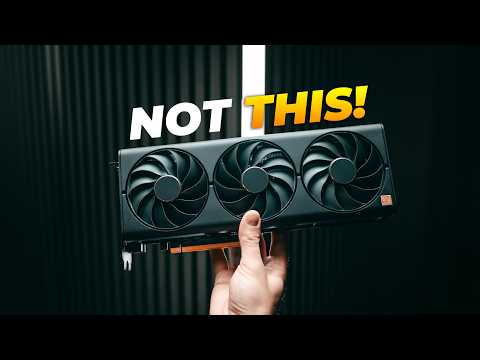
So, you’re chasing the holy grail of smooth gaming: 120 frames per second (FPS). Excellent choice! Whether you’re a competitive esports enthusiast, a VR devotee, or simply demand the most fluid visuals possible, hitting that 120 FPS target is a worthwhile pursuit. But what GPU do you actually need to make it happen? The answer, as always, is “it depends.” Let’s break it down.
The GPU you’ll need for 120 FPS depends heavily on the game you’re playing, the resolution you’re targeting (1080p, 1440p, or 4K), and the graphical settings you’re willing to use. For 1080p gaming, an Nvidia GeForce RTX 3060 Ti or an AMD Radeon RX 6700 XT should get you close to or above 120 FPS in many titles with high, but not necessarily maxed-out, settings. Moving up to 1440p, you’ll want something more powerful like an Nvidia GeForce RTX 3070 or RTX 3070 Ti, or an AMD Radeon RX 6800 or RX 6800 XT. For 4K 120 FPS, you’re going to need top-tier hardware like an Nvidia GeForce RTX 3080 or better, or an AMD Radeon RX 6900 XT or RX 7900 XT. Remember these are starting points, and the specific requirements will vary from game to game.
Understanding Resolution and Settings
The relationship between resolution, graphical settings, and FPS is crucial.
-
Resolution: The higher the resolution, the more pixels the GPU has to render, which demands more processing power. 4K (3840 x 2160) is far more taxing than 1080p (1920 x 1080), so you’ll need a significantly more powerful GPU to achieve the same FPS at a higher resolution.
-
Graphical Settings: Cranking everything to “Ultra” or “Maximum” will obviously put a bigger strain on your GPU than running at “Medium” or “High”. Being willing to compromise on certain settings (like shadows, ambient occlusion, or anti-aliasing) can significantly improve your frame rates without drastically impacting visual quality.
Popular Games and GPU Recommendations
Let’s look at specific games and some GPU suggestions for achieving 120 FPS:
-
Fortnite: An Nvidia GeForce RTX 3050 can often achieve over 120 FPS at high settings in Fortnite at 1080p. For higher resolutions or more consistent performance, consider an RTX 3060 or higher.
-
Hogwarts Legacy: This visually demanding game benefits from powerful hardware. The article mentions an RTX 3080 Ti for high frame rates in this game, but for a consistent 120 FPS at 1080p or 1440p, you might still need to lower some settings. An RTX 3070 or RX 6800 could be good starting points.
-
Competitive Shooters (CS:GO, Valorant, Overwatch 2): These games are typically less graphically intensive and prioritize high frame rates. An RTX 3060 or RX 6600 XT should easily achieve 120 FPS or higher at 1080p, even with high settings.
Beyond the GPU: Other Important Considerations
While the GPU is the primary driver of FPS, other components also play a role:
-
CPU: A powerful CPU is essential to avoid bottlenecks. A slow CPU can prevent the GPU from reaching its full potential, resulting in lower FPS. Consider an Intel Core i5-12600K or an AMD Ryzen 5 5600X as a minimum for high refresh rate gaming.
-
RAM: 16GB of RAM is generally recommended for modern games. Insufficient RAM can lead to stuttering and lower FPS.
-
Monitor: You’ll need a monitor with a refresh rate of 120Hz or higher to actually see the benefit of 120 FPS. Also, consider a monitor with low response time and G-Sync or FreeSync support for a smoother, tear-free experience.
Frequently Asked Questions (FAQs)
1. What is the best GPU for 1080p 120 FPS gaming?
For 1080p 120 FPS, the Nvidia GeForce RTX 3060 Ti and AMD Radeon RX 6700 XT are excellent choices, offering great performance for the price.
2. Can an RTX 3060 run 1440p 120 FPS?
Yes, the RTX 3060 can run games at 1440p, but you might need to adjust the graphics settings to medium or high to consistently achieve 120 FPS in demanding titles.
3. What GPU do I need for 144Hz gaming?
For 144Hz gaming, your GPU requirements will depend on the resolution. For 1080p, an RTX 3060 Ti or RX 6700 XT is a good start. For 1440p, aim for an RTX 3070 or RX 6800.
4. Is a 3080 overkill for 1080p 144Hz?
While a 3080 is technically overkill for many 1080p games at 144Hz, it ensures you’ll maintain high frame rates even in the most demanding titles with maxed-out settings. However, if your primary goal is 1080p gaming, you might consider investing in a higher refresh rate or higher resolution monitor instead.
5. Can an RTX 3080 handle 4K 120 FPS?
The RTX 3080 can handle 4K gaming at 120 FPS in some games, especially with DLSS enabled, but you may need to lower settings in more demanding titles.
6. Is it better to have higher FPS or better graphics?
This depends on your priorities. If you’re a competitive gamer, higher FPS is generally preferred for smoother gameplay and lower input lag. If you prioritize visual fidelity and immersion, you might be willing to sacrifice some FPS for better graphics.
7. Does FPS rely on GPU or CPU?
FPS relies on both the GPU and CPU. The GPU is responsible for rendering the graphics, while the CPU handles game logic, physics, and AI. A bottleneck in either component can limit your FPS.
8. How much FPS does a 3070 get on Fortnite?
With a 3070, you can expect well over 120 FPS on Fortnite at 1080p and 1440p with high settings.
9. Why does 60fps feel bad on a 144Hz monitor?
When your FPS doesn’t match your monitor’s refresh rate, it can lead to screen tearing or judder. While 60 FPS is playable, you won’t be taking full advantage of your 144Hz monitor’s smoothness. VSync or adaptive sync technologies like G-Sync and FreeSync can help alleviate this issue.
10. Do I need a better GPU for better FPS?
Yes, upgrading your GPU is the most effective way to significantly boost your FPS, especially in graphically demanding games.
11. What is the best budget GPU for high FPS?
The AMD Radeon RX 6600 and Nvidia GeForce RTX 3050 offer the best value for budget-conscious gamers looking to achieve high FPS at 1080p.
12. What GPU is overkill for 1440p?
An RTX 3080 or higher can be considered overkill for ultra settings at 1440p in many games, but it provides headroom for future titles and ensures consistent high frame rates.
13. What GPU do most pro gamers use?
While it varies, the NVIDIA GeForce RTX 3080 Ti is a popular choice among professional gamers for its high performance and reliability.
14. Is 144Hz harder on the GPU?
Yes, running at 144Hz requires your GPU to render more frames per second, which puts a heavier load on the card compared to lower refresh rates like 60Hz.
15. What FPS is needed for 144Hz?
Ideally, you want your game to output 144 FPS to match your monitor’s 144Hz refresh rate for the smoothest possible experience.
Achieving 120 FPS in your favorite games is a fantastic goal. By carefully considering your resolution, graphical settings, and budget, you can choose the right GPU to unlock a truly immersive and enjoyable gaming experience. Remember to also factor in your CPU, RAM, and monitor for optimal performance. For further exploration into the world of gaming and its educational impact, consider visiting the Games Learning Society website at https://www.gameslearningsociety.org/ to discover how games are revolutionizing learning. Happy gaming!