What Happens if I Don’t Transfer My PS4 Data to PS5?
Fast answer first. Then use the tabs or video for more detail.
- Watch the video explanation below for a faster overview.
- Game mechanics may change with updates or patches.
- Use this block to get the short answer without scrolling the whole page.
- Read the FAQ section if the article has one.
- Use the table of contents to jump straight to the detailed section you need.
- Watch the video first, then skim the article for specifics.
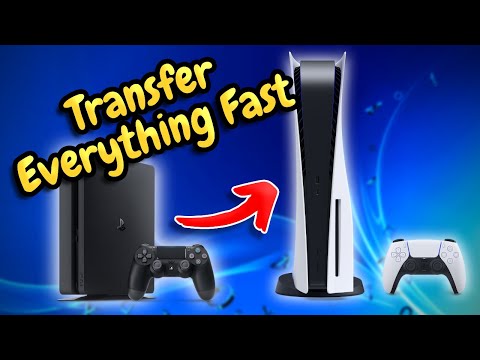
Upgrading to a PlayStation 5 is an exciting experience, offering enhanced graphics, faster loading times, and a whole new generation of games. However, many players transitioning from a PlayStation 4 are left wondering about the implications of not transferring their existing data. The short answer is: if you choose not to transfer your PS4 data to your PS5, your PS4 games, saves, and settings will not automatically carry over. This means you’ll be starting fresh on your PS5, which may not be ideal if you have progress in current games or prefer your personalized console setup. Let’s delve into a more detailed explanation.
Without transferring your PS4 data, your PS5 will act as a completely new console. Your digital PS4 games will need to be downloaded again from your PlayStation Network (PSN) account, although you won’t need to repurchase them. Similarly, physical PS4 game discs can still be used in your PS5. Crucially, though, your game save data won’t be accessible. If you’ve spent countless hours building your character in a role-playing game or mastering a difficult level, you’ll have to begin from scratch unless you transfer those save files. Essentially, it’s like starting your PS5 gaming journey with a clean slate, ignoring everything you’ve achieved on your PS4.
Furthermore, your customized console settings will be lost. This includes your theme, display preferences, parental control settings, and any other personal adjustments you’ve made on your PS4. While you can re-customize your PS5, it will involve time and effort to set everything back to your preferences.
It’s also essential to understand that PS Plus cloud saves for PS4 games will not automatically download onto your PS5. You’ll need to manually download them or transfer them using a USB storage device if you wish to continue playing from where you left off on your PS4. Therefore, not transferring data could mean potentially losing access to your saved game progress, unless you take specific steps to secure them.
While skipping the data transfer can seem like a quick way to get started with your new PS5, it often results in a much more laborious and time-consuming process in the long run for players who want to pick up where they left off in their PS4 games.
Frequently Asked Questions (FAQs) about PS4 Data Transfers to PS5
Here are 15 frequently asked questions about transferring or not transferring data from a PS4 to a PS5, providing comprehensive answers to help you make the best decision for your gaming setup.
Will I lose my digital PS4 games if I don’t transfer data?
No, you will not lose access to your digital PS4 games. They are linked to your PSN account, and you can re-download them on your PS5 from your game library. You simply need to sign into your PSN account on the PS5 to access your purchases.
Can I use my PS4 game discs on PS5 without transferring data?
Yes, you can. The PS5 is backward compatible with most PS4 game discs. You can insert and play your PS4 games on your PS5 without requiring a data transfer, but your saved progress won’t be available unless you transfer that data separately.
What happens to my saved games if I don’t transfer them?
Your saved games will not be accessible on your PS5 if you don’t transfer them. You’ll have to start a new game from the beginning. If you want to pick up where you left off, you must transfer your save data using a network transfer, USB drive, or by downloading from the cloud if you have a PlayStation Plus subscription.
How can I transfer my game saves without the full data transfer?
You can transfer game saves specifically using a USB flash drive. Copy your save files to the USB drive from your PS4, then plug the USB into your PS5 and copy them over. You can also use the cloud if you’re a PS Plus subscriber but will still need to initiate the downloads.
Does my PS Plus cloud save data automatically transfer to my PS5?
For PS5 games, cloud saves are automatically synced. However, for PS4 games, while the data is automatically uploaded to your cloud storage, you still need to manually download it to your PS5. It will not automatically transfer if you skip the initial full data transfer during setup.
Can I transfer data from a PS4 to a PS5 more than once?
Yes, you can. You can repeat the data transfer process as many times as necessary. This is useful if you acquire more games or save data after the initial setup or if you need to update data on the PS5 that may have been deleted.
What happens if I stop the data transfer during the process?
Interrupting the data transfer process might lead to data corruption or loss. It’s crucial to allow the transfer to complete without disrupting your network settings or running internet connection tests.
How long does the data transfer from PS4 to PS5 take?
The duration of the data transfer varies significantly depending on the amount of data. It can range from a few minutes to several hours, especially if you have a large library of games and saved data. A wired connection (LAN cable) typically provides faster transfer speeds compared to Wi-Fi.
Do PS4 games look better on PS5 if I transfer them?
While most PS4 games will look the same whether you play them on a PS4 or PS5, select PS4 games benefit from the PS5’s Game Boost feature. This might lead to slightly higher or smoother frame rates for certain titles. However, simply transferring data doesn’t cause an upgrade in graphics. Some developers may release separate upgrade patches for specific games.
Do I have to rebuy my PS4 games for PS5?
No, you do not need to repurchase your PS4 games to play them on a PS5. The PS5 is backward compatible with the vast majority of PS4 games. However, if you wish to play the PS5 version of a PS4 title that has been upgraded, you may need to pay a small upgrade fee in certain cases.
Can I delete the PS4 version of a game after upgrading to PS5?
Yes, you can usually delete the PS4 version without affecting your gameplay on the PS5. However, some players have experienced issues with their PS5 attempting to reinstall the PS4 version when they reboot the system or insert the PS4 disc.
Is it okay to delete saved data on my PS4 after transferring it?
Yes, it’s perfectly safe to delete saved data on your PS4 after it has been successfully transferred to your PS5. Your saved progress will be available on your PS5. Deleting save data will free up storage space on your PS4.
What is the easiest way to transfer data from my PS4 to my PS5?
The most straightforward way to transfer data is using your Wi-Fi network. Connect both your consoles to the same network, then initiate the data transfer from your PS5 settings. Using a LAN cable for a wired connection can significantly speed up the process.
Why is my data transfer taking so long?
The most common reasons for a slow data transfer are the volume of data (large game files, videos, high-resolution images), network connection speeds, or software incompatibility. Using a wired connection and ensuring both consoles have the latest system software can help speed up the process.
Are there any games that can’t be played on PS5?
The vast majority of PS4 games are playable on PS5, over 4000. There is a very small number of titles, less than ten, that are not supported due to various technical reasons. If you have any doubts, you can check online resources for a list of unsupported titles.
By understanding the ramifications of choosing not to transfer your PS4 data to your PS5 and having access to these additional FAQs, you can make an informed decision about your setup and ensure your move to the next generation of PlayStation gaming is as smooth as possible. Remember, taking a little time upfront to transfer your data can save you significant frustration later and ensure your gaming progress isn’t lost.