Vanishing Act: What Happens When You Release a Spirit to the Netherworld in The Sims 4?
Fast answer first. Then use the tabs or video for more detail.
- Watch the video explanation below for a faster overview.
- Game mechanics may change with updates or patches.
- Use this block to get the short answer without scrolling the whole page.
- Read the FAQ section if the article has one.
- Use the table of contents to jump straight to the detailed section you need.
- Watch the video first, then skim the article for specifics.
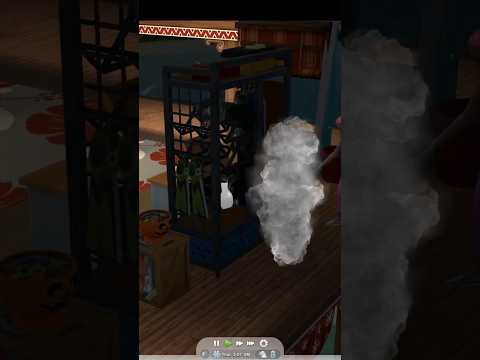
So, you’ve got a ghost haunting your Sims’ lives, and you’re wondering about the Netherworld. What exactly happens when you decide to send a spectral Sim to this mysterious place? The short answer is: they’re gone. Released to the Netherworld, a ghost is effectively deleted from your save file. Think of it as a digital afterlife with no return ticket. This action is permanent and irreversible within your current game. This article will provide a detailed explanation and answer all your questions.
The Point of No Return: Understanding the Netherworld
Releasing a ghost to the Netherworld is a definitive action in The Sims 4. The game warns you that this act is irreversible, and that warning isn’t just for show. Once you click that button, the Sim’s ghost is removed from the game’s memory. They will no longer appear on your lot, haunt your Sims, or be accessible through the family tree. It’s a clean break.
Why Release a Ghost?
Why would you want to banish a Sim to the Netherworld? There are a few common reasons:
-
Reducing Game Lag: A game with too many ghosts in the game can create some lag in the gameplay. Each ghost still has a place in your save file, so a lot of them could have a considerable impact on the performance of your game.
-
Clearing Clutter: Sometimes, a ghost is simply unwanted. Maybe they’re constantly breaking appliances, scaring your Sims, or you just want to clean up your family history.
-
Roleplaying Purposes: Perhaps your Sim family needs closure, and releasing the ghost is a symbolic way to move on.
Alternatives to the Netherworld
Before sending a Sim to oblivion, consider these alternatives:
-
Befriend and Add to Household: Ghosts can become playable Sims. Befriending them and inviting them to join your household allows you to control them and prevent them from fading away.
-
Resurrection: There are methods to bring ghosts back to life, such as using Ambrosia or the Book of Life.
-
Manage the Grave/Urn: Keep the grave or urn on your lot and mourn regularly. This prevents the ghost from automatically being sent to the Netherworld over time.
Restoring a Netherworld Sim
If you’ve released a Sim to the Netherworld and regret it, your options are limited. The primary solution is to reintroduce the Sim from your library. If you had previously saved that Sim (or their household) to your library through “Manage Households,” you can place them back into your world. However, note that this is essentially a copy of the Sim; they won’t retain any memories or relationships from their previous life in your current save.
Frequently Asked Questions (FAQs) About Ghosts and the Netherworld
Here are some frequently asked questions, to cover all the details about ghosts and the Netherworld in The Sims 4:
1. What happens if I don’t interact with a ghost?
If you neglect a ghost by not mourning at their grave or urn, they will eventually be automatically released to the Netherworld. This happens after a certain amount of in-game time has passed without any interaction.
2. Can I get a ghost back from the Netherworld?
Not directly. Once a ghost is released, they are permanently removed from your save file. The only way to “restore” them is to use a previously saved version of the Sim from your library.
3. How do I befriend a ghost?
Interact with the ghost like you would any other Sim. Use friendly interactions such as chatting, joking, and complimenting. Building a high relationship will allow you to invite them to join your household.
4. Can ghosts have babies in The Sims 4?
Female ghosts cannot get pregnant, and male ghosts cannot impregnate a living Sim through “Try for Baby.” This is a game mechanic limitation.
5. Can I WooHoo with a ghost?
Yes, your Sim can WooHoo with a ghost. Once the ghost has materialized, they can be interacted with like any other Sim, including romantic interactions.
6. How do I turn a ghost Sim back into a human?
The primary method is through resurrection. This can be achieved by having a Sim with high Gardening and Cooking skills create Ambrosia and feed it to the ghost. Another way is to use a Book of Life.
7. What does the Book of Life do?
The Book of Life, acquired by maxing the Writing skill and completing the Bestselling Author Aspiration, can capture a Sim’s essence while they are alive. If that Sim dies, they can read the Book of Life to be resurrected.
8. Can I marry the Grim Reaper?
Without cheats, you cannot marry the Grim Reaper. While you can fill the Romance meter, it won’t lead to marriage. Cheats are required to add the Grim Reaper to your household and remove the “IsGrimReaper” trait.
9. How do I keep a ghost from fading away?
The easiest way to keep a ghost around is to invite them to join your household. This makes them a playable Sim and prevents them from being automatically sent to the Netherworld.
10. What are some common causes of death in The Sims 4?
Common deaths include being burned alive, electrocution, starvation, drowning, and old age. Uncommon deaths include being killed by a rabbit or crushed by a vending machine.
11. How do I create a Death Flower?
A Death Flower can be obtained through grafting. Graft Cherry to Apple to make Pomegranate, then graft Lily to Snapdragon to make Orchid. Finally, graft Pomegranate to Orchid to create Death Flowers.
12. What’s the deal with the ghost with the glowing chest?
The ghost of a Vampire who died from sun exposure will have a sun-like object glowing within their chest. Victims of Pufferfish Nigiri will have a pufferfish swimming around their ghostly form.
13. Can I “Try for Baby” with Guidry in The Sims 4?
While you can romance Guidry, the ghost from the Paranormal Stuff Pack, you cannot “Try for Baby” with him. He is a ghost, and the game doesn’t allow for ghost pregnancies in that manner.
14. What are Sugar Skulls used for in The Sims 4?
Sugar Skulls, obtained during the Day of the Dead celebration, are collected by leaving a Sugar Skull Offering at a tombstone or urn at night. Collecting all 9 Sugar Skulls unlocks a special interaction.
15. Does having too many ghosts affect game performance?
Yes, having too many ghosts in your game can contribute to lag and performance issues, as each ghost still consumes resources. Releasing unwanted ghosts to the Netherworld can help improve performance.
Final Thoughts
Releasing a spirit to the Netherworld in The Sims 4 is a permanent decision with significant consequences. Before sending a ghost to oblivion, consider the alternatives – befriending them, resurrecting them, or simply managing their grave. Understanding the mechanics of ghosts and the Netherworld allows you to make informed choices that fit your gameplay style and story. By following these tips, you’ll be able to create the perfect haunted house!
For more information on gaming, education, and learning, visit the Games Learning Society at GamesLearningSociety.org.