What is an Xbox Download Code? Your Comprehensive Guide
Fast answer first. Then use the tabs or video for more detail.
- Watch the video explanation below for a faster overview.
- Game mechanics may change with updates or patches.
- Use this block to get the short answer without scrolling the whole page.
- Read the FAQ section if the article has one.
- Use the table of contents to jump straight to the detailed section you need.
- Watch the video first, then skim the article for specifics.
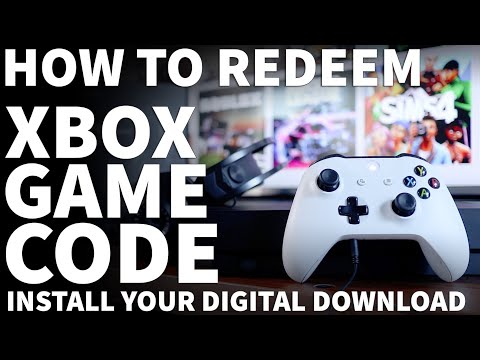
An Xbox download code (also often called a digital code or key) is essentially a digital license for a game, piece of downloadable content (DLC), or subscription (like Xbox Game Pass or Xbox Live Gold) that you can redeem through the Xbox ecosystem. Think of it as a substitute for a physical game disc or a pre-paid card purchased at a store. Instead of inserting a disc into your console or swiping a card at the cashier, you enter a 25-character code, which then unlocks the associated content for your account. This digital license links the content directly to your Xbox account, allowing you to download and play it on any compatible Xbox console where you are logged in. This is a convenient, efficient, and increasingly popular way to acquire new games and content for your Xbox.
Understanding the Fundamentals of Xbox Download Codes
Xbox download codes provide flexibility and instant access to a vast library of games and services. Unlike physical copies, there is no need to wait for shipping or visit a store. The codes can be purchased from various online retailers, bundled with Xbox consoles, or even earned through promotions and contests. Understanding the nature of these codes and how they function within the Xbox ecosystem is crucial for maximizing your gaming experience.
The 25-Character Format: A Unique Identifier
Every Xbox download code adheres to a specific format: 25 characters, comprised of both numbers and letters, presented in five blocks of five characters each (xxxxx-xxxxx-xxxxx-xxxxx-xxxxx). This standardized format ensures compatibility across the Xbox platform and reduces the likelihood of errors during redemption. The absence of certain characters (A, E, I, L, O, S, U, 0, 1, and 5) further minimizes confusion and typographical mistakes.
Redemption: Unlocking Your Digital Content
The redemption process is straightforward. Whether you’re using an Xbox console, the Xbox app on a mobile device, or the Microsoft website, the steps are designed to be user-friendly. Entering the 25-character code accurately is paramount; any errors will prevent successful redemption. Once the code is validated, the corresponding game, DLC, or subscription is added to your Microsoft account, ready for download and use.
Digital Entitlement: Ownership in the Cloud
The real power of an Xbox download code lies in its ability to grant digital entitlement. When you redeem a code, you don’t just download the game; you own the right to access and play that game on any compatible Xbox console associated with your account. This cloud-based ownership eliminates the need to keep track of physical discs or worry about scratching or losing them.
Frequently Asked Questions (FAQs) About Xbox Download Codes
Here are some of the most frequently asked questions about Xbox download codes, designed to give you a deeper understanding:
1. Where Can I Buy Xbox Download Codes?
You can purchase Xbox download codes from a variety of sources, including:
- Microsoft Store: The official online store for Xbox products.
- Online Retailers: Amazon, Best Buy, GameStop, and other major retailers often sell digital codes.
- Third-Party Websites: Be cautious when purchasing from third-party websites; ensure they are reputable and authorized resellers to avoid scams.
2. How Do I Redeem a Code on My Xbox Series X|S or Xbox One?
Follow these steps:
- Press the Xbox button to open the guide.
- Select Store.
- Press the View button to open the side menu.
- Select Redeem.
- Enter the 25-character code.
- Select Next and follow the prompts.
3. Can I Redeem an Xbox Code Online?
Yes, you can redeem an Xbox code online through the Microsoft website:
- Go to microsoft.com/redeem.
- Sign in to your Microsoft account.
- Enter the 25-character code.
- Follow the on-screen instructions.
4. Can I Redeem an Xbox Code Through the Xbox App on My Phone?
Yes, you can. Here’s how:
- Open the Xbox mobile app.
- Tap the Menu symbol (three lines) in the upper-left corner.
- Tap Browse.
- Select Redeem a code.
- Enter the 25-character code and follow the prompts.
5. What Can Xbox Codes Be Used For?
Xbox codes can be used to redeem:
- Games: Full games for Xbox One, Xbox Series X|S, and backward-compatible Xbox 360 titles.
- Downloadable Content (DLC): Expansions, add-ons, and in-game items.
- Xbox Game Pass Subscriptions: Access to a library of games for a set period.
- Xbox Live Gold Subscriptions: Online multiplayer access and other benefits.
- Microsoft Gift Cards: Funds to purchase games, movies, and other content from the Microsoft Store.
6. Do Xbox Download Codes Expire?
The expiration policy varies:
- Xbox Live Gold and Game Pass codes (not trials): Generally, these do not expire.
- Game codes: While rare, some game codes might have expiration dates. Always check the terms and conditions of the purchase or promotion.
7. What If My Xbox Code Doesn’t Work?
If you encounter issues redeeming a code:
- Double-check the code: Ensure you’ve entered all 25 characters correctly, paying attention to similar-looking letters and numbers.
- Check your account: Verify that the code hasn’t already been redeemed on your account. Check your order history or subscription page.
- Contact support: If the code is still invalid, contact Microsoft support or the retailer where you purchased the code for assistance.
8. Can I Use an Xbox One Download Code on My Xbox Series S or X?
Yes, in most cases. If the game is backward compatible or has a specific version for the Xbox Series X|S, the code should work. The key here is backward compatibility, which is a design feature to ensure the game works across different platforms.
9. What Happens When I Redeem a Digital Xbox Code?
Once redeemed, the game or content is linked to your Microsoft account. You can then download and install it on any compatible Xbox console where you are logged in with that account.
10. How Can I Tell If an Xbox Code Has Already Been Redeemed?
The easiest way is to check your Services & Subscriptions page on your Microsoft account. If the subscription or game is listed there, it has already been redeemed.
11. Can I Give an Xbox Download Code as a Gift?
Yes, you can. You can simply forward the email containing the code or print it out and give it to the recipient. They can then redeem it on their own Xbox account. However, you can’t directly “gift” a redeemed game or subscription to another account.
12. Are There Any Region Restrictions on Xbox Download Codes?
Yes, some codes are region-locked. This means that a code purchased in one country might not work in another. Always check the region compatibility before purchasing a code, especially from third-party sources.
13. How Do I Find My Downloaded Games on My Xbox?
Your downloaded games are typically found in the “My Games & Apps” section of your Xbox dashboard. You can also search for them in the Microsoft Store under “My Library“.
14. Can I Redeem an Xbox Download Code More Than Once?
No. Xbox download codes are one-time use only. Once a code has been redeemed, it cannot be used again. It’s designed to only grant one license per code.
15. Why Can’t I Gift a Game on Xbox?
There are a few reasons why you might not be able to gift a game on Xbox:
- You may have reached the limit for the number of digital gifts that can be sent within a certain timeframe.
- There may be regional restrictions preventing you from gifting to someone in a different country.
- The game itself may not be eligible for gifting due to licensing agreements.
The Future of Gaming: Digital Distribution and Beyond
Xbox download codes represent a significant shift towards digital distribution in the gaming industry. This trend offers numerous benefits, including convenience, accessibility, and environmental friendliness (by reducing the need for physical media). As technology evolves, digital download codes will likely become even more integrated into the gaming experience, offering new ways to acquire and manage our digital libraries.
The rise of digital gaming also has implications for education and learning. For instance, the principles of game design and mechanics, explored by organizations like the Games Learning Society ( GamesLearningSociety.org ), are now more accessible than ever thanks to the ease of downloading and experimenting with different game titles. The Games Learning Society encourages the use of games and game design in educational settings, aligning with the increasing prevalence of digital gaming and its potential for innovative learning experiences. Digital codes help to make learning more engaging and accessible.