Decoding the Dreaded Nintendo Switch Error Code 2618-0516: A Comprehensive Guide
Fast answer first. Then use the tabs or video for more detail.
- Watch the video explanation below for a faster overview.
- Game mechanics may change with updates or patches.
- Use this block to get the short answer without scrolling the whole page.
- Read the FAQ section if the article has one.
- Use the table of contents to jump straight to the detailed section you need.
- Watch the video first, then skim the article for specifics.
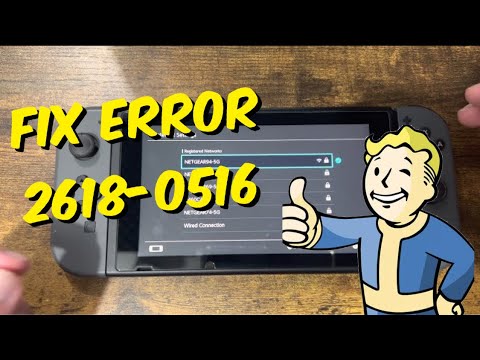
So, you’ve encountered the dreaded Nintendo Switch error code 2618-0516. Don’t panic! It’s a common issue and, in most cases, solvable. Error code 2618-0516 generally indicates that your network is not optimal for peer-to-peer (P2P) connections, which are often used in online multiplayer games. This usually stems from an issue with your Network Address Translation (NAT) type. Let’s dive deeper into what that means and how to fix it.
Understanding the Root Cause: NAT Type
To understand error code 2618-0516, it’s crucial to grasp the concept of NAT. Imagine your home network as a private apartment complex, and your internet connection as the main entrance. Each device in your apartment (your Nintendo Switch, phone, laptop, etc.) needs a way to communicate with the outside world (the internet).
NAT acts as a translator and traffic controller at your apartment’s main entrance. It takes the requests from your devices, translates them into a format the internet understands, and sends them out. When the responses come back, NAT figures out which device in your apartment the response belongs to and delivers it accordingly.
However, NAT isn’t always straightforward. There are different types of NAT, each with its own level of strictness. The Nintendo Switch relies on relatively open communication for its online games, especially those using P2P connections. A restrictive NAT type can hinder this communication, leading to error code 2618-0516.
Common NAT Types and Their Impact
Here’s a breakdown of common NAT types and their potential impact on online gaming:
-
Type A (Open NAT): This is the ideal scenario. It allows for the freest communication and is least likely to cause issues with P2P connections.
-
Type B (Moderate NAT): Still generally good, but might experience occasional hiccups with certain games or connections.
-
Type C (Moderate NAT): The Switch can communicate online with moderate restrictions.
-
Type D (Strict NAT): This is where problems usually begin. A strict NAT severely limits connections and makes it difficult to connect to other players, often resulting in error code 2618-0516. NAT type D can only communicate with other units which are on NAT type A.
-
Type F: Cannot communicate with anyone online.
Troubleshooting Steps to Resolve Error Code 2618-0516
Now that we understand the underlying issue, let’s explore how to fix it. These steps are designed to improve your NAT type and allow smoother P2P connections for your Nintendo Switch:
-
Check Your NAT Type: On your Nintendo Switch, go to System Settings > Internet > Test Connection. This will display your current NAT type.
-
Restart Your Router and Modem: This is the classic first step for a reason. Power cycle both your router and modem by unplugging them for about 30 seconds, then plugging them back in. Allow them to fully restart.
-
Enable UPnP (Universal Plug and Play): UPnP allows devices on your network to automatically configure the router for optimal communication. Access your router’s settings (usually through a web browser by typing in your router’s IP address – check your router’s manual for this) and look for UPnP settings. Enable it if it’s disabled. If it’s already enabled, try disabling it, saving the changes, then re-enabling it. Some routers require a restart after changing these settings.
-
Port Forwarding: This is a more advanced technique, but it can be very effective. You need to manually configure your router to forward specific ports to your Nintendo Switch. The ports required for Nintendo Switch Online are:
- TCP: 443, 6667, 12400, 28910, 29900, 29901, 29920
- UDP: 1-65535
Refer to your router’s manual for instructions on how to set up port forwarding. You’ll need your Nintendo Switch’s IP address, which can be found in the Internet settings. Ensure you assign a static IP address to your Switch to prevent it from changing and breaking the port forwarding rules.
-
DMZ (Demilitarized Zone): As a last resort, you can place your Nintendo Switch in the DMZ of your router. This essentially opens all ports to the device, bypassing the router’s firewall. However, this also makes the Switch more vulnerable to security threats, so use it with caution. Refer to your router’s manual for DMZ configuration. It is generally recommended to avoid using DMZ unless absolutely necessary and you understand the risks.
-
Update Router Firmware: Outdated firmware can cause network issues. Check your router manufacturer’s website for the latest firmware updates and install them.
-
Check Your Internet Service Provider (ISP): In rare cases, the issue might lie with your ISP. They may be using a restrictive NAT type on their end. Contact them and inquire about your NAT type and whether they can assist in opening it up.
-
Alternate DNS Servers: Sometimes, using alternate DNS servers can improve connection stability and speed. Consider using public DNS servers like Google DNS (8.8.8.8 and 8.8.4.4) or Cloudflare DNS (1.1.1.1 and 1.0.0.1). You can change your DNS settings in the Nintendo Switch’s Internet settings.
-
Wireless Interference: A weak Wi-Fi signal can also contribute to connection problems. Ensure your Nintendo Switch is close to your router, and minimize interference from other devices or objects. Consider using a wired Ethernet connection for a more stable connection.
-
Resetting the router back to its factory default settings.
-
Switch NAT traversal process has failed restarting the gateway (Nokia)
-
restarting the switch
-
connecting the switch via Ethernet
-
using alternate DNS
Important Considerations
-
Double NAT: If you have multiple routers in your network, you might be experiencing double NAT, which can further restrict your NAT type. Try connecting your Nintendo Switch directly to the primary router.
-
Firewall: Your router’s firewall might be blocking connections. Check your firewall settings and ensure that the Nintendo Switch is not being blocked.
-
Third-Party Security Software: Some security software on your computer or network can interfere with connections. Temporarily disable any security software to see if it resolves the issue.
Games Learning Society and Network Knowledge
Understanding how networks function, including concepts like NAT, isn’t just for troubleshooting gaming errors. These skills are increasingly relevant in today’s digital world and connect directly to digital literacy. The Games Learning Society at GamesLearningSociety.org explores how games and play can be used to foster learning and develop crucial skills, including problem-solving and critical thinking, which are essential for navigating complex technical issues like network configuration.
Frequently Asked Questions (FAQs)
1. What is error code 2618-0515?
Error code 2618-0515 is closely related to 2618-0516 and typically points to network connectivity problems.
2. What is error code 2628-0201?
Error code 2628-0201 indicates that your Internet connection has likely timed out. This could be due to a slow Internet service or a poor wireless environment.
3. What is error code 2318-0531?
Error code 2318-0531 occurs due to an interrupted internet connection.
4. What is error code 2318-0006?
Error code 2318-0006 indicates that your Internet connection has timed out, possibly due to a slow Internet connection or a weak wireless signal.
5. What is error code 2318-1400?
Error code 2318-1400 also occurs due to an interrupted internet connection or a bad wireless environment.
6. What is error code 2628-0513?
Error code 2628-0513 generally indicates that your network is not optimal for peer-to-peer connections, potentially due to your ISP, internet connection speeds, or your network’s NAT type.
7. What is error code 2124-5114?
Error code 2124-5114 signifies that the use of online services for the software is currently restricted for the associated Nintendo Account.
8. What is error code 2618-0006?
Error code 2618-0006, similar to 2318-0006, suggests that your Internet connection has timed-out because of a slow Internet connection or a weak wireless signal.
9. What is error code 2618-0203?
Error code 2618-0203 indicates a potential issue related to the DNS being used. This may be the result of an incorrect DNS entered into the console’s Internet settings, or an issue with the ISP or DNS service you are attempting to use.
10. What is error code 2306-0811?
Error code 2306-0811 indicates the service you are attempting to use is likely undergoing maintenance.
11. What is error code 12007?
Error 12007 means that the server name or address could not be resolved, often indicating a DNS issue.
12. What does NAT Type D mean for online gaming?
NAT type D indicates a strict NAT, which means the Switch can only communicate online with other units that are on NAT type A, severely limiting online play.
13. How can I reset NAT?
Refresh the NAT table on your router by disabling UPnP, saving the changes, and then power cycling your router. After the router restarts, re-enable UPnP.
14. What if none of these steps work?
If you’ve tried all the troubleshooting steps and still encounter error code 2618-0516, it’s best to contact Nintendo Support directly. They may have specific solutions for your situation or be able to identify other underlying issues.
15. Is there a way to prevent this error from happening?
While you can’t guarantee it will never happen, proactively maintaining your network by keeping your router firmware updated, ensuring a strong Wi-Fi signal, and having a generally open NAT type will significantly reduce the likelihood of encountering error code 2618-0516.
We hope this comprehensive guide helps you resolve error code 2618-0516 and get back to enjoying your favorite Nintendo Switch games online! Good luck, and happy gaming!