What is Preventhibernation in Ark: Survival Evolved?
Fast answer first. Then use the tabs or video for more detail.
- Watch the video explanation below for a faster overview.
- Game mechanics may change with updates or patches.
- Use this block to get the short answer without scrolling the whole page.
- Read the FAQ section if the article has one.
- Use the table of contents to jump straight to the detailed section you need.
- Watch the video first, then skim the article for specifics.
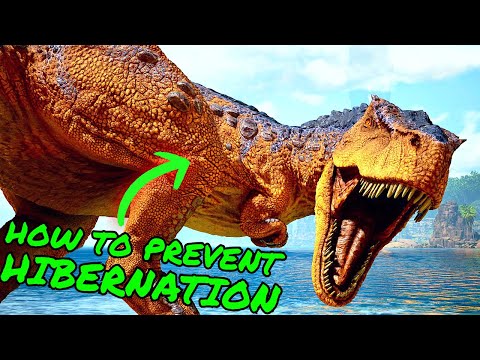
Preventhibernation is a specific launch option in Ark: Survival Evolved that fundamentally alters how the game handles the processing of creatures and structures when playing in single-player or non-dedicated server modes. In its default state, Ark employs a system where creatures and structures in areas far from the player are put into a form of stasis or hibernation. This means they essentially stop being actively simulated by the game, reducing the computational load and improving performance.
When you use the -preventhibernation launch option, this hibernation mechanism is disabled. Instead, the game continues to process data for all creatures across the map, regardless of their proximity to the player. This makes the single-player experience behave more like a dedicated multiplayer server, where all areas are constantly simulated. The primary tradeoff for this enhanced simulation is increased performance demands and higher memory usage. This feature also enables the offline raiding prevention feature on non-dedicated servers.
Effectively, -preventhibernation allows for a more persistent and immersive world in single-player by eliminating the “stasis” effect. While it does not perfectly replicate the dedicated server experience, it brings single-player closer to the level of simulation found on online servers.
Understanding the Impact of Preventhibernation
How Hibernation Works by Default
By default, Ark implements hibernation to optimize performance, particularly in single-player environments. The game essentially divides the map into sectors. When the player isn’t close to a sector, the game puts the creatures and structures within that sector into stasis. This means that the AI for dinosaurs stops being processed and resources do not respawn. The game tracks the state of the game in a minimized fashion, thus reducing the load on your system.
The Effects of -Preventhibernation
When -preventhibernation is activated, these benefits are traded for a more consistent simulated world. This has several notable effects:
- Continuous Creature Behavior: Creatures far away from the player remain active, allowing them to move, hunt, and breed, regardless of player presence. This results in a more dynamic and realistic world.
- Resource Spawning: Resources such as trees, rocks, and metal nodes will respawn at the same rate across the entire map as they would on a multiplayer server, not just near the player.
- Offline Raiding Prevention: When used on a non-dedicated server, it ensures a 15-minute window for your creatures and structures to become invulnerable when a player logs out.
Performance Considerations
It’s crucial to understand that using -preventhibernation can significantly impact the game’s performance. The constant simulation of the entire map requires more processing power and memory (RAM). Older PCs, or those with lower specifications may experience significant performance drops or unplayable conditions.
How to Activate Preventhibernation
Through Steam Launch Options
The most common way to activate -preventhibernation is by modifying Ark’s launch options in Steam:
- Open Steam and navigate to your Library.
- Right-click on “Ark: Survival Evolved” and select “Properties”.
- In the “General” tab, find the “Launch Options” field.
- Type -preventhibernation into the field.
Activating on a Non-Dedicated Server
You can also enable -preventhibernation on a non-dedicated server through the same Steam launch options method. Follow the steps above, and any time you launch the game to host a non-dedicated server, the option will be active. This is necessary to enable the offline raiding prevention feature.
Why Use Preventhibernation?
For most players, there are several reasons to enable -preventhibernation.
- More Dynamic Single Player: The world in single-player feels more alive as creatures and resources spawn at a constant rate, mimicking a live online server.
- Offline Raiding Protection: If running a non-dedicated server, it prevents players from raiding you within 15 minutes of you logging off.
- Consistent Gameplay: The world will not pause when you leave a sector of the map, leading to a more consistent experience.
Frequently Asked Questions (FAQs)
1. Will Preventhibernation affect my game’s save file?
No, -preventhibernation does not directly affect your save file. It is a launch option that influences how the game processes the world while you are playing, but won’t change any save data in a direct way.
2. Can I use other launch options with Preventhibernation?
Yes, you can use multiple launch options at the same time. Each launch option is separated by a space. For example, you could use -preventhibernation -USEALLAVAILABLECORES to use all your CPU cores along with preventing hibernation.
3. How can I disable Preventhibernation?
To disable -preventhibernation, simply remove the text from the “Launch Options” field in Steam. The game will then revert to its default hibernation behavior.
4. Does -preventhibernation fix single-player dino lag?
While -preventhibernation makes the world more consistent, it may not necessarily resolve all forms of lag. Lag from other sources such as insufficient ram, or CPU will still be present.
5. Is -preventhibernation necessary for dedicated servers?
No, -preventhibernation is not needed for dedicated servers. Dedicated servers are always actively simulating the entire world and they do not use the hibernation mechanism.
6. Will Preventhibernation increase my RAM usage?
Yes, using -preventhibernation will increase your RAM usage because the game constantly processes the entire world.
7. Can Preventhibernation cause my game to crash?
If your computer does not meet the system requirements or runs close to its limit, -preventhibernation may contribute to crashes. Make sure your system is able to keep up with the increased load.
8. What does offline raiding prevention do?
Offline raiding prevention is a feature enabled by -preventhibernation on non-dedicated servers. It gives your tribe a 15-minute window of invulnerability after you log off. This prevents other players from immediately attacking your base and dinos once you are offline.
9. Is Preventhibernation recommended for lower-end PCs?
No, -preventhibernation is generally not recommended for lower-end PCs due to the increased performance demands. You may experience significant performance drops.
10. How much RAM is recommended to use -preventhibernation effectively?
While it depends on map size and complexity, at least 16GB of RAM is recommended for a smoother experience with -preventhibernation.
11. Does Preventhibernation affect resource spawning differently?
Yes, using -preventhibernation affects resource spawns. With the option enabled, resources will respawn dynamically across the map, not just in areas close to the player, as the game treats the world as always active.
12. Does -preventhibernation work on all versions of Ark?
Yes, -preventhibernation generally works on all PC versions of Ark: Survival Evolved that are available through Steam.
13. Does Preventhibernation prevent dinosaurs from despawning?
No, -preventhibernation doesn’t prevent the game from culling, despawning or deleting wild or tamed creatures or resources due to game mechanics. It simply stops creatures from going into stasis when the player moves away from a sector on the map.
14. Can Preventhibernation be applied to console versions of Ark?
No, -preventhibernation is only a launch option available on the PC version of Ark. Consoles lack the ability to change launch options in this way.
15. Should I use Preventhibernation if I am just starting out?
If you are just starting out, it’s generally best to play the game without -preventhibernation first. This will allow you to get familiar with game mechanics before adding a feature that could possibly lower performance. Once you feel comfortable, you can add it to your game.
By understanding the benefits and drawbacks of -preventhibernation, players can make an informed decision on whether to use this option, tailoring their gaming experience to their personal preferences and system capabilities.