What is Rumble on a Nintendo Switch Controller?
Fast answer first. Then use the tabs or video for more detail.
- Watch the video explanation below for a faster overview.
- Game mechanics may change with updates or patches.
- Use this block to get the short answer without scrolling the whole page.
- Read the FAQ section if the article has one.
- Use the table of contents to jump straight to the detailed section you need.
- Watch the video first, then skim the article for specifics.
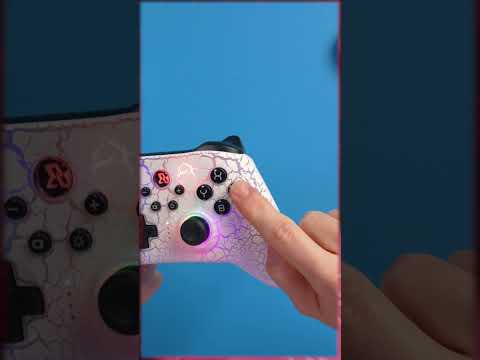
Rumble on a Nintendo Switch controller, often referred to as HD Rumble, is a sophisticated haptic feedback system built into the Joy-Con controllers and the Pro Controller. It allows the controller to vibrate in response to in-game events, providing a tactile experience that enhances immersion. Unlike simple vibration in older controllers, HD Rumble is more nuanced and capable of producing a wide range of vibrations, allowing players to feel subtle sensations like the clinking of objects or the textures of different surfaces. Think of it as a way for the game to communicate with you through your hands, making the gaming experience more realistic and engaging.
Understanding the Nuances of HD Rumble
How Does HD Rumble Work?
At its core, rumble technology uses small motors within the controller. These motors are designed to vibrate at varying speeds and intensities. HD Rumble takes this concept further by using more sophisticated actuators and software, enabling a much greater degree of control over vibration patterns. This precision allows the controller to mimic a wide array of sensations, from a gentle trickle of water to the powerful impact of an explosion. The result is a more immersive and responsive gameplay experience.
Why is HD Rumble Important?
The importance of HD Rumble goes beyond just adding a simple vibration. It plays a vital role in:
- Immersion: By providing tactile feedback that matches the on-screen action, HD Rumble deepens the player’s immersion into the game world. You don’t just see an explosion; you feel it, making the experience far more impactful.
- Enhanced Gameplay: In some games, HD Rumble can be used as a gameplay mechanic itself. For example, players might be able to distinguish different items inside a virtual container or sense the direction from which they were shot solely based on the vibration feedback.
- Accessibility: Haptic feedback offers a non-visual cue for players, which can benefit those with visual impairments. Rumble can help navigate game menus or be an indicator of an event happening nearby.
- Emotional Connection: Subtle vibrations can evoke emotions, such as the light tremor of a character’s nervousness or the powerful resonance of a victory. This can create a deeper connection between the player and the game.
HD Rumble vs. Traditional Rumble
Traditional rumble found in previous controllers typically offered a single, uniform vibration. This simple on/off vibration could be effective, but it was limited in the range of sensations it could create. In contrast, HD Rumble provides a spectrum of vibration frequencies, speeds, and intensities, capable of much more nuanced and detailed feedback. This allows for a more subtle and detailed range of feelings.
Best Examples of HD Rumble in Nintendo Switch Games
Many games utilize the HD Rumble technology in unique and innovative ways, some noteworthy examples are:
- 1-2-Switch: A launch title for the Switch, this game is a showcase of the HD Rumble functionality, offering various minigames that rely heavily on precise vibration feedback.
- Super Mario Odyssey: The game uses HD Rumble to add texture to the game world, from the subtle shaking of the ground to the feel of throwing hats.
- Luigi’s Mansion 3: This title uses HD Rumble to enhance the atmosphere, letting players feel the subtle creaks and groans of the mansion and the actions of the Poltergust G-00.
- Mario Kart 8 Deluxe: The game incorporates HD Rumble to provide feedback on different terrain types and to enhance the feeling of driving.
- Tetris Effect: Connected: The controller’s vibration syncs to the game’s rhythm to provide an immersive and almost meditative experience.
Frequently Asked Questions (FAQs) About Rumble on Nintendo Switch Controllers
1. What is the difference between rumble and HD Rumble?
Rumble typically refers to a basic vibration feature found in many game controllers. HD Rumble is a more advanced technology that provides a greater range of vibration intensities, speeds and frequencies, allowing for more subtle and diverse tactile feedback.
2. Which Nintendo Switch controllers have HD Rumble?
The Joy-Con controllers and the Nintendo Switch Pro Controller are equipped with HD Rumble. The Nintendo Switch Lite console does not have built-in vibration, but it can use HD Rumble when connected to a supported controller.
3. Can I turn rumble off on my Nintendo Switch?
Yes, you can turn off controller vibration on your Nintendo Switch. Navigate to the “System Settings” from the HOME menu, then select “Controllers and Sensors,” and finally select “Controller Vibration” to toggle it on or off.
4. Does the Nintendo Switch Lite have vibration?
The Nintendo Switch Lite console does not have a built-in vibration feature. However, it can utilize HD Rumble when paired with a wireless Joy-Con or Pro Controller.
5. Are there any games that specifically require rumble?
While most games don’t require rumble, many are enhanced by it, and some have gameplay mechanics built around the use of HD Rumble, like in 1-2-Switch.
6. Why isn’t my Nintendo Switch controller vibrating?
There are a few potential reasons. First, ensure that your console is running the latest system update and that your controller firmware is up to date. Second, verify that the Controller Vibration setting is enabled. Finally, check the controller’s battery level.
7. Do wired Nintendo Switch controllers have rumble?
Some wired controllers might not have rumble features. Many budget-friendly wired controllers lack advanced features such as HD Rumble and motion controls.
8. Is HD Rumble just a gimmick, or does it really improve the gaming experience?
HD Rumble is more than just a gimmick. It genuinely enhances the gaming experience by adding a tactile dimension, improving immersion, and sometimes offering gameplay-relevant information.
9. Can I adjust the intensity of the controller rumble?
The Nintendo Switch settings do not offer granular control over the intensity of rumble, beyond enabling or disabling it entirely. However, some games might have their own settings to control vibration intensity within the game’s options.
10. Does the absence of rumble have a major impact on gameplay?
While the absence of rumble won’t hinder your ability to play most games, it will lessen the sense of immersion and the overall experience. In some titles with gameplay mechanics tied to HD Rumble, you might also miss some crucial feedback.
11. Do all Joy-Cons have HD Rumble?
Yes, all official Nintendo Joy-Con controllers are equipped with HD Rumble.
12. Can I use rumble when playing cloud gaming on my Switch?
Yes, you can use controller vibration for cloud gaming, but you’ll have to turn it on separately in your settings menu. Usually, you can find these settings under Settings > Input > Controller Vibration.
13. Is there a way to make my controller vibrate constantly?
Generally, no. The vibration is a response to in-game events and cannot be set to vibrate constantly without external intervention. You may be able to adjust accessibility settings, but it will not cause a constant vibration.
14. Are there any third-party controllers that offer HD Rumble on the Nintendo Switch?
While there are many third-party controllers for the Nintendo Switch, not all of them offer HD Rumble. Most licensed third-party controllers are able to produce standard rumble, but it is important to check before purchasing if you desire HD Rumble.
15. Why is my controller vibration so loud?
A loud controller vibration may be a sign that the controller is getting old or may need to be taken care of. If the vibration starts to become unusually loud, it is worth seeing if a system update might help correct it, or it is time to get a new controller.
By understanding what rumble is, especially HD Rumble, on your Nintendo Switch controller, you can fully appreciate its capabilities. It’s more than just a simple shake; it’s a way for the game to reach out and touch you, making your gaming experience far more immersive and engaging.