What is Soft Shutdown in Roblox?
Fast answer first. Then use the tabs or video for more detail.
- Watch the video explanation below for a faster overview.
- Game mechanics may change with updates or patches.
- Use this block to get the short answer without scrolling the whole page.
- Read the FAQ section if the article has one.
- Use the table of contents to jump straight to the detailed section you need.
- Watch the video first, then skim the article for specifics.
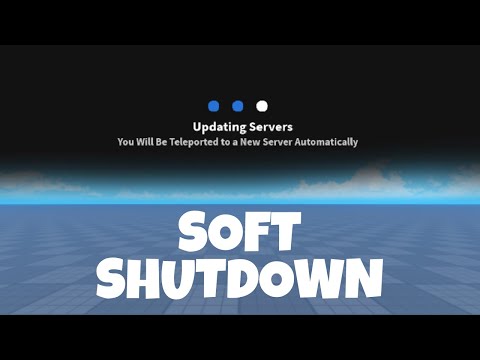
A soft shutdown in Roblox is a crucial technique used by developers to gracefully bring down game servers while minimizing disruption for players. Instead of abruptly terminating the server, a soft shutdown involves teleporting all players to a designated “shutdown place” within the game or to another experience entirely. This allows the server to close without players losing progress or facing sudden disconnection. This dedicated shutdown place typically displays a message informing players about the shutdown, its reason (e.g., an update), and an estimated time before the game is back online. After a short, pre-determined wait time in the shutdown place, players are usually directed back to the main game, ensuring they connect to a freshly updated server.
This method offers a far superior experience compared to simply shutting down all servers without warning. It ensures a smoother transition for players, reduces frustration, and helps maintain a positive community perception of the game. In essence, it’s a polite and efficient way to manage server maintenance and updates in the Roblox environment.
Why Implement Soft Shutdowns?
The benefits of implementing soft shutdowns are numerous. Here’s a breakdown of why developers prioritize this approach:
- Improved Player Experience: Abrupt shutdowns can lead to lost progress, frustration, and negative reviews. Soft shutdowns provide a warning and a controlled transition, allowing players to save their progress and understand the reason for the downtime.
- Data Preservation: By teleporting players before shutting down, the game has a chance to save player data properly. This minimizes the risk of data loss or corruption that can occur during a sudden server termination.
- Controlled Updates: Soft shutdowns are essential for deploying updates. They ensure that players are not playing on outdated versions of the game and help prevent compatibility issues or exploits that might arise from mixed versions.
- Preventing Data Corruption: Sudden server shutdowns can lead to corrupt data. Soft shutdowns give the game a chance to gracefully save the data and prevent any loss of game progression.
- Maintaining a Positive Community Perception: Games that prioritize player experience are generally viewed more favorably by the community. Soft shutdowns demonstrate that the developers care about their players’ time and enjoyment.
- Preventing Server Hopping Exploits: Some players attempt to exploit server hopping (repeatedly joining and leaving servers) for unfair advantages. Soft shutdowns can help prevent this by ensuring all players are transitioned together and connected to the same new server when the game comes back online.
How to Implement a Soft Shutdown Script
Creating a soft shutdown script involves several key steps:
- Create a “Shutdown Place”: This is a separate place within your game (or a different experience altogether) where players will be teleported during the shutdown. The place should display a clear message explaining the situation.
- Develop a Shutdown Script: This script will run on the server and handle the teleportation process. It should include the following functionalities:
- Detect when a shutdown is initiated (usually triggered by a developer command).
- Retrieve a list of all players currently in the server.
- Teleport all players to the “shutdown place” using the
TeleportService. - (Optional) Store player data before teleporting to avoid any losses.
- Implement a Wait Timer: After teleporting players to the shutdown place, include a wait timer (e.g., 30-60 seconds). This allows Roblox to properly prepare the new servers before players are redirected back to the main game.
- Redirect Players Back: After the wait timer expires, redirect players from the shutdown place back to the main game, ensuring they join a freshly updated server.
- Secure the Shutdown Trigger: Ensure that only authorized developers can initiate the shutdown script. Use appropriate security measures (e.g., checking player roles or developer IDs) to prevent unauthorized shutdowns.
Key Roblox Services and Functions for Soft Shutdowns
- TeleportService: This service is essential for teleporting players between places within a game or to other experiences. It includes functions like
TeleportService:Teleport(), which teleports a single player, andTeleportService:TeleportParty(), which can teleport a group of players together. - Players Service: Used to retrieve a list of all players currently in the server. You can use
game.Players:GetPlayers()to get a table containing all the players. - DataStoreService: This service is vital for saving player data before the shutdown. Use it to store crucial player information (e.g., progress, inventory) so that it can be loaded back when they rejoin the game.
Important Considerations for Soft Shutdowns
- Error Handling: Implement robust error handling in your script to catch any potential issues during the teleportation process. Log errors and provide informative messages to the developers.
- Player Data Saving: Prioritize saving player data before initiating the teleport. This minimizes the risk of data loss due to unexpected errors or server issues during the shutdown.
- Shutdown Place Design: The shutdown place should be visually appealing and informative. Clearly communicate the reason for the shutdown, the estimated downtime, and any other relevant information.
- Testing: Thoroughly test your soft shutdown script in a development environment before deploying it to a live game. Simulate different scenarios (e.g., high player counts, network issues) to ensure the script functions reliably.
- Alternative Games: You can also use a soft shutdown to advertise another game on your profile.
Soft Shutdown: A Best Practice
Soft shutdowns are considered a best practice in Roblox game development. They demonstrate a commitment to player experience and contribute to a more positive and engaging gaming environment. By implementing a well-designed soft shutdown system, developers can minimize disruption, maintain player satisfaction, and ensure smooth updates and maintenance for their games.
Learning resources like the Games Learning Society or GamesLearningSociety.org can offer further insights and best practices for game development.
Frequently Asked Questions (FAQs) About Soft Shutdowns in Roblox
1. Can players still play the game while a soft shutdown is in progress?
No. During a soft shutdown, players are teleported to a dedicated “shutdown place” and cannot access the main game until the maintenance or update is complete and the servers are brought back online.
2. How long does a typical soft shutdown last?
The duration of a soft shutdown varies depending on the complexity of the update or maintenance being performed. Typically, it can range from a few minutes to an hour. The shutdown place should display an estimated time for when the server will be back up.
3. What happens if a player disconnects during a soft shutdown?
If a player disconnects during the teleportation process or while waiting in the shutdown place, they will likely need to rejoin the game manually once the servers are back online. A well-designed shutdown place should provide clear instructions on how to do this.
4. Are soft shutdowns only for major updates?
No. Soft shutdowns can be used for any type of maintenance or update, whether it’s a major feature release, a bug fix, or even routine server maintenance. The key is to provide players with a smooth transition and clear communication.
5. How do developers initiate a soft shutdown?
Developers typically initiate a soft shutdown through an admin panel or a custom command within the game’s code. It’s crucial to secure this functionality so that only authorized developers can trigger it.
6. Is it possible to automate soft shutdowns?
Yes, it is possible to automate soft shutdowns based on certain triggers, such as scheduled maintenance times or the detection of critical errors. However, it’s important to implement safeguards to prevent accidental or unauthorized automated shutdowns.
7. What are the potential drawbacks of using soft shutdowns?
The main drawback of soft shutdowns is the temporary downtime for players. However, this is generally outweighed by the benefits of a smoother update process and a better overall player experience. Another potential issue is the complexity of implementing and maintaining a reliable soft shutdown system.
8. Can I use a soft shutdown to promote another game?
Yes! Some developers use the “shutdown place” as an advertisement for other games on their profile, or a sequel to the current game. This is a good marketing technique.
9. What happens to gamepasses, or developer products bought right before a soft shutdown?
Roblox stores all completed transactions on its servers, so no purchases are lost. However, if a player bought a gamepass immediately before being teleported, they may need to rejoin to the game to activate the gamepass.
10. Is it possible to tell the reason for a soft shutdown?
Yes, often the shutdown place will have a message to players describing the reason. However, the exact reason may not always be provided.
11. How does Roblox handle the server capacity during and after a soft shutdown?
Roblox automatically manages server capacity. During a soft shutdown, it prepares new servers with the updated game version. After the update, players are directed to these new servers.
12. Can a player bypass a soft shutdown?
No. A properly implemented soft shutdown will teleport all players from the old servers to the new servers.
13. How are the “shutdown place” and the main game linked during a soft shutdown?
The link is established through the TeleportService. The shutdown script in the main game uses this service to send players to the designated place ID of the “shutdown place.” The script in the shutdown place then uses TeleportService to return players to the main game’s starting place.
14. Do soft shutdowns affect game monetization?
No, not significantly. While there is a brief period of downtime, the improved player experience and smooth updates generally lead to increased player retention and, consequently, better monetization in the long run.
15. Are there any alternatives to soft shutdowns for updating Roblox games?
While soft shutdowns are the most common and recommended approach, some developers use alternative methods such as gradual rollouts, where updates are deployed to a small percentage of servers at a time. However, these methods can be more complex to implement and may not be suitable for all types of games or updates.