The Holy Grail: Unlocking the Best GPU and CPU Combo for Minecraft
Fast answer first. Then use the tabs or video for more detail.
- Watch the video explanation below for a faster overview.
- Game mechanics may change with updates or patches.
- Use this block to get the short answer without scrolling the whole page.
- Read the FAQ section if the article has one.
- Use the table of contents to jump straight to the detailed section you need.
- Watch the video first, then skim the article for specifics.
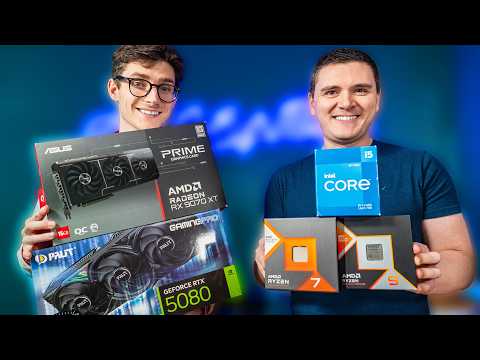
Alright, listen up, fellow Minecrafters! Been hacking away at those blocks since beta? Trying to coax shimmering shaders out of your rig, only to be met with the dreaded stutter? You’re not alone. The quest for the perfect GPU and CPU combo for Minecraft is a journey every serious player undertakes. Let’s cut through the marketing fluff and get down to brass tacks.
The short answer? For the absolute best experience, aiming for a powerful mid-range to high-end setup is key. This typically translates to something like an AMD Ryzen 5 7600X or Intel Core i5-13600K paired with an NVIDIA GeForce RTX 3060 Ti or AMD Radeon RX 6700 XT. This combination offers excellent performance even with demanding shader packs and resource packs at 1080p and 1440p resolutions. However, the “best” setup heavily depends on your budget, resolution, and desired level of graphical fidelity.
Understanding Minecraft’s Demands
Minecraft, despite its seemingly simple blocky aesthetic, can be surprisingly demanding, especially when you start layering on enhancements. Let’s break down what the game needs from your hardware.
CPU: The Brains of the Operation
Minecraft is heavily reliant on the CPU for world generation, entity processing (mobs, items, etc.), and game logic. A faster CPU means smoother chunk loading, less lag when exploring densely populated areas, and improved overall responsiveness. Single-core performance is also important, though modern versions benefit more from multi-core CPUs. This is why those older dual-core machines just can’t keep up anymore!
GPU: The Artist Rendering the World
The GPU handles the visual aspects, rendering those beautiful landscapes, complex textures, and, most importantly, shaders. Shaders, in particular, are a huge performance hog. They add realistic lighting, shadows, and water effects, transforming the game’s appearance but requiring significant GPU power.
The Best GPU and CPU Combos for Different Budgets
Now, let’s get practical. Here are a few recommendations for different budget tiers, assuming you’re aiming for a smooth experience at 1080p or 1440p with some reasonable settings:
Entry-Level (Budget-Conscious Crafters)
- CPU: AMD Ryzen 5 5600 or Intel Core i3-12100F
- GPU: NVIDIA GeForce RTX 3050 or AMD Radeon RX 6600
This combo offers a solid 1080p experience with medium to high settings. You’ll be able to enjoy the game, but don’t expect to run the most demanding shaders at maximum settings. This is a great option for playing the base game and lightly modded versions.
Mid-Range (Sweet Spot for Most Players)
- CPU: AMD Ryzen 5 7600X or Intel Core i5-13600K
- GPU: NVIDIA GeForce RTX 3060 Ti or AMD Radeon RX 6700 XT
This is where the magic happens. This setup provides excellent performance at 1080p and 1440p, allowing you to crank up the settings and enjoy most shader packs with good frame rates. It’s a balanced combination that won’t break the bank but delivers a premium Minecraft experience.
High-End (For the Ultimate Visual Experience)
- CPU: AMD Ryzen 7 7700X or Intel Core i7-13700K
- GPU: NVIDIA GeForce RTX 3070 or AMD Radeon RX 6800
If you’re aiming for the best possible visuals and consistently high frame rates, even with demanding shaders and resource packs, this is the way to go. This setup can handle 1440p and even 4K gaming with ease, ensuring a buttery-smooth experience no matter what you throw at it.
Enthusiast (Unlimited Power!)
- CPU: AMD Ryzen 9 7900X/7950X or Intel Core i9-13900K
- GPU: NVIDIA GeForce RTX 3080/3090 or AMD Radeon RX 6900 XT
This is overkill for just Minecraft, but if you’re a streamer, content creator, or simply demand the absolute best performance in every game, this is your territory. You’ll be able to run any shader pack at max settings, record gameplay, and stream simultaneously without breaking a sweat.
Beyond the Basics: Other Factors to Consider
The GPU and CPU are the main players, but don’t forget these supporting components:
- RAM: 16GB is recommended as a minimum, and 32GB is preferred if you plan on running a lot of mods or using high-resolution texture packs.
- Storage: An SSD (Solid State Drive) is essential for fast loading times. Install Minecraft and your operating system on the SSD for the best performance.
- Cooling: Especially with higher-end CPUs and GPUs, adequate cooling is crucial to prevent thermal throttling and maintain stable performance. Consider a good air cooler or liquid cooler.
- Power Supply: Make sure your power supply has enough wattage to handle all your components, with some headroom for overclocking.
Minecraft and Education
Believe it or not, Minecraft isn’t just a game. It’s also a powerful educational tool. Through creative building, problem-solving, and collaboration, Minecraft fosters valuable skills that extend far beyond the virtual world. The Games Learning Society (https://www.gameslearningsociety.org/) explores the use of games like Minecraft for educational purposes. They’re doing amazing work investigating how games can transform learning. Consider checking out GamesLearningSociety.org to learn more about their research and initiatives.
Frequently Asked Questions (FAQs)
Here are 15 frequently asked questions to further clarify the nuances of building a Minecraft-optimized PC.
1. Does Minecraft benefit from multiple cores on the CPU?
Yes, modern versions of Minecraft are multithreaded and can utilize multiple cores on your CPU, leading to improved performance, especially during world generation and with many entities present.
2. How important is the GPU for playing Minecraft with shaders?
The GPU is extremely important for shaders. Shaders add complex lighting and visual effects that require significant GPU power. A weaker GPU will struggle to run shaders smoothly.
3. Is an SSD essential for playing Minecraft?
While not strictly essential, an SSD dramatically improves loading times and reduces stuttering, making the game much more enjoyable.
4. How much RAM do I need for Minecraft?
16GB of RAM is the recommended minimum, but 32GB is ideal, especially if you plan on using a lot of mods or high-resolution texture packs.
5. Will overclocking my CPU or GPU improve Minecraft performance?
Yes, overclocking can improve performance, but it’s important to do it safely and ensure adequate cooling.
6. Are AMD or NVIDIA GPUs better for Minecraft?
Both AMD and NVIDIA GPUs perform well in Minecraft. The best choice depends on your budget and the specific models you’re comparing. Generally, comparing similar price brackets will yield similar performance, with specific game optimizations sometimes favoring one brand over the other.
7. Is ray tracing in Minecraft worth it?
Ray tracing significantly enhances the visual quality of Minecraft, but it’s very demanding on your GPU. You’ll need a high-end card to run it smoothly.
8. Does the Minecraft Java Edition perform differently than the Bedrock Edition?
Yes, the Java Edition generally requires a more powerful CPU due to its less optimized code. The Bedrock Edition is generally more optimized and can run on lower-end hardware.
9. How do I allocate more RAM to Minecraft?
In the Minecraft launcher, go to the “Installations” tab, select the installation you want to modify, click “Edit,” then click “More Options.” In the “JVM Arguments” field, change the “-Xmx2G” (or similar) value to allocate more RAM (e.g., “-Xmx8G” for 8GB).
10. What settings should I adjust in Minecraft to improve performance?
Reducing the render distance, lowering the graphics settings, and disabling resource-intensive options like fancy graphics and smooth lighting can significantly improve performance.
11. Can I run Minecraft on a laptop?
Yes, but the performance will depend on the laptop’s specifications. Look for laptops with dedicated GPUs and powerful CPUs for the best experience.
12. How important is my monitor’s resolution for Minecraft performance?
Higher resolutions (1440p, 4K) require more GPU power. If you’re struggling to maintain smooth frame rates, consider lowering the resolution.
13. What are some of the most demanding shader packs for Minecraft?
SEUS PTGI, BSL Shaders, and Continuum Shaders are among the most demanding shader packs.
14. How can I monitor my CPU and GPU usage while playing Minecraft?
You can use tools like MSI Afterburner or the Windows Task Manager to monitor your CPU and GPU usage.
15. What is the best way to upgrade my PC specifically for Minecraft?
Identify your bottleneck. If your CPU is constantly at 100% usage, upgrade your CPU. If your GPU is maxed out, upgrade your GPU. Don’t forget to consider RAM and storage as well.