Unlocking the Secrets: The Code to Spawn NPCs in Your Favorite Games
Fast answer first. Then use the tabs or video for more detail.
- Watch the video explanation below for a faster overview.
- Game mechanics may change with updates or patches.
- Use this block to get the short answer without scrolling the whole page.
- Read the FAQ section if the article has one.
- Use the table of contents to jump straight to the detailed section you need.
- Watch the video first, then skim the article for specifics.
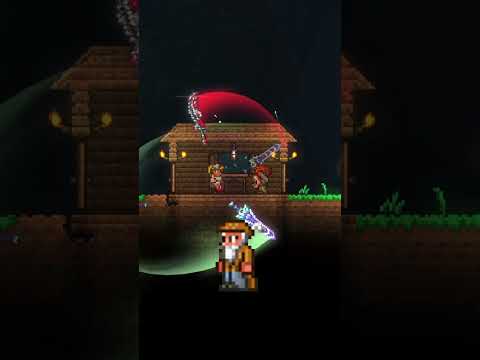
The code to spawn an NPC (Non-Player Character) varies drastically depending on the game. There isn’t a universal “spawn NPC” code applicable across all gaming platforms. Each game engine, and often each game individually, has its own scripting language, console commands, or built-in tools to create and manage NPCs. To truly master NPC spawning, you need to understand the specific game you’re working with and its associated methods.
Decoding the Spawn Commands: A Game-Specific Guide
Let’s break down the common approaches to spawning NPCs in some popular games. Remember to consult the official game documentation or community resources for the most accurate and up-to-date information.
Minecraft: Commands and Creative Mode
Minecraft offers several ways to bring NPCs into your blocky world:
- /summon command: The most direct method is the
/summoncommand. The basic syntax is/summon <entity_type> [pos] [nbt]. For example, to summon a villager at your current location, you would use/summon villager. You can add coordinates (x, y, z) to specify the spawn location. NBT (Named Binary Tag) data allows you to customize the NPC further, defining its profession, name, and other attributes. - Spawn eggs: In Creative Mode, you can access spawn eggs from the inventory. Simply select the desired spawn egg (e.g., villager spawn egg) and right-click on the ground to spawn the NPC.
- /give command: To obtain a spawn egg in Survival Mode (with cheats enabled), you can use the
/givecommand. The syntax is/give @p <item> [amount] [data] [nbt]. For example, to give yourself a villager spawn egg, you might use/give @p spawn_egg 1 120. The data value (120 in this case) specifies the type of spawn egg. Always check the Minecraft Wiki for the correct data value for specific NPC types in your version. - /setworldspawn command: To set the world spawn point use
/setworldspawn. Use/spawnpoint [username]to set individual spawn points.
Terraria: Housing and Conditions
Terraria takes a different approach. NPCs don’t appear through direct commands. Instead, they arrive when specific conditions are met:
- Suitable housing: NPCs require a valid house consisting of enclosed walls, a door, a table, a chair, and a light source. The size of the room needs to meet minimum requirements as well.
- Specific requirements: Each NPC has unique requirements. For example, the Merchant requires you to have at least 50 silver coins in your inventory. The Nurse requires you to have more than 100 health.
- Progression: Some NPCs only appear after certain milestones, such as defeating specific bosses or completing particular events.
Skyrim: Console Commands
Skyrim, like many Bethesda games, uses a powerful console command system:
- PlaceAtMe command: Open the console (usually with the
~key) and typeplayer.placeatme <base ID> <quantity>. You need to find the base ID of the NPC you want to spawn. You can find these IDs on the Elder Scrolls Wiki. For example,player.placeatme 000A2C94 1will spawn a Whiterun Guard near you. - Resurrect Command: To respawn a dead NPC use the command
resurrect. Click on the NPC you wish to revive; then, type “resurrect” and press the Enter key.
Fortnite: Hiring Specialists
Fortnite’s approach is unique, focusing on finding and interacting with existing NPCs:
- Hiring for Gold: Find Specialist Characters scattered across the map.
- Interaction: Speak to them and select the “hire” option in exchange for gold bars.
- Commands: Issue commands using the middle mouse button (PC) or the D-pad (console).
General Game Engines: Scripting and Editors
Game engines like Unity and Unreal Engine offer robust tools for NPC creation:
- Visual editors: Drag and drop NPC assets into the scene and configure their behavior using the engine’s editor.
- Scripting: Use scripting languages (C# in Unity, C++ or Blueprint in Unreal Engine) to define NPC AI, movement, and interactions. You can instantiate (create) new NPC instances through code.
- Prefabs/Blueprints: Save pre-configured NPCs as prefabs (Unity) or blueprints (Unreal Engine) for easy reuse.
Frequently Asked Questions (FAQs) About Spawning NPCs
Here are some frequently asked questions and their answers to further clarify the process of spawning NPCs.
1. How do I find the NPC ID in Skyrim?
NPC IDs in Skyrim can be found on the Elder Scrolls Wiki. Search for the NPC you’re looking for, and the base ID will be listed on their page.
2. Why isn’t my Minecraft villager spawning, even with the command?
Ensure the command syntax is correct, including the entity type (villager), any coordinates, and NBT data. Also, double-check that you have operator privileges on the server if you’re not playing in single-player mode. Make sure the location you are attempting to spawn the villager at is not obstructed and is a valid spawn location.
3. What does NBT data do in Minecraft commands?
NBT data allows you to customize the spawned NPC. You can set its name, profession (for villagers), equipment, health, and other attributes. This provides fine-grained control over the NPC’s properties.
4. Can I spawn hostile mobs in Minecraft using the same commands?
Yes, you can summon hostile mobs like zombies, skeletons, and creepers using the /summon command. Just replace “villager” with the desired mob’s entity ID (e.g., zombie, skeleton).
5. Why aren’t any NPCs moving into my Terraria house?
Double-check that the house meets all the requirements: enclosed walls, a door, a table, a chair, and a light source. Also, ensure that the room size is adequate and that you have met the specific requirements for the desired NPC to move in.
6. How do I assign an NPC to a specific house in Terraria?
NPCs will automatically choose a suitable house. You can influence their choice by making one house more appealing (e.g., adding furniture, decorations) or by building other houses further away. Click the housing icon to manage housing manually.
7. What are the common problems that cause mobs not to spawn?
Mobs cannot spawn on blocks that are less than a full block in height. Areas covered in bottom slabs are unable to spawn mobs, no matter the light level, although double slabs, top slabs and upside-down stairs are still spawnable. Additionally, ensure the area is dark enough for hostile mobs and that the difficulty is set appropriately.
8. What’s the best way to create custom NPC behavior in Unity?
Use C# scripting to define the NPC’s AI. You can create scripts for movement, pathfinding, combat, dialogue, and other interactions. Utilize Unity’s built-in components like NavMeshAgent for pathfinding and Animator for animations. Consider using behavior trees for more complex AI.
9. How can I make my NPCs more realistic and engaging?
Pay attention to detail. Give them unique personalities, backstories, and motivations. Design their appearances carefully and use appropriate voice acting. Implement believable AI that reacts to the player’s actions and the environment. GamesLearningSociety.org offers valuable research and resources on game design and player engagement.
10. Do NPCs spawn at night?
In many games, including Terraria, Town NPCs generally remain still in their assigned houses at night. However, the behavior of NPCs at night depends on the specific game mechanics.
11. How long does it take for an NPC to spawn?
The spawn rate varies depending on the game. Some games, like Terraria, depend on building a home that meets an NPC’s requirements.
12. How many NPCs does calamity add?
The Calamity Mod adds five friendly NPCs to provide the player with a multitude of weapons and buffs in progression.
13. Can NPCs spawn during pillars?
NPCs will not try to attack pillars, even if they are in range. In Expert Mode or Master Mode, pillars will drop additional fragments depending on the amount of players.
14. How do I enable NPC spawning?
To spawn an npc (with a few exceptions), look at the area of ground where you want it to spawn, then open up the console (~ key for most, below esc for all) and type npc_create [npc name].
15. Why is the Princess NPC not spawning?
The Princess NPC will only spawn once all other town NPCs are present, which can only happen after defeating Plantera.
Embracing the Art of NPC Creation
Spawning NPCs is just the first step. The real challenge lies in creating compelling characters that enrich the game world and enhance the player’s experience. From crafting believable backstories to implementing sophisticated AI, the possibilities are endless. As you delve deeper into the world of game development, remember to explore the resources offered by organizations like the Games Learning Society, available at https://www.gameslearningsociety.org/. Happy spawning!