Mastering Minecraft: The Command for Custom Villager Trades
Fast answer first. Then use the tabs or video for more detail.
- Watch the video explanation below for a faster overview.
- Game mechanics may change with updates or patches.
- Use this block to get the short answer without scrolling the whole page.
- Read the FAQ section if the article has one.
- Use the table of contents to jump straight to the detailed section you need.
- Watch the video first, then skim the article for specifics.
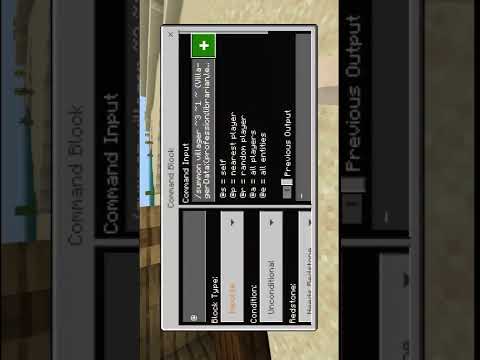
The most direct method to create villagers with custom trades in Minecraft involves the /summon command, combined with NBT (Named Binary Tag) data to define the villager’s profession, trades, and other attributes. While there isn’t a single, simple command, the full command structure allows for incredibly precise control over villager characteristics.
Here’s the basic structure of the command:
/summon villager ~ ~ ~ {VillagerData:{profession:minecraft:<profession>,type:minecraft:<biome>},Offers:{Recipes:[{buy:{id:"<item_id>",Count:<count>},sell:{id:"<item_id>",Count:<count>},maxUses:<number>},{buy:{id:"<item_id>",Count:<count>},buyB:{id:"<item_id>",Count:<count>},sell:{id:"<item_id>",Count:<count>},maxUses:<number>}]}} Let’s break down the command’s components:
-
/summon villager ~ ~ ~: This part summons a villager at the current coordinates. You can replace
~ ~ ~with specific coordinates if you desire. -
{VillagerData:{profession:minecraft:
,type:minecraft: This section defines the villager’s appearance and job.}: -
profession:minecraft:
: Determines the villager’s job. Replace<profession>with one of the available professions, such asarmorer,butcher,cartographer,cleric,farmer,fisherman,fletcher,leatherworker,librarian,mason,nitwit,shepherd,toolsmith, orweaponsmith.nitwitis a villager without a profession. -
type:minecraft:
: Dictates the villager’s biome skin. Replace<biome>with a biome name likeplains,desert,savanna,snow,taiga,jungle,swamp.
-
-
Offers:{Recipes:[…]}: This crucial part defines the villager’s trade offers.
-
Recipes:[…]: This is an array where you can specify multiple trades within the square brackets. Each trade is defined by the following parameters:
- buy:{id:”
“,Count: This sets the item that the villager will buy.}: - id:”
“: Specifies the Minecraft ID of the item (e.g.,minecraft:wheat,minecraft:emerald). - Count:
: Indicates the number of items the villager wants to buy. - buyB:{id:”
“,Count: Optional: Allows for a second item to be purchased for the trade.}: - sell:{id:”
“,Count: This sets the item the villager will sell.}: - maxUses:
: Determines how many times the trade can be executed before the villager needs to restock.
- buy:{id:”
-
-
Additional tags:
- Career: Determines the profession level of the villager.
- CareerLevel: the career Level of the villager.
Example Command:
Here’s a practical example of the command that spawns a librarian villager who sells one book for one emerald:
/summon villager ~ ~ ~ {VillagerData:{profession:minecraft:librarian,type:minecraft:plains},Offers:{Recipes:[{buy:{id:"minecraft:emerald",Count:1},sell:{id:"minecraft:book",Count:1},maxUses:9999999}]}} This command summons a librarian in the plains biome that will trade one book for one emerald. The maxUses:9999999 tag essentially makes the trade available indefinitely.
Customization Tips
-
Experiment with professions: Try different villager professions to see what unique trade possibilities arise.
-
Complex trades: You can create intricate trades involving multiple items and quantities.
-
Error handling: If the command doesn’t work, double-check the syntax and Minecraft item IDs.
-
Command Generators: Several online tools exist that help generate these commands. Search for “Minecraft villager trade generator” to find one that suits your needs.
Remember that using the /summon command requires cheats to be enabled in your world. This is often done in Creative mode or with operator permissions on a server. The Games Learning Society recognizes the incredible educational potential of Minecraft, encouraging experimentation and creative problem-solving like this. Minecraft empowers players to learn about complex systems and coding concepts in an engaging and accessible environment. Check out GamesLearningSociety.org for more information on the intersection of games and learning.
Frequently Asked Questions (FAQs)
1. Can I change villager trades in survival mode without commands?
Yes, but only for villagers you haven’t traded with yet. By destroying and replacing their job site block, you can reset their profession and trades. Trading with a villager locks in their profession and trades permanently.
2. What happens if I use an incorrect item ID in the command?
The villager may not spawn correctly, or the trades might not function as expected. Always double-check the Minecraft item IDs on the official Minecraft Wiki or a reliable online resource.
3. How do I give a villager multiple trades?
Include multiple {buy:{...}, sell:{...}, maxUses:<number>} blocks within the Recipes:[...] array, separated by commas. For example:
/summon villager ~ ~ ~ {VillagerData:{profession:minecraft:farmer,type:minecraft:plains},Offers:{Recipes:[{buy:{id:"minecraft:emerald",Count:1},sell:{id:"minecraft:wheat",Count:10},maxUses:10},{buy:{id:"minecraft:potato",Count:20},sell:{id:"minecraft:emerald",Count:1},maxUses:10}]}} 4. How can I make a villager sell enchanted items?
You need to use the Enchantments tag within the sell section. This requires more complex NBT data. Here’s an example selling a sword enchanted with sharpness 5.
/summon villager ~ ~ ~ {Offers:{Recipes:[{buy:{id:"minecraft:emerald",Count:64},sell:{id:"minecraft:diamond_sword",Count:1,tag:{Enchantments:[{id:"minecraft:sharpness",lvl:5}]}},maxUses:1}]}} 5. Can I change the villager’s name using commands?
Yes. Add the CustomName tag to the villager’s NBT data. For example:
/summon villager ~ ~ ~ {CustomName:'{"text":"Geoff"}', VillagerData:{profession:minecraft:librarian,type:minecraft:plains}} 6. What is the significance of the “type” field in VillagerData?
The “type” field determines the villager’s appearance based on the biome. This adds visual diversity to your villages.
7. How do I prevent a villager from despawning?
Add the PersistenceRequired:1b tag to the villager’s NBT data. This ensures the villager will not despawn, even if you move far away.
/summon villager ~ ~ ~ {PersistenceRequired:1b, VillagerData:{profession:minecraft:librarian,type:minecraft:plains}} 8. Can I control the villager’s level (e.g., novice, apprentice, journeyman)?
Yes, use Career and CareerLevel. Career defines the villager’s profession ID and CareerLevel sets their level (1-5). Note that these tags are internally used and you should adjust the offers accordingly.
9. Why are my villagers not restocking their trades?
Villagers need access to their job site block to restock. Make sure the block is accessible and that the villager is not blocked from reaching it. They also need a bed.
10. How do I cure a zombie villager?
Throw a Splash Potion of Weakness at the zombie villager, then feed them a Golden Apple. They will eventually turn back into a normal villager.
11. What is a villager’s “job site block”?
A job site block is a block that corresponds to a villager’s profession (e.g., a lectern for a librarian, a composter for a farmer). Villagers need access to these blocks to work and restock trades.
12. What are the prerequisites for villager breeding?
Villagers need enough beds (one for each villager plus at least one extra) and enough food to be willing to breed. Give them bread, carrots, potatoes, or beetroots.
13. How do villager trading halls work?
Villager trading halls are structures designed to efficiently manage and trade with multiple villagers. They typically involve individual cells for each villager with access to their job site block, allowing for easy trade access.
14. Can I create villager trades with custom items or items from mods?
Yes, but you need to use the correct item IDs for those items, which may differ from the standard Minecraft IDs. Refer to the mod’s documentation or use a mod-detecting tool to identify the correct item IDs.
15. Are there plugins that simplify custom villager trade creation?
Yes. Plugins like “CustomVillageTrades” for Spigot/Bukkit servers offer a more user-friendly interface for creating custom villager trades. These plugins often provide GUIs or simpler command structures to manage villager trades without needing to write complex NBT data.
By understanding the /summon command and the various NBT tags, you can create truly unique and customized villager trading experiences in Minecraft. Good luck, and have fun experimenting!