PS3 vs. Blu-Ray Player: Beyond the Shiny Disc
Fast answer first. Then use the tabs or video for more detail.
- Watch the video explanation below for a faster overview.
- Game mechanics may change with updates or patches.
- Use this block to get the short answer without scrolling the whole page.
- Read the FAQ section if the article has one.
- Use the table of contents to jump straight to the detailed section you need.
- Watch the video first, then skim the article for specifics.
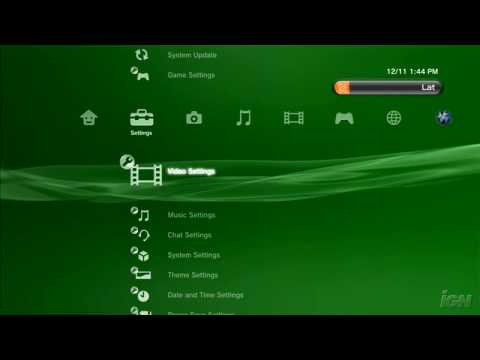
The fundamental difference between a PlayStation 3 (PS3) and a dedicated Blu-Ray player boils down to functionality. A Blu-Ray player is designed specifically to play Blu-Ray discs (and often DVDs and CDs). A PS3, on the other hand, is a multifunctional entertainment system that includes a Blu-Ray drive, but its primary purpose is to play video games. It offers a broader range of features, including gaming, internet browsing, media streaming, and the ability to play older PlayStation game discs. The Blu-Ray player is dedicated, streamlined, and typically optimized for the single purpose of playing movies. Think of it this way: the Blu-Ray player is a scalpel, while the PS3 is a Swiss Army knife – both can cut, but one does a whole lot more.
Understanding the Key Distinctions
While both can play Blu-Ray discs, the nuances of their design and purpose create significant differences.
Gaming Capabilities
This is the most obvious differentiator. The PS3 is, first and foremost, a game console. It boasts a powerful processor (for its time), dedicated graphics processing, and a wealth of exclusive titles. A Blu-Ray player, however, offers no gaming capabilities beyond the occasional simple interactive menu on a Blu-Ray disc itself.
Processing Power and System Architecture
The PS3 uses a complex, unique Cell processor and a dedicated GPU to handle the demanding graphics and computations of video games. This allows it to render complex 3D environments and execute sophisticated game logic. A Blu-Ray player uses a significantly less powerful processor, optimized for decoding video and audio.
Connectivity and Functionality
The PS3 offers a range of connectivity options beyond just playing movies. It typically includes multiple USB ports for connecting controllers and other peripherals, Ethernet and Wi-Fi for internet access, and often has a hard drive for storing game data, downloadable content, and other media. Blu-Ray players are often more limited in their connectivity, focusing on HDMI output and perhaps a USB port for playing media from external drives.
Operating System and User Interface
The PS3 has a full-fledged operating system, the XrossMediaBar (XMB), allowing users to navigate through games, settings, internet browser, and media files. Blu-Ray players often have a simpler, more streamlined user interface designed primarily for disc navigation and playback control.
Cost and Value
When the PS3 was initially released, it was considerably more expensive than a standalone Blu-Ray player. However, its versatility as a gaming console, media player, and Blu-Ray player offered a greater value proposition for many users. A dedicated Blu-Ray player is generally cheaper, but you sacrifice the added functionality of a gaming system.
Firmware Updates
Both the PS3 and Blu-Ray players receive firmware updates, but the purpose is slightly different. On the PS3, updates address not only Blu-Ray playback compatibility but also game compatibility, system security, and new features. Blu-Ray player updates primarily focus on improving disc compatibility, fixing bugs, and sometimes adding minor features.
FAQs: PS3 vs. Blu-Ray Player
Here are some frequently asked questions to further clarify the differences and similarities between the PS3 and Blu-Ray players.
-
Can a Blu-Ray player play PS3 games?
No, a Blu-Ray player cannot play PS3 games. PS3 games are designed specifically for the PS3 console’s hardware and operating system.
-
Does the PS3 upscale DVDs like a Blu-Ray player?
Yes, the PS3 can upscale DVDs to near-HD resolution, similar to many dedicated Blu-Ray players. The quality of upscaling varies, but it generally improves the viewing experience compared to standard DVD playback.
-
Is the Blu-Ray playback quality the same on both a PS3 and a dedicated player?
Generally, yes. Both can play Blu-Ray discs at their native resolution. Early PS3 models were sometimes considered to have slightly less refined playback than high-end dedicated players, but the difference is negligible for most users.
-
Can I stream Netflix or other streaming services on both?
The PS3 can stream from various services, including Netflix, Hulu, and Amazon Prime Video, depending on availability and updates. Many modern Blu-Ray players also offer streaming capabilities, but the selection of available services can vary.
-
Can I use a PS3 as my primary Blu-Ray player?
Yes, you can absolutely use a PS3 as your primary Blu-Ray player. It offers excellent Blu-Ray playback capabilities and additional functionality. However, bear in mind that it’s an older device, so its streaming capabilities may be outdated compared to modern smart TVs or dedicated streaming boxes.
-
Are there any advantages to using a dedicated Blu-Ray player over a PS3?
Potentially, yes. Dedicated players are often more energy-efficient, have quieter operation, and may offer slightly better picture quality due to optimized hardware and software. High-end Blu-Ray players can also support more advanced audio formats and video processing features.
-
Can I play CDs and DVDs on both a PS3 and a Blu-Ray player?
Yes, both the PS3 and Blu-Ray players can play CDs and DVDs.
-
How does the PS3 handle 4K Blu-Ray discs?
The PS3 cannot play 4K Blu-Ray discs. It only supports standard Blu-Ray discs at 1080p resolution. You’ll need a PS4 Pro, PS5, or a dedicated 4K Blu-Ray player to play 4K Blu-Ray discs.
-
Does the PS3 have HDR support for Blu-Ray movies?
No, the PS3 does not support HDR (High Dynamic Range) for Blu-Ray movies.
-
Can I connect external hard drives to both the PS3 and a Blu-Ray player?
Yes, both the PS3 and Blu-Ray players typically have USB ports that allow you to connect external hard drives to play media files like movies, music, and photos. The types of files supported can vary.
-
Is it still worth buying a PS3 just to play Blu-Ray discs?
Probably not. While a used PS3 can be a relatively inexpensive Blu-Ray player, modern dedicated players offer better energy efficiency, 4K support (depending on the model), and updated streaming capabilities. Unless you specifically want to play PS3 games, a dedicated player is likely a better choice.
-
What happens if the PS3’s Blu-Ray drive breaks?
If the PS3’s Blu-Ray drive breaks, you will no longer be able to play Blu-Ray discs or physical PS3 games. You may still be able to play downloaded games from the PlayStation Store, but physical media playback will be impossible without repairing or replacing the drive, which can be costly and complex.
-
Can I use a universal remote to control both the PS3 and a Blu-Ray player?
Yes, you can use a universal remote to control both the PS3 and a Blu-Ray player. However, controlling the PS3 with a universal remote might require an IR adapter as the PS3 primarily uses Bluetooth for its controllers. Blu-Ray players generally use IR, making them more easily controlled by universal remotes.
-
Are Blu-Ray players becoming obsolete?
While streaming services are increasingly popular, Blu-Ray players still offer advantages in terms of picture and sound quality, especially for cinephiles who want the best possible home theater experience. 4K Blu-Ray players are still relevant for those with 4K TVs and a desire for the highest fidelity video.
-
Where can I learn more about the intersection of games and education?
For those interested in exploring how video games can be used in educational settings, visit the Games Learning Society website at https://www.gameslearningsociety.org/. Games Learning Society is dedicated to research and development in the field of game-based learning.
Conclusion
In conclusion, while both the PS3 and Blu-Ray players can play Blu-Ray discs, their core functions and capabilities are vastly different. The PS3 is a versatile gaming console with Blu-Ray playback capabilities, while a Blu-Ray player is a dedicated device optimized for playing movies. The best choice for you depends on your individual needs and priorities. If you want a gaming console that can also play Blu-Ray discs, the PS3 is a viable option. If you primarily want to watch movies and appreciate the best possible picture and sound quality, a dedicated Blu-Ray player is a better choice, especially one that supports 4K.