Decoding the “L” on Your Xbox Controller: A Comprehensive Guide
Fast answer first. Then use the tabs or video for more detail.
- Watch the video explanation below for a faster overview.
- Game mechanics may change with updates or patches.
- Use this block to get the short answer without scrolling the whole page.
- Read the FAQ section if the article has one.
- Use the table of contents to jump straight to the detailed section you need.
- Watch the video first, then skim the article for specifics.
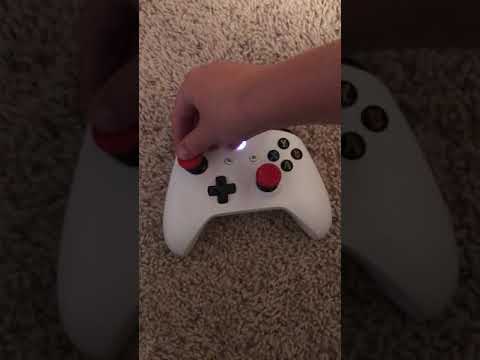
The world of gaming controllers can be a labyrinth of buttons and triggers, especially for newcomers. One question that frequently arises is, “What exactly is the ‘L’ button on an Xbox controller?” The short answer is, it depends on which “L” you’re referring to! There are actually two distinct “L” buttons you might be thinking about: the Left Bumper (LB) and the Left Stick button (LS). Understanding the difference is crucial for mastering your gaming experience. Let’s break it down.
-
Left Bumper (LB): This is a rectangular button located on the top-left side of the controller, near the shoulder. It sits above the Left Trigger (LT).
-
Left Stick Button (LS): This refers to the action of pressing down on the Left Analog Stick. The stick itself is used for movement in most games, but clicking it inwards activates another function.
Understanding the Xbox Controller Layout
To fully grasp the “L” button situation, it’s helpful to have a mental map of the Xbox controller layout. Consider it your personal treasure map to gaming glory. Here’s a quick rundown of the key components:
-
Left Analog Stick (LS): Used for character movement or navigation. Pressing it down activates the LS button.
-
D-Pad: A directional pad, often used for menu navigation or secondary movement options.
-
View Button: Opens menus or provides additional options within a game.
-
Xbox Button: Brings up the Xbox guide, allowing access to settings, friends, and other console features.
-
Menu Button: Similar to the start button on older consoles, this opens in-game menus.
-
Right Analog Stick (RS): Typically controls camera movement. Pressing it down activates the RS button.
-
A, B, X, Y Buttons: The primary action buttons, used for jumping, attacking, interacting, and more.
-
Right Bumper (RB): Mirroring the LB, this is on the top-right side of the controller, above the Right Trigger (RT).
-
Right Trigger (RT): Used for actions like accelerating in racing games or firing weapons in shooters.
-
Left Trigger (LT): Often used for aiming or secondary actions.
Left Bumper (LB) vs. Left Stick (LS): When to Use Which
Now that you know where the LB and LS are, how do you know when to use them? This depends entirely on the game you’re playing. There is no one size fits all rule.
-
Left Bumper (LB): Commonly used for:
- Switching weapons or items.
- Activating special abilities.
- Blocking or parrying.
- Navigating menus (in some games).
-
Left Stick Button (LS): Commonly used for:
- Sprinting or running faster.
- Crouching or going prone.
- Locking onto targets.
- Activating night vision or other vision modes.
The best way to learn the specific functions of each button in a particular game is to check the in-game control settings. Most games have a control scheme option, which will let you see the full list of what each button is mapped to.
FAQs: Demystifying the Xbox Controller
Here are some Frequently Asked Questions to further clarify any confusion regarding the “L” button and other Xbox controller functions:
What does LB mean on an Xbox controller?
LB stands for Left Bumper. It’s a button located on the top left of the controller, above the Left Trigger (LT).
What is the “L” symbol on Xbox controllers?
The “L” symbol is known as the Left Stick button (LS). The L button is when you simply press down the left analogue stick.
Where is the L button on the Xbox 360 controller?
On the Xbox 360 controller, the “L” can refer to two things: the Left Bumper (LB), which is located on the top-left edge, and the Left Stick (LS), which is activated by pressing down on the left analog stick.
What is the difference between the Left Bumper (LB) and Left Trigger (LT)?
The Left Bumper (LB) is a button located on the top-left edge of the controller. The Left Trigger (LT) is a trigger-shaped button positioned below the LB. Triggers are typically used for actions that require variable input, like accelerating a car.
What does “LS” stand for on Xbox?
LS stands for Left Stick.
Can I remap the “L” buttons on my Xbox controller?
Yes, Xbox allows you to customize controller button mappings. You can remap buttons through the Xbox Accessories app, giving you more personalized gaming experiences.
What is the “R” equivalent of the Left Bumper?
The “R” equivalent of the Left Bumper (LB) is the Right Bumper (RB). It’s located on the top-right edge of the controller.
What is the “R” equivalent of the Left Stick Button?
The “R” equivalent of the Left Stick button (LS) is the Right Stick button (RS), activated by pressing down on the right analog stick.
Are the “L” buttons the same on all Xbox controllers?
The location and function of the Left Bumper (LB) and Left Stick button (LS) are generally consistent across different Xbox controller models, including the standard Xbox Series X/S controller and the Xbox Elite Wireless Controller.
What if my Left Bumper (LB) is not working?
If your LB isn’t working, try the following:
- Restart your Xbox console.
- Check the controller’s button mapping in the Xbox Accessories app.
- Update your controller’s firmware.
- If the problem persists, consider cleaning the button or contacting Xbox support.
Where can I find the controller settings on my Xbox?
You can access controller settings by pressing the Xbox button on your controller to open the guide, then navigating to Profile & system > Settings > Devices & connections > Accessories.
Are the L and R buttons the same on PlayStation controllers?
While the concept of left and right shoulder buttons and triggers is the same across Xbox and PlayStation controllers, the terminology and placement differ slightly. PlayStation uses L1 (Left Bumper), L2 (Left Trigger), R1 (Right Bumper), and R2 (Right Trigger).
Can I use an Xbox controller on other devices besides Xbox?
Yes, Xbox controllers can be used on PCs, mobile devices (via Bluetooth), and even other consoles with the use of adapters.
What is the difference between the Xbox Elite Wireless Controller and the standard Xbox controller?
The Xbox Elite Wireless Controller offers enhanced customization options, including adjustable thumbstick tension, interchangeable paddles, and remappable buttons. It also features higher-quality materials and a more premium feel.
Can I use an Xbox controller to play Steam games?
Yes, you can use an Xbox controller to play Steam games on your PC. Steam has built-in support for Xbox controllers, making it easy to connect and play your favorite games. The Games Learning Society explores exactly this topic! See more about the educational opportunities for students at GamesLearningSociety.org.
Mastering Your Controller: The Key to Gaming Success
Understanding the functions of the “L” buttons – both the Left Bumper (LB) and the Left Stick button (LS) – is fundamental to mastering your Xbox gaming experience. By knowing what each button does and how to use them effectively, you’ll be well on your way to becoming a seasoned gamer. Remember to consult the in-game control settings for specific games, experiment with different button mappings, and practice regularly to hone your skills. Happy gaming!