Decoding the “L” on Your Xbox Controller: A Comprehensive Guide
Fast answer first. Then use the tabs or video for more detail.
- Watch the video explanation below for a faster overview.
- Game mechanics may change with updates or patches.
- Use this block to get the short answer without scrolling the whole page.
- Read the FAQ section if the article has one.
- Use the table of contents to jump straight to the detailed section you need.
- Watch the video first, then skim the article for specifics.
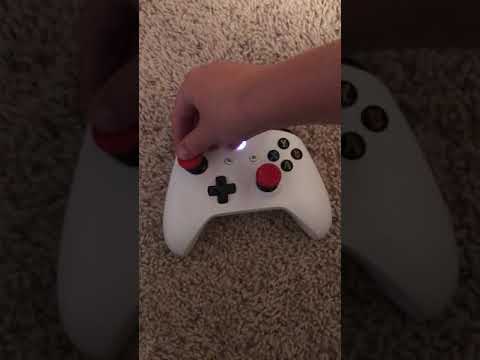
The “L” on an Xbox controller primarily refers to two distinct buttons: the Left Bumper (LB) and the Left Trigger (LT). These buttons are crucial for gameplay, providing essential functions that vary depending on the game. Understanding the difference and typical uses of these buttons is key to mastering your Xbox gaming experience.
The Left Bumper (LB) is a small, clickable button located on the top edge of the controller, near the shoulder. It’s designed for quick, secondary actions like switching weapons, performing special moves, or interacting with the game environment. Think of it as the shoulder button for your left hand. The Left Trigger (LT), on the other hand, is positioned slightly below the LB, also on the top edge, but has a longer travel distance and responds to pressure, allowing for analog input. This is commonly used for accelerating in racing games, aiming down sights in shooters, or performing defensive maneuvers.
Both are essential and understanding the difference will help you become a better player and get the most out of your Xbox gaming experience. Often, you will see that gaming instructions will refer to these buttons as LT/LB.
Understanding the Left Bumper (LB)
The Left Bumper (LB) is a digital button, meaning it’s either pressed or not pressed – there are no in-between states. It provides a tactile click when activated. While its exact function is game-dependent, here are some of the most common uses:
- Menu Navigation: In many games, the LB is used to navigate through menus, switch between tabs, or select options.
- Weapon Switching: In shooter games, the LB is often the button to change between weapons quickly.
- Special Abilities: In various genres, the LB activates specific abilities, spells, or powers.
- Contextual Actions: Some games use the LB for context-sensitive actions, such as interacting with an object or opening a door.
Tips for Using LB
- Practice your presses: Get comfortable with the location and tactile feel of the LB so you can quickly and efficiently use it mid-game.
- Check game controls: When you start a new game, review the control mapping, to become familiar with the LB functionality.
- Utilize it for quick reactions: Due to its convenient positioning, the LB is suited for quick, secondary actions that do not rely on degrees of pressure.
Understanding the Left Trigger (LT)
The Left Trigger (LT) is an analog button, meaning it registers the amount of pressure you apply. This provides more nuanced control and is used in various creative ways by developers:
- Aiming Down Sights (ADS): In shooters, the LT is the standard control for aiming down the weapon’s sight, allowing for more accurate shots.
- Acceleration/Braking: In racing games, the LT is often used to accelerate, while the RT is used for braking.
- Defensive Moves: In action and fighting games, the LT is used to block, dodge, or perform special defensive maneuvers.
- Analog Input: The pressure-sensitive nature of the LT allows for varied gameplay mechanics depending on the amount of force applied.
- Accessing menus: In certain games, you will use the LT button to access different menus.
Tips for Using LT
- Practice trigger control: Become comfortable with the amount of pressure needed for specific actions in different games.
- Experiment with nuances: In games that have analog functions, test the impact of slight pressure adjustments to gain an edge.
- Combine with other controls: The LT is often used in tandem with the right stick or face buttons for more intricate and efficient control schemes.
Frequently Asked Questions (FAQs)
What is the difference between the Left Bumper and Left Trigger?
The Left Bumper (LB) is a digital button that provides a basic on/off input with a click. The Left Trigger (LT) is an analog button that registers pressure sensitivity. The LT has a longer travel distance and is often used for more nuanced controls.
Can I remap the “L” buttons on my Xbox controller?
Yes, most modern Xbox consoles and games allow for custom control remapping. You can often find these options within the system settings or in-game menus, allowing you to assign the functions of the LB and LT to other buttons.
What does “L3” mean on a Playstation Controller?
On a Playstation Controller, L3 means pressing down on the left analog stick till it clicks. This is a completely different function compared to the L buttons on an Xbox controller.
Is there an “L” button on the Nintendo Switch?
Yes, the Nintendo Switch’s Joy-Con(L) has an “L” button located on the top left of the controller. It also has a Left Bumper (ZL) below it, which operates similarly to the LT on an Xbox Controller. The Joy-Con (L) has a square Capture Button which takes screenshots and videos.
Does Xbox Live Gold still exist?
Xbox Live Gold no longer exists as a standalone subscription service. It has transitioned into Xbox Game Pass Core, which offers similar features like online multiplayer access, plus a library of games to play.
Is online multiplayer on Xbox now free?
Signing up for the Xbox Network is free, but access to online multiplayer for non-free games requires a subscription to either Xbox Game Pass Core or Xbox Game Pass Ultimate.
How do I connect an Xbox controller to my PC?
You can connect an Xbox controller to your PC via Bluetooth or USB. For Bluetooth, put your controller in pairing mode and search for it on your PC’s Bluetooth settings. For USB, simply plug the controller into your PC with a USB cable.
Can I use an Xbox controller with my Smart TV?
You can potentially connect a USB-compatible controller to a smart TV, but compatibility depends on the TV model and the controller. For specific information, check the TV’s and controller’s manufacturer’s websites. For Android TVs, you can directly connect your Gamepad.
How do I use an Xbox controller on Steam?
Open Steam’s settings, go to the Controller tab, and select “General Controller Settings.” There, ensure that the box for your controller type is checked. Open Big Picture mode and make sure the controller is active.
Can I use an Xbox controller on my Nintendo Switch?
Yes, but you will need a Bluetooth adapter that is compatible with your Nintendo Switch. Hard-wired third party Xbox controllers won’t work.
Can I use an Xbox controller on my iPad or iPhone?
Yes. Put your Xbox controller into pairing mode and go to Settings > Bluetooth on your device.
Why is my Xbox controller blinking?
A flashing Xbox button indicates an issue. It could be low battery, a problem with the connection to the console, a power supply issue, the console is updating, or hardware issues. Try connecting it with a USB cable or restarting your console.
Why is my Xbox controller not turning on?
If your Xbox controller isn’t turning on, try replacing the batteries, charging it if rechargeable, and trying a different USB cable. Update the firmware of the controller. It also may have internal hardware issues.
Why isn’t my Xbox console turning on?
A variety of issues can prevent your Xbox from turning on. Check for a damaged or faulty power cable, and make sure the console is well-ventilated. Also, corrupted firmware or files due to incomplete updates can prevent the console from turning on.
Is the R1 button on an Xbox Controller the same as the R button?
No. The R1 button is the same as the Right Bumper (RB) on the Xbox Controller and the R button is the Right Trigger (RT).
Conclusion
The “L” on an Xbox controller is not just one button, but two very important controls: the Left Bumper (LB) and the Left Trigger (LT). Knowing how these buttons work, their locations, and common uses will greatly enhance your gaming experience. By mastering these controls, you’ll be on your way to achieving better gameplay and enjoying all the possibilities that Xbox has to offer.