Understanding RAID 0: The Need for Speed (and Disks!)
Fast answer first. Then use the tabs or video for more detail.
- Watch the video explanation below for a faster overview.
- Game mechanics may change with updates or patches.
- Use this block to get the short answer without scrolling the whole page.
- Read the FAQ section if the article has one.
- Use the table of contents to jump straight to the detailed section you need.
- Watch the video first, then skim the article for specifics.
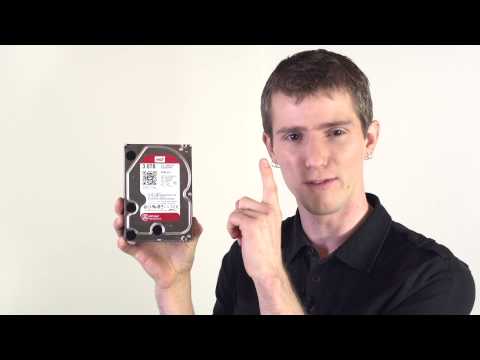
The million-dollar question, or perhaps the “need for speed” question, is: What is the minimum number of drives required for a RAID 0 volume? The answer, in its simplest form, is two. You cannot create a RAID 0 array with a single drive. RAID 0, by its very nature, is about striping data across multiple drives to achieve enhanced performance.
RAID, which stands for Redundant Array of Independent Disks, is a storage technology that combines multiple physical disk drive components into one or more logical units. While some RAID levels offer redundancy (like RAID 1, 5, 6, and 10), RAID 0 is solely focused on performance and capacity. Think of it as the sports car of the RAID world: fast, thrilling, but potentially risky.
The core principle of RAID 0 is striping. This means that data is divided into blocks and these blocks are spread across two or more disks. When you write data, each disk writes a portion of the data simultaneously. When you read data, each disk reads its portion simultaneously. This parallel processing dramatically increases the speed of reading and writing, making it ideal for applications where performance is paramount.
However, it’s important to understand the trade-off. RAID 0 offers no redundancy. If any single drive in the array fails, all data is lost. This is because the data is incomplete on each drive; a single drive contains only a fraction of the whole dataset. This makes RAID 0 a choice best suited for scenarios where data loss is acceptable, or where the data is backed up regularly.
Diving Deeper: Why Two is the Magic Number
The reason you need at least two drives is fundamental to how RAID 0 operates. A single drive cannot stripe data across itself. Striping inherently requires multiple targets for the data fragments. Without at least two drives, there’s simply no way to achieve the parallel reading and writing that defines RAID 0’s performance benefit.
The increase in speed is nearly linear with the addition of disks into the array. While four disks will not give exactly 4x the speed, it can be a significant amount faster.
RAID 0: Performance at a Price
Before you jump into setting up a RAID 0 array, carefully consider the implications. The performance boost is undeniable, but the risk of data loss is equally significant. Weigh your need for speed against the value of your data. For critical data, consider RAID configurations with redundancy, such as RAID 1, 5, 6, or 10.
Think of RAID 0 as a tool. It’s incredibly effective when used appropriately, but it’s not a one-size-fits-all solution. Understanding its strengths and weaknesses is crucial for making informed decisions about your storage infrastructure. This is where you need to determine which RAID configuration is most suitable for your needs.
RAID 0 FAQs: Your Burning Questions Answered
Here are some of the most frequently asked questions about RAID 0, addressing common concerns and misconceptions:
What is the difference between hardware and software RAID 0?
Hardware RAID 0 utilizes a dedicated RAID controller card. This controller handles the striping process, offloading the workload from the CPU. This generally results in better performance. Software RAID 0, on the other hand, relies on the operating system to manage the striping. This uses CPU resources and may not be as performant as a hardware solution, but it’s often more cost-effective.
Can you do RAID 0 with one drive?
Absolutely not. RAID 0 requires a minimum of two drives for the striping process to function. A single drive cannot stripe data across itself.
Does RAID 0 require two identical drives?
While identical drives are recommended for optimal performance and efficient use of storage space, RAID 0 can function with drives of differing sizes. However, the array’s capacity will be limited to the size of the smallest drive multiplied by the number of drives. For example, if you combine a 250GB drive with a 500GB drive, the resulting RAID 0 volume will only have 500GB of usable space (250GB x 2).
Can RAID 0 use three drives?
Yes! You can use three or more drives in a RAID 0 array. Adding more drives generally increases read and write speeds, but it also increases the risk of data loss due to the heightened probability of a drive failure within the array.
Is RAID 0 faster with more drives?
Generally, yes. The more drives you add to a RAID 0 array, the faster the read and write speeds will be. This is because the data is being striped across more disks, allowing for greater parallel processing. However, there are diminishing returns, and factors like the RAID controller’s capabilities, bus speeds, and the speed of the individual drives can limit the overall performance gains.
What are the disadvantages of RAID 0?
The primary disadvantage of RAID 0 is the lack of redundancy. If any single drive in the array fails, all data on the RAID 0 volume is lost. RAID 0 is also more susceptible to data corruption, as a failure of one drive can damage the parity of data across all drives. This is a critical consideration when deciding whether to use RAID 0.
Can I RAID 0 more than two drives?
Yes, as stated previously. You can RAID 0 as many drives as your RAID controller supports. Just remember that each additional drive increases the risk of data loss.
Can you RAID 0 four drives?
Yes, you can RAID 0 four drives. This configuration can offer significant performance gains, but the risk of data loss is amplified. Ensure you have a robust backup strategy if you choose this option.
Should I run my drives in RAID 0?
That depends on your needs and priorities. If speed and capacity are paramount, and you’re willing to accept the risk of data loss, RAID 0 might be a suitable choice. However, if data integrity is crucial, consider RAID configurations with redundancy, such as RAID 1, 5, 6, or 10.
Does RAID 0 need the same size drives?
While not strictly required, using drives of the same size is highly recommended. Using drives of different sizes will result in wasted space, as the array’s capacity will be limited by the smallest drive in the array.
Can you RAID 0 with one SSD?
No, you cannot. As previously explained, RAID 0 necessitates a minimum of two drives to facilitate the striping process.
How many disks can I lose in a RAID 0?
You can’t lose any disks in a RAID 0 array without losing data. RAID 0 offers no fault tolerance. The failure of a single drive will result in the loss of all data on the entire array.
How much faster is RAID 0 than a single drive?
The performance increase depends on the number of drives in the array and other factors like the RAID controller and drive speeds. In theory, a RAID 0 array with two drives should be approximately twice as fast as a single drive for read and write operations. With three drives, it could be three times as fast, and so on. However, real-world performance may vary.
How likely is RAID 0 to fail?
The probability of failure in a RAID 0 array increases with the number of drives. The more drives you have, the higher the chance that one of them will fail, leading to data loss. The annual failure rate of a RAID 0 array is roughly the sum of the individual drive failure rates.
What happens if one drive fails in RAID 0?
If one drive fails in a RAID 0 array, all data on the entire array is lost. There is no redundancy or fault tolerance in RAID 0, so the failure of any single drive renders the entire array unusable.
Understanding the intricacies of RAID 0 empowers you to make informed decisions about your storage solutions. Remember, the need for speed comes with a price, and carefully weighing the risks and benefits is crucial. For more insights into technology and learning, consider exploring resources like the Games Learning Society at https://www.gameslearningsociety.org/. Understanding concepts like RAID 0 is essential for gamers, developers, and anyone working with large datasets, and educational resources are available online through the GamesLearningSociety.org website.