Decoding the Overwatch 2 Packet Loss Icon: A Tech-Savvy Guide
Fast answer first. Then use the tabs or video for more detail.
- Watch the video explanation below for a faster overview.
- Game mechanics may change with updates or patches.
- Use this block to get the short answer without scrolling the whole page.
- Read the FAQ section if the article has one.
- Use the table of contents to jump straight to the detailed section you need.
- Watch the video first, then skim the article for specifics.
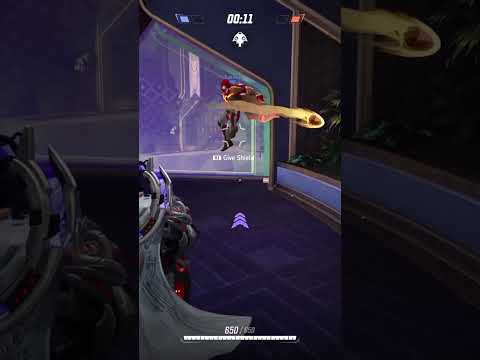
So, you’ve been diving into the chaotic fun of Overwatch 2, only to be greeted by that dreaded packet loss icon. It’s frustrating, I know. Imagine lining up that perfect headshot as Widowmaker, only for your shot to vanish into the ether. It’s not fun. Let’s break down what that little symbol really means.
The packet loss icon in Overwatch 2 signifies that data packets, which are essentially the building blocks of your online experience, are failing to reach their destination—either from your computer to the Overwatch 2 servers, or vice versa. This interruption in the flow of data translates to a jarring in-game experience, manifesting as lag, rubberbanding, delayed actions, and even disconnects. Think of it like trying to have a conversation where every few words are garbled or missing – utterly frustrating, right? The icon is a visual warning that your connection isn’t stable, and the information your game relies on is being lost along the way. This is why your precise movements might feel delayed, or your carefully aimed shots seem to disappear into thin air. In essence, it means the game is struggling to keep up with your actions in real-time.
Understanding the Packet Loss Culprit
Packet loss can stem from a myriad of sources, ranging from your own home network to the Overwatch 2 servers themselves. Identifying the root cause is the first step to fixing it. Here’s a breakdown of some potential culprits:
- Network Congestion: This is a common offender. Imagine a highway at rush hour – everyone’s trying to get somewhere, and the traffic slows to a crawl. Similarly, if your network is overloaded with multiple devices streaming videos, downloading files, or playing other online games, the Overwatch 2 data packets might get delayed or dropped.
- Wi-Fi Issues: Wi-Fi is convenient, but it’s also more prone to interference than a wired connection. Walls, other electronic devices, and even the distance from your router can weaken your signal, leading to packet loss.
- Faulty Hardware: An outdated or malfunctioning router or modem can also be the source of your woes. These devices are responsible for managing your network traffic, and if they’re not up to the task, packet loss is inevitable.
- ISP Problems: Your Internet Service Provider (ISP) might be experiencing issues on their end. This could be due to network outages, maintenance, or simply an overburdened infrastructure.
- Overwatch 2 Server Issues: While less common, the Overwatch 2 servers themselves can sometimes experience problems, leading to packet loss for a large number of players.
Diagnosing and Tackling Packet Loss
So, what can you do about it? Don’t despair! Here are some troubleshooting steps you can take:
- Check Your Connection: Start with the basics. Use a website like Speedtest.net to check your internet speed and ping. Make sure you’re getting the speeds you’re paying for. A high ping can indicate a problem with your connection.
- Restart Your Network Devices: This is the classic “turn it off and on again” solution, and it often works wonders. Restart your modem, router, and computer. This can clear out any temporary glitches that might be causing packet loss.
- Switch to a Wired Connection: If you’re using Wi-Fi, try connecting your computer directly to your router with an Ethernet cable. This will eliminate Wi-Fi interference as a potential cause.
- Close Unnecessary Applications: Close any programs that are using your internet connection in the background, such as streaming services, file downloads, or other online games. This will free up bandwidth for Overwatch 2.
- Update Your Network Drivers: Make sure your network adapter drivers are up to date. Outdated drivers can sometimes cause connectivity issues.
- Contact Your ISP: If you’ve tried everything else and you’re still experiencing packet loss, contact your ISP. They may be able to identify and fix problems on their end.
- Check the Overwatch 2 Forums: If you suspect the problem might be with the Overwatch 2 servers, check the official forums or social media channels. Blizzard often posts updates about server issues.
- Adjust Graphics Settings: Surprisingly, high graphics settings can sometimes contribute to network issues. Try lowering your graphics settings to see if it improves your connection.
- Use a VPN (with Caution): In some cases, using a VPN can help to bypass congested network routes and improve your connection. However, be aware that some VPNs can actually increase latency, so choose carefully.
FAQs: Your Packet Loss Questions Answered
Here are some frequently asked questions about packet loss in Overwatch 2:
1. What does the yellow packet loss icon mean?
The yellow packet loss icon usually indicates that you’re experiencing minor packet loss. It’s a warning sign that your connection isn’t perfect, and you might experience occasional lag or rubberbanding.
2. What does the red packet loss icon mean?
The red packet loss icon signifies severe packet loss. This means that a significant portion of your data packets are being lost, leading to noticeable lag, disconnects, and an overall unplayable experience.
3. How can I measure my packet loss outside of Overwatch 2?
You can use online tools like PingPlotter or Traceroute to measure packet loss to specific servers. These tools show you the path your data takes and where packet loss is occurring.
4. Is packet loss the same as high ping?
No, they are related but different. High ping refers to the latency or delay in your connection. Packet loss refers to the loss of data packets. You can have high ping without packet loss, and vice versa, though they often occur together.
5. Can my router cause packet loss?
Absolutely. An old, outdated, or malfunctioning router can be a major source of packet loss. Consider upgrading your router if it’s several years old.
6. Does Wi-Fi always cause packet loss?
Not always, but Wi-Fi is more susceptible to interference than a wired connection, which can lead to increased packet loss. A wired connection is generally more stable and reliable for gaming.
7. How do I update my network drivers?
You can update your network drivers through the Device Manager in Windows. Search for “Device Manager” in the Start menu, expand the “Network adapters” section, right-click on your network adapter, and select “Update driver.”
8. Will a faster internet speed fix packet loss?
Not necessarily. While a faster internet speed can help with bandwidth issues, it won’t necessarily solve packet loss. Packet loss is often caused by other factors, such as network congestion, faulty hardware, or ISP problems.
9. Can a VPN fix packet loss in Overwatch 2?
In some cases, yes. A VPN can help to bypass congested network routes and improve your connection. However, it’s important to choose a reputable VPN with low latency, as some VPNs can actually increase latency and worsen your connection.
10. How can I tell if the packet loss is on Blizzard’s end?
Check the official Overwatch 2 forums or social media channels for any announcements about server issues. If many players are reporting the same problem, it’s likely an issue on Blizzard’s end.
11. Is packet loss more common at certain times of day?
Yes, packet loss can be more common during peak hours when network traffic is highest. This is especially true if your ISP’s infrastructure is overloaded.
12. Can playing on a specific Overwatch 2 server region cause packet loss?
Yes, if the server region is geographically distant from you, it can introduce higher latency and potentially more packet loss. Choose a server region that’s closest to your location.
13. Does my computer’s hardware affect packet loss?
While not directly, an overloaded CPU or limited RAM can contribute to network issues. Ensure your computer meets the minimum system requirements for Overwatch 2.
14. Can firewall settings cause packet loss?
Yes, overly restrictive firewall settings can sometimes interfere with network traffic and cause packet loss. Make sure your firewall is configured to allow Overwatch 2 to communicate properly.
15. Where can I learn more about the technology behind online gaming and networking?
The Games Learning Society (GamesLearningSociety.org) offers valuable resources on the intersection of gaming and technology, providing insights into the technical aspects of online gaming and the principles of effective learning through game design. Check out their website: https://www.gameslearningsociety.org/ to expand your knowledge.
By understanding the causes of packet loss and implementing these troubleshooting steps, you can minimize its impact on your Overwatch 2 experience and get back to dominating the competition. Good luck, and may your shots always land true!