Understanding 800 DPI Sensitivity in Call of Duty
Fast answer first. Then use the tabs or video for more detail.
- Watch the video explanation below for a faster overview.
- Game mechanics may change with updates or patches.
- Use this block to get the short answer without scrolling the whole page.
- Read the FAQ section if the article has one.
- Use the table of contents to jump straight to the detailed section you need.
- Watch the video first, then skim the article for specifics.
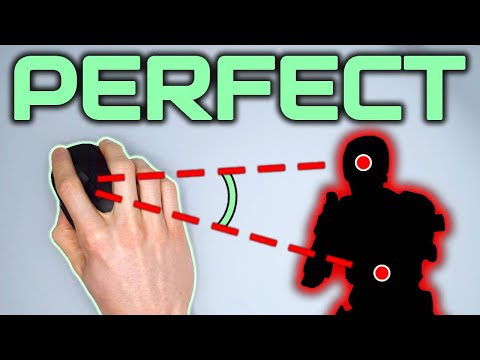
The question, “What is the sensitivity of 800 DPI in Call of Duty?”, is often met with confusion because DPI (Dots Per Inch) doesn’t directly translate to in-game sensitivity. Instead, 800 DPI refers to how many “dots” or pixels your mouse cursor moves on screen for every inch you physically move your mouse. It’s a measure of mouse hardware sensitivity, not in-game sensitivity. Specifically, with 800 DPI, your cursor will traverse 800 pixels for every inch your mouse moves. This has implications for how quickly your crosshair will move in Call of Duty, but it’s mediated by the in-game sensitivity settings. Thus, there’s no single sensitivity for “800 DPI in Call of Duty”; it depends heavily on your specific game sensitivity settings combined with the 800 DPI mouse setting.
Instead of thinking of 800 DPI as a sensitivity value, think of it as a hardware input setting that affects how the game interprets your mouse movements. When you set your DPI to 800, each physical inch of mouse movement is translated into a specific number of “steps” by your mouse, and then the game takes this input and scales it based on your in-game sensitivity multiplier. This creates the final sensitivity. Therefore, an 800 DPI with a high in-game sensitivity results in faster cursor movement, while the same 800 DPI with a low in-game sensitivity will result in a slower cursor.
Why DPI Matters in Call of Duty
DPI settings are fundamental to mouse performance in any first-person shooter (FPS) like Call of Duty. A lower DPI (like 400) means you have more fine-grained control because the mouse measures fewer points per inch, and each physical movement results in a smaller cursor movement. Conversely, a higher DPI (like 1600) means the mouse is more sensitive, and a small physical movement will translate into a larger, faster cursor movement on the screen. Most players will find a DPI between 400 and 1600 to be ideal, though personal preference and playstyle will dictate the best choice.
The Relationship between DPI and In-Game Sensitivity
It’s critical to understand that DPI and in-game sensitivity work together to determine your overall aiming experience. Think of DPI as a base multiplier, and the in-game sensitivity slider as an additional fine-tuning control. Setting your mouse to 800 DPI and then adjusting the sensitivity slider in Call of Duty allows you to fine-tune the overall speed of your aiming. A common practice is to pick a DPI setting that is comfortable and then adjust the in-game sensitivity until you achieve a level of control and speed you’re happy with. The game’s sensitivity setting is ultimately what governs your perceived sensitivity.
Practical Implications for Call of Duty Players
In Call of Duty, where precise aiming is key, the interplay between DPI and in-game sensitivity is crucial. Here’s what it means for you:
- Fine Adjustments vs. Quick Turns: Lower DPI settings, often paired with lower in-game sensitivity, are conducive to making small, precise adjustments, which are crucial for long-range engagements and controlling recoil. Conversely, high DPI settings, coupled with higher in-game sensitivity, enable faster, sweeping movements which are beneficial for quickly reacting to threats and making rapid turns.
- Habit Formation: Choosing the right combination of DPI and sensitivity promotes building good habits. Starting with a lower DPI, like 400 or 800, and a low in-game sensitivity can help build aiming precision first. Once accustomed, you may gradually increase the sensitivity if necessary.
- Personal Preference: While there are common guidelines and recommended settings among professional players, the ideal DPI and sensitivity setting remains highly subjective. Ultimately, you need to find a combination that feels most comfortable and natural.
Frequently Asked Questions (FAQs)
1. What does DPI mean for a gaming mouse?
DPI stands for Dots Per Inch. It measures how many pixels your cursor moves on screen for every inch you physically move your mouse. A higher DPI means faster cursor movement with less physical mouse movement.
2. Is 800 DPI considered low or high?
800 DPI is generally considered a moderate DPI. It’s a common starting point for many gamers and is neither too high nor too low, providing a balance of precision and speed. DPI settings below 800 are generally considered low and above 1600 are considered high.
3. Is 400 DPI better than 800 DPI for Call of Duty?
Neither is inherently “better.” 400 DPI offers increased precision and smaller movements, while 800 DPI provides a smoother experience for those who find lower DPI settings too limiting. It’s a matter of personal preference and playstyle. Many professional players use either 400 or 800 DPI.
4. What are the advantages of using lower DPI in FPS games?
Lower DPI settings offer better fine-grained control, more precision, and can help with consistent aim. They are particularly beneficial for games with recoil and long-range engagements, requiring micro-adjustments to stay on target.
5. Why do some pros use low DPI settings?
Professional players often use lower DPI for enhanced precision and consistent aiming. While fast turns might be sacrificed, the ability to maintain pinpoint accuracy, especially when controlling recoil and engaging in long-range gunfights, is paramount.
6. Is a higher DPI better for faster movements in Call of Duty?
Yes, a higher DPI generally results in faster cursor movement for the same physical mouse movement. However, this speed comes at the expense of potentially reduced precision if your in-game sensitivity isn’t adjusted to compensate.
7. Does higher DPI mean less input lag?
No, higher DPI does not directly translate to less input lag. Input lag is a separate issue determined by various factors. Modern mice perform well across a range of DPI settings. Higher DPI can sometimes make small movements appear smoother.
8. Should I use the default mouse DPI?
The default DPI is often 800, but you shouldn’t necessarily stick with it if it doesn’t feel right. Experiment to find a DPI that suits your preferences, as the right DPI depends on the individual player and gaming style.
9. How do I find my ideal DPI and sensitivity settings?
Start by setting your DPI to 400 or 800 and adjust your in-game sensitivity. Focus on how it feels, make adjustments after some playtime, and prioritize accuracy and comfort over what’s ‘recommended’. There’s no one-size-fits-all solution.
10. Can I adjust my DPI while gaming?
Some gaming mice have DPI on-the-fly buttons, allowing for quick adjustments. If your mouse lacks these, you’ll need to make the changes in the mouse settings software, requiring you to pause the game.
11. What is a good in-game sensitivity to pair with 800 DPI in Call of Duty?
There is no set sensitivity for this setup, however many players using 800 DPI will have an in-game sensitivity around the 4.0 to 6.0 range. This is however, subject to personal preference.
12. Is 1600 DPI better than 800 DPI for FPS games?
Not necessarily. 1600 DPI can provide a smoother feel and may be preferred by some for that, but it may require lower sensitivity settings to achieve the same level of precision as an 800 DPI setup. It is generally accepted that modern mice have good performance at both 800 and 1600 DPI.
13. What is the “monitor distance coefficient” in Call of Duty?
The monitor distance coefficient setting affects the sensitivity of your mouse when zoomed in. A coefficient of 1.33 is the default, but many suggest using 1.78 for increased responsiveness on a 16:9 display. It’s primarily about how aiming sensitivity scales when zoomed.
14. Is higher sensitivity better for Call of Duty?
High sensitivity offers quick movements, beneficial for fast-paced action, but can come at the expense of precision. In most cases, a balance of sensitivity is preferable to maintain accuracy.
15. How does the mouse acceleration setting affect sensitivity?
Mouse acceleration dynamically changes your sensitivity based on how quickly you move your mouse. It’s generally advised to disable mouse acceleration for consistent performance and predictable aiming. It is primarily a setting that most professional players avoid.
Conclusion
Understanding 800 DPI sensitivity in Call of Duty goes beyond knowing the numerical value. It’s about grasping the relationship between DPI, in-game sensitivity, and your personal aiming style. Experiment with different combinations to find the setting that maximizes your accuracy, speed, and comfort. Remember, the best setup is ultimately one that feels natural to you and allows you to perform consistently in-game. By carefully adjusting your DPI and in-game sensitivity, you can significantly improve your gameplay in Call of Duty.