Minecraft: A Parent’s Essential Guide to Understanding the Blocky World
Fast answer first. Then use the tabs or video for more detail.
- Watch the video explanation below for a faster overview.
- Game mechanics may change with updates or patches.
- Use this block to get the short answer without scrolling the whole page.
- Read the FAQ section if the article has one.
- Use the table of contents to jump straight to the detailed section you need.
- Watch the video first, then skim the article for specifics.
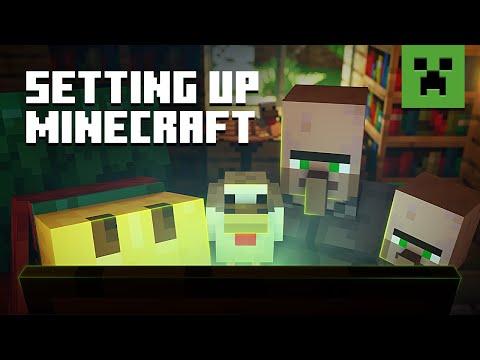
Minecraft. The name alone conjures images of blocky landscapes, creative builds, and seemingly endless possibilities. But for many parents, it can also bring up questions and concerns: Is it safe? Is it educational? Is my child spending too much time on it? As a seasoned expert in the world of games and their impact on children, let me guide you through the essential knowledge you need to navigate the world of Minecraft with confidence.
Simply put, Minecraft is more than just a game; it’s a digital sandbox where creativity, problem-solving, and social interaction can flourish, but it’s crucial to understand its nuances to ensure a positive and safe experience for your child. Understanding the gameplay, potential risks, safety measures, and educational benefits allows you to make informed decisions about your child’s involvement in this captivating world.
Understanding the Basics: What is Minecraft?
At its core, Minecraft is a sandbox game, meaning players have a high degree of freedom to create and modify their world. They can gather resources like wood, stone, and minerals, and then use these resources to craft tools, build structures, and even create complex mechanisms. There are two primary game modes:
- Survival Mode: Players must gather resources, build shelters, and defend themselves against monsters that appear at night. This mode encourages resource management, problem-solving, and strategic thinking.
- Creative Mode: Players have unlimited resources and can fly around the world, building anything they can imagine without the threat of enemies. This mode fosters creativity, architectural design, and collaborative building.
Minecraft also features multiplayer options, allowing players to connect with others online. This opens up opportunities for collaboration, teamwork, and social interaction, but also introduces potential risks that parents need to be aware of.
Addressing Parental Concerns: Is Minecraft Safe for My Child?
One of the biggest concerns for parents is the safety of online interactions. In multiplayer mode, children can interact with other players from around the world, which raises the risk of exposure to inappropriate content, cyberbullying, or contact with strangers. The article you provided acknowledges this potential risk. Here’s how to mitigate these concerns:
- Parental Controls: Utilize the parental control settings available on your child’s device and within the Minecraft platform itself. These settings can restrict access to multiplayer features, control chat permissions, and set time limits.
- Child-Friendly Servers: Opt for whitelisted servers specifically designed for children. These servers are moderated to ensure a safe and positive environment. Look for servers that actively screen players and enforce strict rules against inappropriate behavior.
- Open Communication: Talk to your child about online safety, emphasizing the importance of not sharing personal information, being wary of strangers, and reporting any uncomfortable or inappropriate interactions. Discuss the potential dangers of online interactions and encourage them to come to you if they encounter any problems.
- Monitoring Gameplay: Keep an eye on your child’s gameplay and online interactions. While it’s important to respect their privacy, occasional monitoring can help identify potential issues early on.
- Reporting Tools: Familiarize yourself and your child with the reporting tools available within Minecraft. These tools allow players to report inappropriate behavior or content to Mojang Studios for review.
Another concern is the ‘Fantasy Violence’ rating given by the ESRB. While Minecraft isn’t overtly graphic, it does involve combat and the ability to harm animals. To address this:
- Discuss Violence: Talk to your child about the difference between fantasy violence in games and real-world violence. Emphasize the importance of empathy and respect for living creatures.
- Focus on Creative Aspects: Encourage your child to focus on the creative aspects of the game, such as building, crafting, and exploring, rather than solely on combat.
- Alternative Game Modes: Explore peaceful game modes or server settings that minimize or eliminate combat altogether.
The Educational Potential: Learning Through Play
Minecraft isn’t just about building blocks; it’s also a powerful educational tool. The game fosters a wide range of skills, including:
- Creativity and Imagination: Minecraft provides a blank canvas for children to express their creativity and imagination. They can design and build anything they can dream up, fostering innovative thinking.
- Problem-Solving: Survival mode requires players to solve problems related to resource management, crafting, and defending themselves against threats.
- Spatial Reasoning: Building in a 3D environment enhances spatial reasoning skills, which are crucial for STEM fields.
- Collaboration and Teamwork: Multiplayer mode encourages collaboration and teamwork as players work together to build structures, complete challenges, and create communities.
- Coding Skills: Minecraft offers opportunities to learn coding through mods and command blocks, introducing children to the basics of programming in a fun and engaging way.
- History and Culture: Minecraft can be used to recreate historical landmarks, explore different cultures, and learn about architecture from around the world.
Minecraft Education is a specifically designed version of the game for classroom use, offering lesson plans and activities aligned with educational standards. If your child’s school uses Minecraft Education, it’s a great way to extend their learning beyond the classroom. You can learn more about the intersection of games and education from organizations like the Games Learning Society.
Addressing Potential Downsides: Addiction and Time Management
Like any engaging activity, Minecraft can be addictive. It’s important to set healthy time limits and encourage your child to participate in a variety of other activities, such as outdoor play, sports, arts and crafts, and spending time with friends and family.
- Establish Clear Boundaries: Set clear rules about how much time your child can spend playing Minecraft each day or week.
- Encourage Other Activities: Make sure your child has a balanced schedule that includes other activities they enjoy.
- Lead by Example: Model healthy screen time habits yourself.
- Use Timer Apps: Utilize timer apps to provide children with an early warning to prepare them to end their session.
Navigating the Minecraft Landscape: Understanding Different Versions
Minecraft comes in several versions, each with its own features and functionalities. The two main versions are:
- Minecraft: Java Edition: This is the original version of the game, known for its modding community and flexibility.
- Minecraft: Bedrock Edition: This version is available on multiple platforms, including Windows 10, Xbox, PlayStation, Nintendo Switch, and mobile devices. It offers cross-platform play, allowing players to connect with others regardless of the device they’re using.
Minecraft and ADHD: A Potential Tool
Minecraft can be a useful tool for children with ADHD. The game’s open-ended nature and creative possibilities can provide a stimulating and engaging environment, potentially improving focus and attention span. However, it’s important to monitor playtime and ensure that it doesn’t become an excessive distraction from other important activities. If you are looking for more information about GamesLearningSociety.org, they may offer insights on this topic.
Conclusion: Embracing Minecraft Responsibly
Minecraft can be a valuable and enriching experience for children, fostering creativity, problem-solving skills, and social interaction. By understanding the game’s potential risks and benefits, setting appropriate boundaries, and engaging in open communication with your child, you can ensure a positive and safe Minecraft journey.
Frequently Asked Questions (FAQs)
Here are 15 frequently asked questions to further address your concerns about Minecraft:
-
What is the recommended age for Minecraft?
- While Minecraft is typically recommended for ages 8 and up, the ESRB rating is 10+. Ultimately, the decision depends on the individual child’s maturity level and ability to understand online safety.
-
How can I find child-friendly Minecraft servers?
- Search online for “Minecraft whitelisted servers for kids” or “Minecraft family-friendly servers.” Look for servers with active moderation and strict rules against inappropriate behavior.
-
Can I turn off chat in Minecraft?
- Yes, you can customize chat settings in Minecraft to restrict or disable chat. This can help protect your child from exposure to inappropriate language or interactions.
-
Does Minecraft have parental controls?
- Yes, Minecraft offers parental control settings that allow you to manage multiplayer access, chat permissions, and time limits.
-
What is the difference between Minecraft: Java Edition and Minecraft: Bedrock Edition?
- Java Edition is the original version, known for its modding community. Bedrock Edition offers cross-platform play and is available on multiple devices.
-
Is Minecraft educational?
- Yes, Minecraft can be highly educational, fostering creativity, problem-solving skills, spatial reasoning, and collaboration.
-
How can I encourage my child to build rather than fight in Minecraft?
- Praise and reward creative builds. Provide resources and inspiration for building projects. Explore peaceful game modes or server settings.
-
My child is obsessed with Minecraft. What should I do?
- Set clear time limits. Encourage other activities. Discuss the importance of balance. Consider consulting with a child psychologist if you’re concerned about addiction.
-
Is Minecraft safe for kids with autism?
- Minecraft can be a positive outlet for children with autism, providing a predictable and controllable environment. However, it’s important to monitor playtime and ensure healthy social interaction.
-
Does Minecraft censor swearing?
- Minecraft: Java Edition offers a profanity filter that can be toggled on to block bad language in chat, on signs, and in books.
-
Can you get banned for swearing in Minecraft?
- While swearing alone may not result in a ban, hate speech, bullying, harassment, sexual solicitation, or violent threats will.
-
Is Roblox safer than Minecraft for kids?
- Generally, Minecraft is considered safer due to better moderation and parental control options, but both require parental oversight.
-
What are some good Minecraft alternatives for younger kids?
- Games like LEGO Worlds, Terasology, and Block Craft 3D offer similar building experiences with potentially more age-appropriate content.
-
How can I get involved in my child’s Minecraft world?
- Ask them to show you their creations. Play alongside them. Join a family-friendly server together.
-
Is Minecraft good for the brain?
- Yes, Minecraft can improve problem-solving skills, spatial reasoning, creativity, and teamwork. As far as non-violent, educational games go, Minecraft is arguably one of the best.
I hope this guide has provided you with a comprehensive understanding of Minecraft and how to navigate its blocky world with confidence. Remember, open communication, parental involvement, and a balanced approach are key to ensuring a positive and enriching experience for your child.