Unlocking the Visual Potential: What Resolution Does the Xbox One S Truly Support?
Fast answer first. Then use the tabs or video for more detail.
- Watch the video explanation below for a faster overview.
- Game mechanics may change with updates or patches.
- Use this block to get the short answer without scrolling the whole page.
- Read the FAQ section if the article has one.
- Use the table of contents to jump straight to the detailed section you need.
- Watch the video first, then skim the article for specifics.
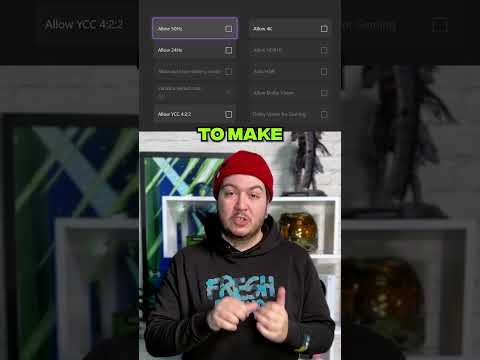
The Xbox One S, a mid-generation refresh of the original Xbox One, brought with it a host of improvements, most notably in the visual department. But what resolution does this console actually support? The Xbox One S natively supports a maximum resolution of 1080p (1920 x 1080 pixels). However, and this is a significant “however,” it also boasts the ability to upscale to 4K (2160p) for both games and video content. This means while the console isn’t rendering games in true 4K, it can output a 4K signal, taking advantage of the higher pixel density offered by 4K TVs to deliver a sharper, more detailed image compared to a standard 1080p output.
Understanding the Nuances of Resolution on Xbox One S
The Xbox One S’s resolution capabilities are a bit more complex than a simple “yes” or “no” answer. The key lies in understanding the difference between native resolution and upscaling. Native resolution is the resolution at which the game or video is originally created. Upscaling, on the other hand, is a process where the console takes a lower resolution image (like 1080p) and artificially increases its resolution to match the output resolution (4K in this case).
Upscaling: The Magic Behind the 4K “Look”
The upscaling process on the Xbox One S involves sophisticated algorithms that attempt to fill in the missing detail when stretching the 1080p image to fit a 4K display. While this can improve image quality, it’s important to remember that upscaled 4K will never be quite as sharp or detailed as native 4K. Think of it like enlarging a photograph – while it might look better than a low-resolution version, it won’t have the same clarity as if it were originally taken at a higher resolution.
HDR Support: A Critical Component
Beyond resolution, the Xbox One S also supports High Dynamic Range (HDR). HDR expands the range of colors and contrast that can be displayed, resulting in a more vibrant and realistic picture. When paired with a 4K HDR TV, the Xbox One S can deliver a significantly enhanced visual experience, even if the games themselves are being upscaled from 1080p. Keep in mind that to experience HDR, you’ll need a TV that supports the HDR10 standard (Dolby Vision support was added later for streaming video).
Decoding the Jargon: Key Resolution Terms
Navigating the world of resolutions can be confusing, so let’s break down some common terms:
- 1080p (1920 x 1080): Also known as Full HD, this is the native resolution of the Xbox One S.
- 1440p (2560 x 1440): Sometimes referred to as Quad HD or QHD, this resolution is higher than 1080p but lower than 4K. The Xbox One S can output at 1440p, providing your display supports it, although this is more commonly associated with the Xbox Series S.
- 4K (3840 x 2160): Also known as Ultra HD, this resolution offers four times the pixel density of 1080p. The Xbox One S upscales to 4K.
- HDR (High Dynamic Range): A technology that expands the range of colors and contrast, resulting in a more vibrant and realistic picture.
- Upscaling: A process where a lower resolution image is artificially increased to match a higher resolution display.
Frequently Asked Questions (FAQs)
Here are some frequently asked questions about the Xbox One S and its resolution capabilities:
1. Does the Xbox One S support native 4K gaming?
No, the Xbox One S does not support native 4K gaming. It upscales games to 4K.
2. Can the Xbox One S play 4K Blu-ray discs?
Yes, the Xbox One S can play 4K Ultra HD Blu-ray discs, making it a great option for movie enthusiasts.
3. Does the Xbox One S support HDR?
Yes, the Xbox One S supports HDR10 for both games and video content.
4. Can I use a 1440p monitor with my Xbox One S?
Yes, the Xbox One S can output at 1440p if your monitor supports that resolution. This can provide a sharper image than 1080p on a compatible display.
5. What is the difference between upscaled 4K and native 4K?
Native 4K is rendered at 4K resolution from the start, resulting in a sharper and more detailed image. Upscaled 4K takes a lower resolution image (like 1080p) and stretches it to fit a 4K display, which can improve image quality but doesn’t match the clarity of native 4K.
6. How do I enable 4K on my Xbox One S?
Go to Settings > General > TV & display options. Make sure your resolution is set to 720p or 1080p, then go to Advanced > Video modes and ensure “Allow 4K” is checked.
7. How do I know if my TV supports HDR?
Check your TV’s specifications or manual. Look for HDR10 or Dolby Vision support. You can also check in the Xbox One S settings under “4K TV details” to see if your TV is HDR-compatible.
8. Does the Xbox One S support 120Hz refresh rates?
The Xbox One S does not support 4K at 120Hz. To get 4K at 120Hz, you’ll need an Xbox Series X and a TV with an HDMI 2.1 port. The Xbox One S supports a maximum refresh rate of 120Hz at lower resolutions like 1080p.
9. Can the Xbox One S run games at 1080p 60fps?
Yes, the Xbox One S can run games at 1080p 60fps, but this depends on the specific game and its graphical demands.
10. Is the Xbox One S worth buying in 2024?
While the Xbox One S is still functional, it’s significantly less powerful than newer consoles like the Xbox Series X and Series S. If you’re looking for the best possible gaming experience, upgrading to a newer console is recommended. However, if you’re on a tight budget and just want to play older games, the Xbox One S can still be a viable option.
11. Why is my Xbox One S resolution stuck at 640×480?
This is a known issue that can sometimes be resolved by restarting both your Xbox and your TV. It can also be triggered by playing 4K Blu-rays in 120Hz mode. Try switching to 60Hz.
12. Is the Xbox One S better than the original Xbox One?
Yes, the Xbox One S is better than the original Xbox One. It has a smaller form factor, supports 4K upscaling, and can play 4K Blu-ray discs.
13. Can I stream 4K content on the Xbox One S?
Yes, the Xbox One S can stream 4K content from services like Netflix and Amazon Prime Video, provided you have a 4K TV and a fast enough internet connection. It also supports Dolby Vision HDR for streaming.
14. How does the Xbox One S compare to the PS4?
The PS4 generally has slightly better graphics than the Xbox One S, but the Xbox One S offers 4K Blu-ray playback and 4K upscaling capabilities, making it a better media player overall.
15. Where can I learn more about the impact of games on society?
The Games Learning Society is an excellent resource for exploring the educational and social impacts of games. Visit their website at GamesLearningSociety.org to discover research, articles, and events related to game-based learning and the broader cultural influence of video games. They explore the use of games in education, and you can delve deeper into understanding how games shape our world at the Games Learning Society website: https://www.gameslearningsociety.org/.
In conclusion, while the Xbox One S isn’t a true 4K gaming machine, its ability to upscale to 4K, combined with HDR support and 4K Blu-ray playback, makes it a versatile and visually capable console. Understanding its limitations and strengths is key to getting the most out of your gaming and entertainment experience. It’s a console that bridges the gap between the past and the present, offering a taste of the 4K world without the full investment required for a native 4K experience.