What To Do With A Dead Phone: A Comprehensive Guide
Fast answer first. Then use the tabs or video for more detail.
- Watch the video explanation below for a faster overview.
- Game mechanics may change with updates or patches.
- Use this block to get the short answer without scrolling the whole page.
- Read the FAQ section if the article has one.
- Use the table of contents to jump straight to the detailed section you need.
- Watch the video first, then skim the article for specifics.
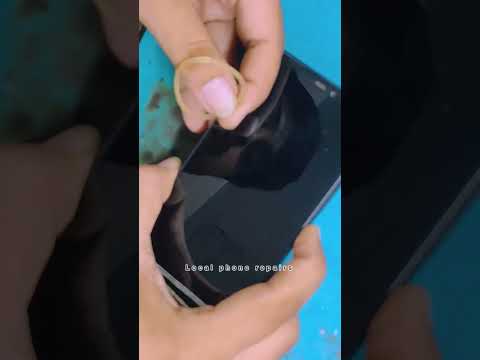
A “dead” phone – those dreaded words that send shivers down the spine of any smartphone user. But before you resign yourself to a paperweight and mourn the loss of your digital life, hold on! A phone that refuses to power on isn’t always a lost cause. There are several troubleshooting steps you can take, from simple checks to more involved solutions, to potentially bring your device back to life. The key is to approach the problem systematically.
First, determine if your phone is truly “dead” or simply unresponsive. A truly dead phone shows absolutely no signs of life – no charging indicator, no response to button presses, nothing. An unresponsive phone might show a black screen but still vibrate or light up when connected to a charger. The actions you take will depend on which category your phone falls into.
Initial Troubleshooting Steps
These are the simplest things to try first, and they often resolve the issue:
- Check the Power Outlet and Charger: This sounds obvious, but it’s crucial. Make sure the outlet you’re using is working by plugging in another device. Inspect your charger for any damage, like frayed wires or bent pins. Try using a different charger and cable, preferably one that’s known to be working. Sometimes, the charger itself is the culprit.
- Inspect the Charging Port: Carefully examine the charging port on your phone. Lint, dust, or debris can easily accumulate and prevent a solid connection. Use a non-metallic tool, like a toothpick or a SIM card ejector, to gently clean out any obstructions. Be very careful not to damage the internal pins.
- Charge for an Extended Period: Even if your phone doesn’t initially show a charging indicator, plug it in and leave it charging for at least 30 minutes, or even a couple of hours. A completely depleted battery might need some time to accumulate enough charge to power on.
- Force Restart: This is often the magic bullet. The method varies depending on your phone model, so check your manufacturer’s instructions. Generally, it involves pressing and holding the power button (and sometimes a volume button) for a specific duration, usually 10-30 seconds. This can force the phone to reboot, bypassing any software glitches that might be causing the problem.
Addressing Battery Issues
If the initial steps don’t work, the problem likely lies with the battery:
- Consider the Age of Your Battery: Smartphone batteries degrade over time. If your phone is several years old, the battery might simply be at the end of its lifespan and unable to hold a charge.
- Professional Battery Replacement: For phones with non-removable batteries, replacing the battery yourself can be risky. It’s best to take it to a reputable repair shop or the manufacturer’s service center. They have the tools and expertise to safely replace the battery.
Software and Hardware Considerations
If the battery isn’t the issue, the problem might be more complex:
- Software Glitches: In rare cases, a software glitch can prevent the phone from booting up. A factory reset might be necessary, but this typically requires the phone to be at least partially functional.
- Hardware Damage: If your phone has been dropped or exposed to water, there might be internal hardware damage. This requires professional diagnosis and repair. Water damage, in particular, can cause corrosion and short circuits.
Data Recovery Options
A “dead” phone can be devastating if you haven’t backed up your data. Here are some potential data recovery options:
- Professional Data Recovery Services: Companies specializing in data recovery might be able to retrieve data from a damaged or malfunctioning phone. This can be expensive but worthwhile if you have critical information.
- Cloud Backups: If you used cloud services like Google Drive, iCloud, or Dropbox, your data might be backed up automatically. Check your cloud storage accounts to see if your photos, contacts, and other files are there.
- SIM Card and SD Card Recovery: If your phone has a SIM card or SD card, you can remove them and try accessing the data on another device. This will only recover data stored specifically on those cards, like contacts on the SIM card or photos on the SD card.
Deciding When to Replace Your Phone
Sometimes, despite your best efforts, a dead phone simply can’t be revived. Here are some factors to consider when deciding whether to replace it:
- Cost of Repair: If the repair costs are significant, especially compared to the price of a new phone, it might be more economical to replace it.
- Age of the Phone: Older phones might not be worth repairing, as they could soon experience other issues.
- Availability of Parts: Parts for older phone models can be difficult or expensive to find.
- New Features: New phones often come with improved features, like better cameras, faster processors, and longer battery life.
- Security Updates: Older phones might no longer receive security updates, making them vulnerable to hacking and malware.
Responsible Disposal and Recycling
Once you’ve decided to replace your phone, it’s important to dispose of it responsibly:
- Recycling Programs: Many electronics stores and manufacturers offer recycling programs for old phones. This ensures that the materials are recovered and reused, reducing waste and pollution.
- Donation: Some organizations accept donations of used phones, even if they’re not working. They might refurbish them or use them for parts.
FAQs About Dead Phones
Here are some frequently asked questions related to dead phones:
1. Can a dead phone be traced?
If your phone is completely dead and has no battery power, it’s much harder to trace. “Find My Phone” features usually rely on the phone being powered on and connected to the internet to transmit its location. However, the service provider might be able to determine the last known location when the phone was last active.
2. Can police ping a dead phone?
No. Without a battery, your phone is essentially inert. It can’t send or receive signals, making it impossible to track in real-time. Leaving the battery in (even if the phone is off) makes it theoretically possible to track, though law enforcement would still need a warrant and cooperation from the service provider.
3. Can the police track a lost phone?
Yes, with a warrant and the cooperation of the mobile service provider. They typically use the phone’s IMEI number (International Mobile Equipment Identity), a unique identifier, to locate the device.
4. Why is my phone dead and won’t turn on?
Possible reasons include a depleted battery, damaged charger, faulty charging port, software glitch, or hardware damage.
5. What to do if my iPhone died and won’t turn back on?
Try force restarting it by pressing and holding the Home button and the side button (or top button) until you see the Apple logo. If that doesn’t work, try charging it for at least an hour. If it still doesn’t turn on, contact Apple Support.
6. Is it “my phone died” or “my battery died”?
Both are correct! “My phone died” is a common and straightforward way to say your phone is out of power. “My phone’s battery is dead” specifies that the battery is the reason.
7. Why did my phone screen go black and won’t turn on?
This can be caused by faulty apps, battery issues, or mechanical screen problems. A force restart is usually the first step to try.
8. Can police see your phone remotely?
If you use cloud services like iCloud, Google Drive, or Dropbox, the police can potentially access your data through those services with a warrant or legal request. “Cloud extraction” tools can be used to remotely access information stored in the cloud.
9. How can I track my stolen phone if it’s switched off?
Unfortunately, tracking a switched-off phone is difficult. However, you can check the “Find My Device” feature on your Google account (for Android) to see the last known location of the phone before it was turned off.
10. Does airplane mode turn off location?
Airplane mode disables cellular, Wi-Fi, and Bluetooth connections, but it doesn’t necessarily turn off GPS. You need to disable the GPS feature separately in your phone’s settings to completely prevent location tracking.
11. Can you sell a phone that won’t turn on?
Yes! Services like ecoATM and other electronics recyclers will often buy phones that won’t turn on, either for parts or to recycle the materials.
12. Should I destroy my old cell phone?
Destroying your old cell phone is a surefire way to protect your data. However, consider recycling it instead. If you do choose to destroy it, be sure to remove the SIM card and SD card, encrypt the data (if possible), and then physically destroy the phone using a hammer or drill.
13. Why do carriers want old cell phones?
Carriers offer trade-in programs to encourage customer loyalty and attract new customers. They can then refurbish and resell the phones or recycle the materials.
14. What is worth salvaging from an old smartphone?
You can salvage the SIM card (if you need to transfer contacts), the SD card (if it contains valuable data), and potentially some of the internal components for DIY projects or repairs (if you’re technically inclined).
15. Is it illegal to destroy a phone?
It is not illegal to destroy your own phone. However, it is illegal to destroy someone else’s phone without their permission. This could be considered property damage and potentially assault, depending on the circumstances.
Losing a phone can be frustrating, but there are often steps you can take to try and get it working again. If you can’t and are looking for alternative ways to spend time, why not check out the Games Learning Society at GamesLearningSociety.org? You might find a new hobby or learn something new.
Remember to approach the situation calmly and methodically, and you’ll significantly increase your chances of reviving your dead phone or, at the very least, recovering your valuable data.