What’s the Best GPU for Fortnite? The Ultimate Guide
Fast answer first. Then use the tabs or video for more detail.
- Watch the video explanation below for a faster overview.
- Game mechanics may change with updates or patches.
- Use this block to get the short answer without scrolling the whole page.
- Read the FAQ section if the article has one.
- Use the table of contents to jump straight to the detailed section you need.
- Watch the video first, then skim the article for specifics.
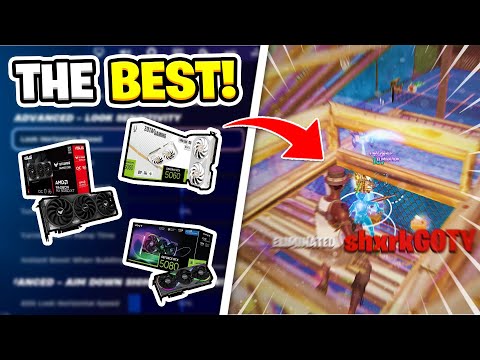
So, you want the best GPU for Fortnite? Let’s cut straight to the chase: it depends on your goals. Are you chasing a silky-smooth 240Hz competitive edge at 1080p? Or are you aiming for a gorgeous, detailed experience at 1440p or even 4K? Ultimately, the best GPU for Fortnite is the one that meets your resolution, framerate, and visual fidelity goals, without breaking the bank.
For the absolute best performance at 1080p with 240+ FPS, the NVIDIA GeForce RTX 4080 is the current king. Its sheer power, coupled with DLSS 3 (Frame Generation) technology, allows it to effortlessly handle Fortnite at high frame rates. However, that’s overkill for most players and carries a premium price tag.
A far more practical and value-oriented option for 1080p 240Hz gaming is the NVIDIA GeForce RTX 3060 Ti. This card strikes a sweet spot between performance and price, consistently delivering frame rates well above 240 FPS at 1920×1080. You might even be able to push some settings up to “High” or “Epic” without sacrificing your target framerate.
If you’re aiming for 1440p gaming with a solid 60+ FPS on Epic settings, an AMD Radeon RX 6650 XT or an NVIDIA RTX 3060 Ti will do the trick. These cards offer a great balance for higher resolutions.
Finally, if you’re on a budget and primarily targeting 1080p with 60+ FPS, an AMD Radeon RX 6500 XT or an NVIDIA GTX 1650 Super can provide a playable experience at lower settings. Just be prepared to make some compromises on visual quality.
Understanding Fortnite’s Graphics Demands
Fortnite, while visually appealing, isn’t the most graphically demanding game on the market. Epic Games has done an excellent job of optimizing it for a wide range of hardware. This is why the “best” GPU varies so much depending on your specific needs. Several factors influence the required GPU horsepower:
- Resolution: The higher the resolution (1080p, 1440p, 4K), the more pixels the GPU needs to render, demanding more processing power.
- Framerate: A higher framerate (60 FPS, 144 FPS, 240 FPS) requires the GPU to work faster and render more frames per second.
- Graphics Settings: Fortnite offers a range of graphics settings, from “Low” to “Epic.” Higher settings increase visual fidelity but also increase the load on the GPU.
- CPU: While Fortnite is primarily GPU-bound, your CPU still plays a crucial role. A weak CPU can bottleneck a powerful GPU, preventing you from reaching your desired framerate.
- Background Applications: Running other applications in the background (e.g., streaming software, web browsers) can consume system resources and impact performance.
Therefore, choosing the best GPU involves carefully considering your specific requirements and finding a card that strikes the optimal balance between performance, price, and power consumption.
Top GPU Recommendations for Fortnite (2024)
Here’s a breakdown of GPU recommendations based on different performance targets:
- 1080p 60+ FPS (Budget): AMD Radeon RX 6500 XT, NVIDIA GeForce GTX 1650 Super (Consider used market for better value)
- 1080p 144+ FPS (Mid-Range): AMD Radeon RX 6600, NVIDIA GeForce RTX 3050
- 1080p 240+ FPS (High-End): NVIDIA GeForce RTX 3060 Ti, AMD Radeon RX 6700 XT
- 1440p 60+ FPS (Mid-Range): AMD Radeon RX 6650 XT, NVIDIA GeForce RTX 3060 Ti
- 1440p 144+ FPS (High-End): AMD Radeon RX 6800 XT, NVIDIA GeForce RTX 3070 Ti
- 4K 60+ FPS (Enthusiast): NVIDIA GeForce RTX 3080, AMD Radeon RX 6900 XT and above
Keep in mind that these are just general recommendations. Actual performance may vary depending on your specific system configuration and game settings.
Beyond the GPU: The Importance of a Balanced System
While a powerful GPU is essential for high performance in Fortnite, it’s crucial to remember that it’s just one piece of the puzzle. A balanced system includes:
- CPU: A modern CPU with sufficient cores and clock speed is crucial to avoid bottlenecks. Aim for at least an Intel Core i5 or AMD Ryzen 5 processor. For consistently higher framerates, especially targeting 240Hz, a higher-end CPU like an Intel Core i7/i9 or AMD Ryzen 7/9 is highly recommended.
- RAM: Fortnite requires at least 8GB of RAM, but 16GB is highly recommended for smoother gameplay and multitasking. Faster RAM speeds (e.g., 3200MHz or higher) can also provide a slight performance boost.
- Storage: An SSD (Solid State Drive) is essential for fast loading times and a responsive gaming experience. Avoid using a traditional HDD (Hard Disk Drive) if possible.
- Monitor: A high refresh rate monitor (144Hz or 240Hz) is necessary to take full advantage of high framerates. Ensure your monitor supports the resolution and refresh rate you’re targeting.
- Power Supply: A reliable power supply with sufficient wattage is crucial to power all your components. Use a PSU calculator to determine the appropriate wattage for your system.
- Cooling: Adequate cooling is essential to prevent overheating and ensure stable performance. Consider using a CPU cooler and case fans to keep your components running at optimal temperatures.
Frequently Asked Questions (FAQs)
1. What’s the absolute cheapest GPU that can run Fortnite?
The AMD Radeon RX 6500 XT or a used NVIDIA GeForce GTX 1650 can run Fortnite at 1080p with low settings and achieve playable framerates (around 60 FPS).
2. Do I really need a 240Hz monitor to play Fortnite?
You don’t need a 240Hz monitor, but if you’re aiming for the most competitive experience, it’s highly recommended. A 240Hz monitor displays more frames per second, resulting in smoother motion and lower input lag.
3. Is an RTX 3080 overkill for Fortnite?
Yes, an RTX 3080 is significantly overkill for Fortnite at 1080p, even at 240Hz. You’d be better off investing in a lower-end card and upgrading other components like your CPU or monitor. However, at 1440p or 4K, an RTX 3080 can provide excellent performance.
4. Is Fortnite more CPU or GPU intensive?
Fortnite is generally more GPU intensive than CPU intensive, but a good CPU is still important to avoid bottlenecks. The GPU handles the rendering of the game’s visuals, while the CPU handles game logic, physics, and AI.
5. How much RAM do I need for Fortnite?
8GB of RAM is the minimum, but 16GB is highly recommended for smoother gameplay, especially if you’re running other applications in the background.
6. Can a GTX 1060 run Fortnite?
Yes, a GTX 1060 can run Fortnite at 1080p with medium to high settings and achieve playable framerates (60+ FPS).
7. What CPU do I need for 240 FPS in Fortnite?
A Ryzen 5 5600X or Intel Core i5-11600K or better is generally recommended to consistently achieve 240 FPS in Fortnite at 1080p with a high-end GPU. A faster CPU will give you more consistent framerates, particularly during intense in-game moments.
8. Will DLSS improve my Fortnite performance?
Yes, NVIDIA’s DLSS (Deep Learning Super Sampling) can significantly improve performance in Fortnite by rendering the game at a lower resolution and then upscaling it using AI. This allows you to achieve higher framerates with minimal visual quality loss.
9. Can I run Fortnite on integrated graphics?
While possible, running Fortnite on integrated graphics is not recommended for a good gaming experience. You’ll likely need to play at the lowest settings and at a low resolution to achieve playable framerates.
10. How important is my internet connection for Fortnite?
A stable and fast internet connection is crucial for online gaming. A ping of less than 50ms is ideal for a smooth Fortnite experience. High ping can lead to lag and input delays.
11. Can I overclock my GPU to improve Fortnite performance?
Yes, overclocking your GPU can potentially improve Fortnite performance, but it’s important to do it safely and carefully. Overclocking can increase the risk of overheating and instability.
12. What’s the best way to optimize Fortnite for performance?
Lowering graphics settings, disabling unnecessary background applications, and updating your drivers are all effective ways to optimize Fortnite for performance. You can also adjust your in-game settings to prioritize framerate over visual quality.
13. Is ray tracing available in Fortnite?
Yes, ray tracing is available in Fortnite, but it can significantly impact performance. It’s generally recommended to disable ray tracing unless you have a high-end GPU.
14. What about AMD’s FSR? Does that help like DLSS?
Yes, AMD’s FSR (FidelityFX Super Resolution) is a spatial upscaling technology similar to NVIDIA’s DLSS. While often providing a slightly different visual profile, it can also boost performance in Fortnite, particularly on AMD GPUs. Experiment to see which upscaling technique works best for your hardware and preference.
15. Where can I learn more about game development and technology?
For more in-depth knowledge of game development, technology, and learning through games, check out the Games Learning Society and their work at GamesLearningSociety.org. They’re a fantastic resource for understanding the intersection of education and gaming.
Ultimately, the best GPU for Fortnite is the one that fits your budget and meets your specific performance goals. Carefully consider your needs and choose a card that provides the optimal balance between performance, price, and features. Happy gaming!