Claiming Your Call of Duty Codes: A Comprehensive Guide
Fast answer first. Then use the tabs or video for more detail.
- Watch the video explanation below for a faster overview.
- Game mechanics may change with updates or patches.
- Use this block to get the short answer without scrolling the whole page.
- Read the FAQ section if the article has one.
- Use the table of contents to jump straight to the detailed section you need.
- Watch the video first, then skim the article for specifics.
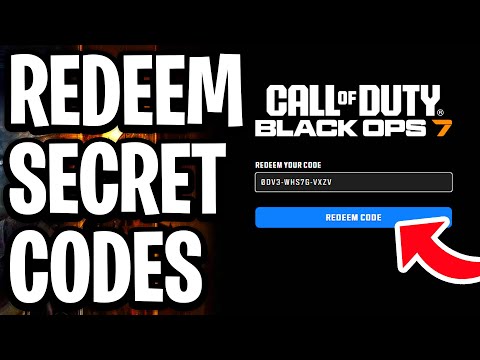
The process of claiming Call of Duty (COD) codes varies depending on the type of code you have and the platform you’re playing on. Generally, you’ll either redeem them through the Call of Duty website, the in-game redemption center (for mobile versions), the platform’s store (like PlayStation Store, Xbox Store, or Battle.net), or a specific promotional website. Let’s break down the different methods so you can quickly access your rewards.
Different Types of COD Codes and How to Redeem Them
1. Call of Duty Website Redemption
-
Purpose: This method is typically used for promotional codes related to your Call of Duty account, often granting access to in-game items, XP boosts, or other bonuses that apply across multiple platforms.
-
How To Redeem:
- Go to https://profile.callofduty.com/promotions/redeemCode.
- Log in to your Call of Duty account. If you don’t have one, you’ll need to sign up. Ensure the account is linked to your PlayStation, Xbox, or Battle.net account, depending on your primary gaming platform.
- Enter your gift card code in the provided field.
- Select ‘Submit’.
-
What to Expect: After successfully redeeming the code, the items or benefits should appear in your linked Call of Duty game within a reasonable timeframe. It’s always a good idea to restart the game if you don’t see the rewards immediately.
2. Call of Duty: Mobile Redemption Center
-
Purpose: Specifically for redeeming codes that grant rewards within the Call of Duty: Mobile game.
-
How To Redeem:
- Go to the Call of Duty: Mobile Redemption Center.
- Enter your Call of Duty: Mobile UID (User ID). This can be found in the game’s profile section.
- Enter your 12-character code.
- Enter the Captcha code required for verification.
- Relaunch Call of Duty: Mobile.
-
What to Expect: The redeemed items or rewards will be available in your Call of Duty: Mobile account upon restarting the game. Check your in-game mailbox or inventory for the new items.
3. PlayStation Store, Xbox Store, and Battle.net Redemption
-
Purpose: Used for redeeming codes for full game downloads, DLC packs, or in-game currency purchased through these platforms.
-
PlayStation Store:
- On your PlayStation console, navigate to the PlayStation Store.
- Scroll down to the bottom of the sidebar and select “Redeem Codes”.
- Enter your 12-character code and follow the on-screen instructions.
-
Xbox Store:
- Press the Xbox button on your controller to open the guide.
- Select “Store”.
- Press the View button to open the side menu and select “Redeem”.
- Enter the 25-character code, select “Next”, and follow the prompts.
-
Battle.net:
- Log in to your Battle.net account on the website.
- Go to your Account Overview.
- Enter the code in the “Redeem a Code” box and click “Redeem Code”.
-
-
What to Expect: The content associated with the code will be added to your account and will either be available for download immediately or accessible within the game.
4. Google Play Store Redemption
-
Purpose: Redeeming codes for in-game purchases, items, or currency within the Android version of Call of Duty: Mobile.
-
How To Redeem:
- Visit play.google.com/redeem.
- Enter your code.
- Click “Redeem”.
-
What to Expect: The value of the code will be added to your Google Play balance, which you can then use for in-app purchases within Call of Duty: Mobile or other apps.
5. Promotional and Special Event Redemptions
-
Purpose: Often associated with partnerships, events, or limited-time promotions, these codes usually have specific instructions and redemption websites.
-
How To Redeem:
- Carefully read the instructions provided with the code. This will often direct you to a specific website or in-game location to redeem it.
- Follow the instructions precisely. These promotions often have expiration dates or specific requirements.
-
Examples:
- Mountain Dew Codes: Look for a ten-character alphanumeric code underneath bottle caps of specially-marked Mountain Dew bottles or on the inside paperboard of 12-pack cans.
- Little Caesars Call of Duty Combo: This promotion offered a “Call of Duty Combo” that included a special pizza and a MTN DEW, potentially with associated in-game rewards.
Understanding Game Codes and Game-Based Learning
The integration of promotions and codes within games like Call of Duty underscores how game-based learning and gamification are impacting various industries. The use of codes and rewards drives player engagement and loyalty. This is a practical example of the concepts explored by organizations like the Games Learning Society, demonstrating how game mechanics can be used to motivate and reward desired behaviors. Visit GamesLearningSociety.org for more information.
Frequently Asked Questions (FAQs)
1. What if my Call of Duty code doesn’t work?
- Double-check that you’ve entered the code correctly. Pay close attention to similar-looking characters like 0 and O, or 1 and I.
- Make sure the code hasn’t expired. Many codes have expiration dates.
- Confirm that the code is valid for your region or platform.
- If you still have issues, contact the customer support for the platform where you’re trying to redeem the code or the retailer from whom you obtained the code.
2. Where do I find my Call of Duty: Mobile UID?
- Open Call of Duty: Mobile.
- Go to your profile by tapping on your avatar in the top left corner of the screen.
- Your UID will be displayed below your in-game name.
3. Can I redeem a code on multiple accounts?
- No, typically a Call of Duty code can only be redeemed once per account.
4. How long does it take for the redeemed items to appear in my game?
- In most cases, the items will appear immediately or within a few minutes. However, sometimes it can take up to 24 hours. If you don’t see the items after this time, contact customer support.
5. Can I redeem Call of Duty codes on PC?
- Yes, you can redeem Call of Duty codes on PC through Battle.net or the Call of Duty website, depending on the type of code.
6. Where do I redeem codes for Modern Warfare II (MW2)?
- For game-related content, redeem on the platform you purchased the game (PlayStation Store, Xbox Store, Battle.net). For promotional codes, use the Call of Duty website.
7. What are XP Tokens and how do I use them in Modern Warfare II?
- XP Tokens grant you bonus experience points during gameplay, helping you level up faster.
- To use them, go to the multiplayer menu before entering matchmaking. You should see an “XP Tokens” option. Select it and activate the token you wish to use.
8. Where can I find Modern Warfare II safe codes?
- In the single-player campaign, safe codes are found within the environment. Examples include:
- El Sin Nombre safe code: 02-02-19.
- Alone safe code 1: 10-10-80.
- Alone safe code 2: 37-60-80.
9. What do I do if I didn’t receive my early access beta code for a pre-order?
- Contact the retailer from whom you pre-ordered the game. The code should be printed on your retail receipt or sent to you via email.
10. Why won’t my Xbox code redeem?
- Ensure you’re entering all 25 characters correctly. The following letters and numbers never appear in Xbox digital codes: A, E, I, L, O, S, U, 0, 1, and 5. If the problem persists, request a replacement code from the retailer or Xbox support.
11. Can I redeem Xbox game codes online?
- Yes, you can redeem Xbox game codes online through your Microsoft account on the Microsoft website. Once redeemed, the content is linked to your account.
12. How do Mountain Dew Call of Duty codes work?
- Look for a ten-character alphanumeric code underneath bottle caps of specially-marked Mountain Dew bottles or printed on the inside paperboard of 12-pack cans. These codes can be redeemed for in-game rewards or entries into promotions.
13. Is there a specific website for redeeming Call of Duty codes?
- Yes, the primary website for redeeming general Call of Duty codes is https://profile.callofduty.com/promotions/redeemCode. For Call of Duty: Mobile specific codes, there is a dedicated redemption center.
14. Can I use a VPN to redeem codes from a different region?
- While technically possible, using a VPN to bypass regional restrictions may violate the terms of service of the game or platform and could lead to account penalties. It’s generally not recommended.
15. What if I accidentally scratched off part of my code, making it unreadable?
- Contact the retailer where you purchased the code or the customer support for the platform where you’re trying to redeem it. Provide them with as much information as possible about the code and the purchase, and they may be able to assist you.
By following these guidelines, you can ensure a smooth and rewarding experience when claiming your Call of Duty codes.