Which Call of Duty Games Have Voice Chat? A Deep Dive into Communication in Call of Duty
Fast answer first. Then use the tabs or video for more detail.
- Watch the video explanation below for a faster overview.
- Game mechanics may change with updates or patches.
- Use this block to get the short answer without scrolling the whole page.
- Read the FAQ section if the article has one.
- Use the table of contents to jump straight to the detailed section you need.
- Watch the video first, then skim the article for specifics.
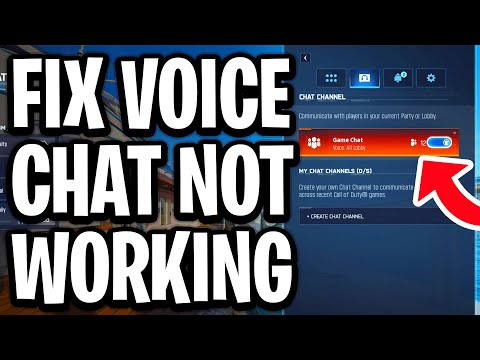
Practically every Call of Duty (COD) title released since the mid-2000s has incorporated voice chat functionality. This feature is a cornerstone of the Call of Duty experience, allowing players to coordinate strategies, trash-talk opponents (within acceptable limits, of course!), and generally enhance the sense of immersion and teamwork. From the early days of rudimentary voice communication to the more sophisticated proximity chat and AI-moderated systems of today, voice chat has evolved alongside the franchise. So, while a few of the earliest games might lack this feature, assume any Call of Duty game released in the last 15+ years does offer voice chat.
A History of Voice Chat in Call of Duty
Voice chat wasn’t always a standard feature. Early online console gaming was often limited to text-based communication or required external voice communication solutions. However, as online gaming matured, so did the integration of in-game voice chat.
The Call of Duty franchise embraced this technology, realizing its potential to create a more dynamic and engaging multiplayer experience. Over the years, voice chat has gone through numerous iterations, improvements, and feature additions.
Early Implementations
In the early days, voice chat was simpler, with basic functionalities for team communication. The emphasis was purely on tactical coordination. The primary focus was simply allowing players to hear one another.
Proximity Chat and its Impact
The introduction of proximity chat in later titles, particularly Warzone 2.0, was a game-changer. This feature allows you to hear other players who are physically close to your character in the game world, regardless of whether they are on your team. This created new layers of strategy, tension, and sometimes hilarious interactions.
AI Moderation and the Future of Voice Chat
More recently, Activision has implemented AI-powered moderation systems like ToxMod to combat toxicity and harassment in voice chat. This signifies a move towards creating a safer and more inclusive online environment. This commitment aligns with broader discussions about online safety and positive gaming experiences, topics often explored by organizations like the Games Learning Society.
FAQs: Everything You Need to Know About Call of Duty Voice Chat
Here are 15 frequently asked questions to further clarify the intricacies of voice chat in the Call of Duty universe:
1. Why is my voice chat not working in Call of Duty?
There are several reasons why your voice chat might be malfunctioning. The most common culprits include:
- Incorrect audio settings: Double-check your input and output devices in the game’s audio settings. Ensure the correct microphone and speakers/headset are selected.
- Muted players: You may have accidentally muted specific players or the entire lobby. Review your mute settings.
- Audio driver issues: Outdated or corrupted audio drivers can interfere with voice chat functionality. Update your drivers to the latest version.
- Antivirus interference: Sometimes, overly sensitive antivirus software can block voice chat applications. Try temporarily disabling your antivirus to see if this resolves the issue (remember to re-enable it afterward!).
- Game bugs: Occasionally, bugs within the game itself can cause voice chat problems. Check for game updates or patches that might address the issue.
2. How do I enable proximity chat in Warzone?
To enable proximity chat in Warzone, navigate to your audio settings within the game menu. Look for options labeled “Proximity Chat” and ensure they are set to “Enabled.” Also, check your input and output devices to ensure the correct devices are in use for Voice Chat and Proximity Chat.
3. How do I report toxic behavior in voice chat?
Call of Duty provides tools for reporting players who engage in toxic behavior. You can usually report a player directly from the in-game lobby or during a match. When reporting, provide as much detail as possible about the specific incident. Also, be aware that Activision’s AI moderation is actively working to identify and penalize abusive language.
4. Can I be banned for what I say in Call of Duty voice chat?
Yes, absolutely. Activision has a zero-tolerance policy for hate speech, discrimination, harassment, and other forms of toxic behavior. The new AI Moderation systems are actively monitoring voice chat, and violations can result in temporary or permanent bans from the game.
5. How does the AI moderation system (ToxMod) work?
ToxMod is an AI-powered technology that analyzes voice chat in real-time to identify instances of hate speech, discrimination, and harassment. It flags potentially problematic conversations for human review, ensuring accuracy and fairness in the moderation process. This is a crucial step in creating a more inclusive and enjoyable gaming environment.
6. Which Call of Duty games use ToxMod?
As of late 2023, ToxMod was initially rolled out in Call of Duty: Modern Warfare II and Call of Duty: Warzone in North America. The plan was to expand the system globally (excluding Asia) with the release of Call of Duty: Modern Warfare III.
7. How do I appeal a voice chat ban?
If you believe you were unfairly banned for something said in voice chat, you can submit a support ticket to Activision. Visit the Activision Support website and follow the instructions for appealing an account penalty. Be prepared to provide evidence or context to support your appeal.
8. Does voice chat record my conversations?
Yes, Call of Duty games that utilize voice chat moderation record voice chat conversations. This is done for the express purpose of identifying and addressing toxic behavior. These recordings are typically only accessed during the moderation process.
9. Why is everyone muted in my lobby?
If everyone in your lobby is muted, check your voice chat settings. You might have accidentally muted the entire lobby. Look for a “Mute All” or “Mute Lobby” option and ensure it is disabled. Sometimes, a simple game restart can also resolve this issue.
10. What is the best microphone to use for Call of Duty?
The “best” microphone depends on your budget and needs. Popular options include:
- Gaming headsets: Offer convenience and integrated voice chat.
- USB microphones: Provide better audio quality than built-in microphones.
- XLR microphones: Offer professional-grade sound but require additional audio interface equipment.
11. Does Ground War in Modern Warfare II have AI teammates that use Voice Chat?
While Ground War in Modern Warfare II does feature AI teammates, they do not participate in voice chat. They operate independently and follow pre-programmed behaviors.
12. Why can’t I hear anyone in Warzone 2?
If you cannot hear anyone in Warzone 2, double-check your voice chat settings. Ensure that both “Voice Chat” and “Proximity Chat” are enabled. Also, confirm that you are using the correct audio output device in the game settings. You might need to restart the game or your device.
13. Is Modern Combat Versus on iOS, Android, and PC the only call of duty game without voice chat functionality?
No, it’s not the only one without voice chat, but its circumstances are unique. While Modern Combat Versus did eventually add voice chat to the iOS and Android versions, the PC version experienced delays. This highlights how voice chat implementation can vary across different platforms. Some older Call of Duty titles may lack voice chat due to technological limitations at the time of their release.
14. What are lobby audio settings?
Lobby audio settings refer to the voice chat configuration options available within the pre-game lobby or in-game settings menu. These settings allow you to adjust your input/output devices, mute/unmute players, and control other voice chat-related parameters.
15. Are there resources to promote positive gaming communities?
Yes! Organizations like the GamesLearningSociety.org are dedicated to exploring the intersection of games, learning, and positive social impact. They conduct research, develop educational resources, and promote initiatives that foster healthier and more inclusive gaming communities. Consider exploring their website for valuable insights and resources.
Conclusion
Voice chat is an integral part of the Call of Duty experience. While it has evolved significantly over the years, its core purpose remains the same: to facilitate communication, coordination, and connection among players. The implementation of AI moderation signals a commitment to creating a safer and more enjoyable gaming environment for everyone. By understanding the nuances of voice chat settings, reporting tools, and the evolving moderation landscape, you can contribute to a more positive and enriching Call of Duty experience. The Games Learning Society offers more insight into the positive power of gaming.