Unlocking Virtual Reality on PlayStation 5: A Comprehensive Guide
Fast answer first. Then use the tabs or video for more detail.
- Watch the video explanation below for a faster overview.
- Game mechanics may change with updates or patches.
- Use this block to get the short answer without scrolling the whole page.
- Read the FAQ section if the article has one.
- Use the table of contents to jump straight to the detailed section you need.
- Watch the video first, then skim the article for specifics.
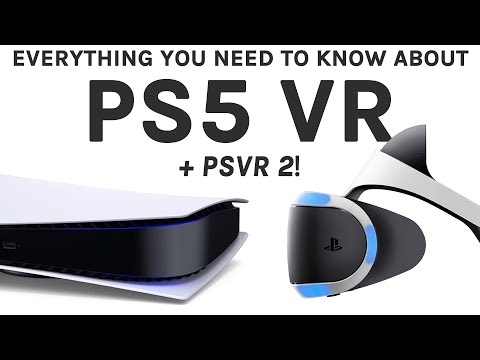
The world of virtual reality (VR) is rapidly evolving, and for PlayStation gamers, the question of compatibility with the PS5 is paramount. So, let’s cut right to the chase: the PlayStation VR (PSVR) headset, originally designed for the PS4, is compatible with the PS5. However, it’s not quite as simple as plugging it in and playing. You’ll need a special PlayStation Camera adapter, which Sony provided for free (check their website for current availability or aftermarket options), and you need to understand the nuances of how different PSVR games perform on the new console. The PlayStation VR2 (PSVR2), released specifically for the PS5, is the second, and most current generation option and offers a significantly more advanced and integrated VR experience.
Understanding PSVR and PSVR2 Compatibility
The PS5 boasts significantly more processing power than the PS4, which translates to better performance for many PSVR games. Here’s a more in-depth look at both options:
PlayStation VR (PSVR) on PS5
- The Good: You can continue enjoying your existing library of PSVR games on the PS5. The increased processing power of the PS5 can lead to improved frame rates, shorter loading times, and potentially reduced screen-door effect (the visible grid between pixels).
- The Catch: As mentioned, you need the PlayStation Camera adapter to connect the PS4 camera (required for PSVR tracking) to the PS5. Also, because the PSVR uses the PS4 camera, which has lower resolution and tracking capabilities compared to modern VR headsets, the overall VR experience is less immersive than that offered by native PS5 VR solutions.
- Game-Specific Performance: Some PSVR games receive noticeable improvements on the PS5, while others might only show marginal differences. It’s worth researching specific games you’re interested in to see if others have reported significant performance gains.
PlayStation VR2 (PSVR2) on PS5
- The Good: The PSVR2 is designed from the ground up for the PS5 and takes full advantage of the console’s capabilities. It features a much higher resolution display, inside-out tracking (no external camera needed), haptic feedback in the headset and controllers, and eye tracking for foveated rendering (sharper image where you’re looking). The experience is significantly more immersive and visually impressive compared to the original PSVR.
- The Catch: The PSVR2 is a completely new system and is not backwards compatible with PSVR games. You’ll need to purchase games specifically designed for the PSVR2. Also, it comes with a higher price tag than the original PSVR.
- Enhanced Immersion: The haptic feedback in the headset and controllers adds a new layer of realism to VR experiences. Feel the rumble of an engine in your helmet, the tension of drawing a bow, or the impact of a punch.
Preparing Your PS5 for VR
Regardless of which VR headset you choose, there are a few key steps to get your PS5 ready for VR gaming.
Setting Up the Original PSVR
- Obtain the PlayStation Camera Adapter: If you don’t already have one, search for current availability through Sony’s support channels or explore reputable aftermarket options.
- Connect the PS Camera: Plug the adapter into the back of your PS5 and then connect the PS4 camera to the adapter.
- Connect the PSVR Processing Unit: Connect the PSVR processing unit to the PS5 via USB.
- Connect the PSVR Headset: Connect the headset to the processing unit.
- Power On: Turn on the PSVR headset and the PS5.
- Adjust Settings: Navigate to the PS5’s settings menu and adjust the VR settings to your preferences.
Setting Up the PSVR2
- Connect the PSVR2 to the PS5: Plug the USB-C cable from the PSVR2 headset directly into the front of your PS5.
- Power On: Turn on the PS5 and put on the PSVR2 headset.
- Follow On-Screen Instructions: The PS5 will guide you through the initial setup process, including adjusting the headset’s fit, setting the eye tracking, and defining your play area.
Exploring VR Games on PS5
The PS5 offers a wide range of VR games, catering to various tastes. Here are some examples:
- PSVR (Original): Astro Bot Rescue Mission, Beat Saber, Resident Evil 7: Biohazard, Blood & Truth, No Man’s Sky.
- PSVR2: Horizon Call of the Mountain, Resident Evil Village, Gran Turismo 7, No Man’s Sky (with enhanced PSVR2 support), Star Wars: Tales from the Galaxy’s Edge – Enhanced Edition.
Frequently Asked Questions (FAQs)
Here are 15 frequently asked questions about VR on the PS5, providing additional valuable information:
- Can I use my PS4 DualShock 4 controller with PSVR on PS5? Yes, the DualShock 4 controller is compatible with PSVR on PS5, especially for games that were originally designed for it. However, some games may require the PlayStation Move controllers.
- Do I need a special TV for PSVR or PSVR2 on PS5? No, you don’t need a special TV. The VR experience is contained within the headset itself.
- Are there any PSVR games that are not compatible with the PS5? Very few, if any, PSVR games are completely incompatible with the PS5. However, some may have minor graphical glitches or require updates to function optimally.
- Does the PS5 improve the graphics of all PSVR games? The PS5’s increased processing power generally improves the graphics and performance of most PSVR games, but the extent of the improvement varies from game to game.
- Can I play non-VR PS5 games in VR using PSVR or PSVR2? No, neither PSVR nor PSVR2 allows you to play standard (non-VR) PS5 games in a virtual reality environment. The games must be specifically designed for VR.
- Is the PSVR2 backwards compatible with PSVR games? No, the PSVR2 is not backwards compatible with games designed for the original PSVR.
- Does PSVR2 require the PlayStation Camera? No, the PSVR2 uses inside-out tracking, meaning the cameras are built into the headset itself. No external camera is required.
- What are the main differences between PSVR and PSVR2? The PSVR2 boasts a higher resolution display, inside-out tracking, haptic feedback in the headset and controllers, eye tracking, and a single-cable connection. It provides a vastly superior and more immersive VR experience.
- How much does the PSVR2 cost? The PSVR2 typically costs more than the original PSVR, reflecting its advanced features. Check with retailers for current pricing.
- What is foveated rendering on PSVR2? Foveated rendering uses the headset’s eye-tracking technology to focus the highest level of detail on the area you’re directly looking at, while subtly reducing the detail in your peripheral vision. This significantly improves performance without sacrificing perceived visual quality.
- Can I use the PSVR2 for non-gaming activities, like watching movies? Yes, you can use the PSVR2 to watch movies or other video content in a virtual environment.
- Does the PSVR2 come with any bundled games? Some PSVR2 bundles may include a game, such as Horizon Call of the Mountain. Check the product description to see what’s included.
- Where can I find more information about developing games for VR and the PS5? The Games Learning Society offers valuable resources and insights into game development and education, including VR technology. You can visit their website at GamesLearningSociety.org for more information.
- What are the health and safety precautions I should take when using VR? It’s important to take regular breaks, avoid using VR if you’re feeling unwell, and ensure you have a clear and safe play area to prevent accidents.
- Where can I buy PSVR and PSVR2 games? You can purchase PSVR and PSVR2 games digitally through the PlayStation Store or physically from retailers that sell video games.
In conclusion, the PS5 is a capable platform for VR gaming, offering compatibility with both the original PSVR (with the adapter) and the next-generation PSVR2. Understanding the nuances of each system will help you make the right choice for your gaming needs and budget. Enjoy your virtual adventures!