Madden 20 Relocation: Who Can Pack Their Bags?
Fast answer first. Then use the tabs or video for more detail.
- Watch the video explanation below for a faster overview.
- Game mechanics may change with updates or patches.
- Use this block to get the short answer without scrolling the whole page.
- Read the FAQ section if the article has one.
- Use the table of contents to jump straight to the detailed section you need.
- Watch the video first, then skim the article for specifics.
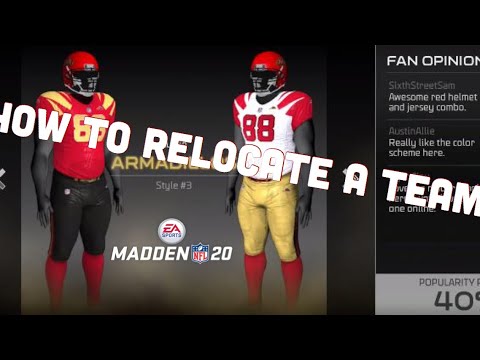
In Madden 20, the power to uproot your team and seek greener pastures—or perhaps a more lucrative stadium deal—rests solely in the hands of one individual: the Owner. If you’re yearning to move your franchise to a new city and create a legacy elsewhere, you absolutely must be playing in Be an Owner mode. Choosing Be a Player or Be a Coach mode effectively locks you out of the relocation process, regardless of any league settings. It’s a fundamental design choice that shapes the Madden 20 experience and dictates who holds the keys to geographical change.
Unpacking the Relocation Process in Madden 20
Understanding that you need to be an owner is one thing, but how you actually execute a relocation is another. Madden 20’s relocation feature allows you to completely reshape the identity of your franchise. You’ll be able to chose your own team name, team colors, and even team logo. The power to recreate a new fan base, along with the potential revenue streams, is quite attractive. Let’s take a deeper look into everything relocation has to offer.
Owner Mode: Your Ticket to a New City
Franchise Mode is your playground, but Owner Mode is the specific sandbox where relocation thrives. Make absolutely sure you’ve selected this role when you start your franchise. Selecting a Coach or Player will completely disqualify you from relocation. You’ll want to meticulously plan out your strategy as relocation is not something to be taken lightly.
Navigating the Relocation Timeline
Once you’re in Owner Mode, patience is key. The relocation process doesn’t become available immediately. Around Week 5 of the regular season, the game will prompt you with the option to “Start Relocation”. This is your signal! You’ll begin doing market research on different cities in hopes that you’ll find the city that is right for your team.
Picking Your New Home
The options available to you for a new city will be abundant. You’ll want to consider different aspects like local fan base, stadium size, and revenue generated. The process to get the green light to move your team takes place over a few weeks. It’s not something that will happen overnight.
The Two-Season Austin Shuffle
Madden 20 allows you to relocate more than once. Relocating more than once can give you the option to move your team to multiple markets. Consider the following:
- Season 1: Settle in as the owner.
- Season 2: Initiate relocation process to Austin.
- Season 3: The team resides in Mexico City.
FAQs: Relocation in Madden 20
These are some frequently asked questions regarding team relocation to help you better understand the complexities of team relocation. Hopefully, this information can give you the competitive advantage you need to make sound relocation decisions.
1. Can I relocate twice in Madden 20?
Yes, absolutely. As long as you remain in Owner Mode, you can relocate multiple times. It will usually take more than one season to execute the move.
2. Do I have to be an owner to relocate in Madden?
Unequivocally, yes. Owner Mode is the only path to relocation in Madden 20. There is no other way to be able to relocate your team.
3. Can I relocate a team in Madden as a coach?
Unfortunately, no. Coaches are not able to relocate teams in Madden 20. It is a feature that is only available to team owners.
4. When can I relocate in Madden?
The option to “Start Relocation” typically appears around Week 5 of the regular season in Owner Mode. You must be patient and wait for the prompt.
5. What factors influence relocation approval?
Fan support, market size, and stadium condition all play a role. Poor performance and low attendance make relocation more appealing.
6. Can I control the new team name and logo?
Yes! Relocation allows you to completely rebrand your team, choosing a new name, logo, and uniform.
7. Are there any limitations on relocation destinations?
Yes, the game presents a selection of available cities. You cannot relocate to just any location you desire. You will be able to research several different cities before choosing the one right for your team.
8. Does relocating impact player morale?
Relocation can impact player morale, especially if players have strong ties to the original city. This impact is reflected in the game.
9. Can I relocate back to the original city later on?
There’s no direct in-game mechanic to relocate back to the original city. Once you move, you move for good.
10. How does stadium condition affect relocation?
A dilapidated or outdated stadium makes relocation a more attractive option, as it signals a need for better facilities.
11. Can I relocate if my team is winning?
While it’s possible to relocate a successful team, it’s generally harder to justify and gain approval due to high fan support.
12. Does difficulty setting affect relocation?
No, difficulty settings do not directly affect the relocation mechanics.
13. Are there any financial implications to relocating?
Yes, there are financial considerations, including stadium construction costs and potential revenue changes in the new market.
14. Can I relocate international teams?
You can choose to relocate to an international city, but the process remains the same as relocating within the United States.
15. Where can I learn more about the impact of video games on education?
The Games Learning Society at GamesLearningSociety.org explores how video games can be used for learning and engagement. You can find valuable insights on the intersection of gaming and education at https://www.gameslearningsociety.org/.
Final Thoughts: Mastering the Art of the Move
Relocating in Madden 20 adds a strategic layer to the franchise experience. It’s more than just a cosmetic change; it’s a business decision with ramifications for your team’s finances, player morale, and fan base. Knowing who can relocate is the first step; mastering how to do it effectively is the key to building a lasting dynasty in a new city. If you take the time to understand the mechanics and strategy behind it all, then the task of relocating your team should be fairly simple.