Why Can’t I Play Shared Games on Switch? Understanding Nintendo’s Digital Game Sharing System
Fast answer first. Then use the tabs or video for more detail.
- Watch the video explanation below for a faster overview.
- Game mechanics may change with updates or patches.
- Use this block to get the short answer without scrolling the whole page.
- Read the FAQ section if the article has one.
- Use the table of contents to jump straight to the detailed section you need.
- Watch the video first, then skim the article for specifics.
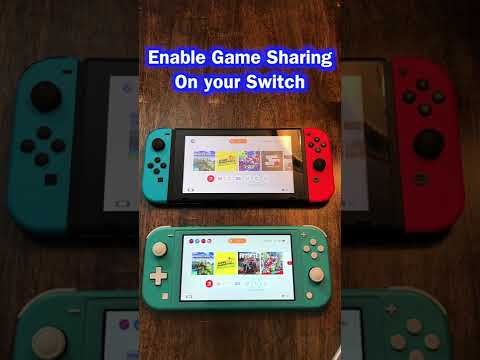
The frustration is real. You’ve digitally purchased a game on your Nintendo Switch, and you want your family or friends to enjoy it too, but you’re running into roadblocks. The core issue revolves around Nintendo’s approach to digital game ownership and its “primary console” system. Simply put, you can’t play the same digitally downloaded game simultaneously on two different Nintendo Switch consoles using the same Nintendo Account. This restriction is in place to prevent widespread game sharing and protect Nintendo’s revenue stream.
Here’s a breakdown of the key factors that influence how you can (and can’t) share games on your Nintendo Switch:
-
The Primary Console System: Each Nintendo Account can designate one Nintendo Switch console as its “primary console”. This is where things get crucial. On your primary console, anyone who uses the system can play the digital games you’ve purchased with your account. They don’t even need to be logged into your account. Think of it like a family library.
-
Non-Primary Consoles and Account Restrictions: On any Nintendo Switch console not designated as your primary console, only you (the account holder who purchased the game) can play your digital games. Furthermore, a constant internet connection is required to verify your license to play the game on a non-primary console. If the internet connection is lost, the game will likely stop working until the connection is restored.
-
Simultaneous Play Limitations: This is where the most common problem arises. If someone is playing a digitally downloaded game on your non-primary console (using your account), and you then try to play any game (even a different one) on your primary console with your account, the game on the non-primary console will be suspended. This is because Nintendo’s system recognizes that your account is being used on two different consoles simultaneously.
-
Digital vs. Physical Games: This restriction only applies to digital games. Physical game cartridges can be shared and played on multiple consoles without these account limitations. Think of them like a physical copy of a book that can be lent to others.
-
Local Multiplayer: The account system affects online play moreso than local multiplayer. Many games allow for local multiplayer on a single system, even with multiple user profiles. So, while you may not be able to share a game across two Switches simultaneously, you might still be able to play together on a single console using split-screen or similar local multiplayer features. Always check the game’s specific features.
In essence, Nintendo’s system is designed to let your entire household play your digital games on one Switch (the primary console) while allowing you to play your games on other Switches, provided you’re the only one using your account at any given time. Understanding these rules is crucial for planning your digital game purchases and managing multiple Switch consoles within a family or friend group.
Navigating the Nuances: Common Scenarios
Let’s consider a few common scenarios to illustrate how this system works in practice:
- Scenario 1: Family Sharing: You have two kids, each with their own Switch. You want them both to be able to play the latest Animal Crossing game that you purchased digitally. You designate one of their Switches as your primary console. Anyone on that console can play Animal Crossing (or any other digital game you own). On the other Switch (the non-primary one), only you can play your digital games, and only when you are logged into your Nintendo Account. They will not be able to access your games on the non-primary console.
- Scenario 2: Single Player, Multiple Consoles: You have a Switch at home and a Switch Lite for travel. You designate your home Switch as your primary console. You can play your digital games on your Switch Lite, but only when you are logged into your Nintendo Account and have an active internet connection. Your family can still play your digital games on the home Switch.
- Scenario 3: Simultaneous Online Play: You and a friend want to play Mario Kart 8 Deluxe online together. You need two copies of the game. Each of you must be logged into separate Nintendo Accounts, and each of you must have a Nintendo Switch Online membership.
Alternatives to Sharing Games: Other Options
While Nintendo’s system limits direct game sharing, there are alternative options to consider:
- Physical Copies: Purchase physical game cartridges. These can be freely shared between consoles without any account restrictions.
- Nintendo Switch Online Family Membership: A family membership allows up to eight Nintendo Accounts to access Nintendo Switch Online services, including online play and a library of classic NES and SNES games. While this doesn’t share purchased games, it provides access to a collection of games for the entire family.
FAQs: Common Questions About Switch Game Sharing
1. Can I share my digital Switch games with family members who live in different houses?
Not directly. The primary console system is designed for users within the same household. You could theoretically let them use your account on their console (designating it as the primary), but that would limit your own access to your games on your own console, and it violates the terms of service. This is strongly discouraged.
2. Can two Switches use the same Nintendo Account to play different games simultaneously?
Yes, but with limitations. The account holder can play a digital game on a non-primary console while someone else plays a different game on the primary console. However, only one instance of the same game can be played at a time.
3. How do I change my primary console?
Go to the Nintendo eShop on the console you want to make primary, and log in with your Nintendo Account. The system will automatically be set as the primary console for your account. You can only do this from the console itself.
4. How many times can I change my primary console?
There isn’t a hard limit on how many times you can change your primary console.
5. What happens if I lose my Switch that’s set as my primary console?
Contact Nintendo Support immediately. They can help you deregister your lost console and set a new one as primary.
6. Can I share DLC with other users on my primary console?
Yes. Any DLC purchased with your Nintendo Account can be accessed by anyone who uses your primary console.
7. Does everyone need a Nintendo Switch Online membership to play online multiplayer?
Yes, each player needs their own Nintendo Switch Online membership to play online multiplayer, unless you have a Family Membership.
8. Can I play downloaded games offline on a non-primary console?
No, an active internet connection is required to play downloaded games on a non-primary console.
9. Will I lose my save data if I change my primary console?
No, save data is stored on the console’s internal memory. Changing the primary console will not affect your save data.
10. Can I link my Nintendo Account to multiple user profiles on the same Switch?
Yes, you can link your Nintendo Account to one user profile on the Switch console. Each user profile can have its own linked Nintendo Account.
11. Can I play a shared game at the same time on two different Switches if one is offline?
No. An internet connection is required to play games on non-primary consoles.
12. If I buy a used Switch, how do I make sure it’s not still someone else’s primary console?
Before buying a used Switch, make sure the previous owner has deregistered it as their primary console. You can verify this by going to System Settings > User > [Your User] > Nintendo Account Settings > Primary Console. If it shows as registered to another account, ask the seller to deregister it, or avoid the purchase.
13. Can I play a game on my Switch if the Nintendo eShop is down?
If your Switch is the primary console for your Nintendo Account, you can play your downloaded games even if the eShop is down. However, a non-primary console needs an active connection to the eShop to verify licenses.
14. What are the risks of sharing my Nintendo Account information with someone?
Sharing your Nintendo Account information puts your account security at risk. They could make unauthorized purchases, change your account settings, or even lock you out of your account. It also violates Nintendo’s terms of service.
15. Where can I learn more about game-based learning?
The Games Learning Society (GamesLearningSociety.org) is a great resource for learning about the intersection of games and education. They explore how games can be used to promote learning, engagement, and creativity.
Ultimately, understanding Nintendo’s system is the key to navigating the complexities of digital game sharing on the Switch. While it might not be as straightforward as some would like, with a bit of planning, you can still maximize your enjoyment of your digital game library.
Digital game sharing on the Switch is restrictive, because you can’t play the same downloaded game at the same time on your primary and a secondary Switch. It’s advisable to buy physical copies if you wish to play simultaneously with other players.