Why Can’t I StreetPass? Decoding the 3DS Mystery
Fast answer first. Then use the tabs or video for more detail.
- Watch the video explanation below for a faster overview.
- Game mechanics may change with updates or patches.
- Use this block to get the short answer without scrolling the whole page.
- Read the FAQ section if the article has one.
- Use the table of contents to jump straight to the detailed section you need.
- Watch the video first, then skim the article for specifics.
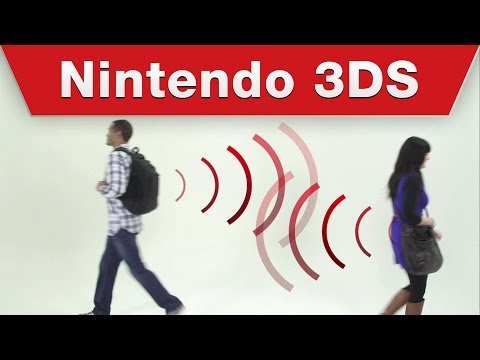
StreetPass, the charmingly asynchronous social feature of the Nintendo 3DS family, allows your handheld console to exchange data with other 3DS systems you pass by in the real world, even when both are in Sleep Mode. This leads to unexpected encounters in games like Animal Crossing: New Leaf or progress in StreetPass Mii Plaza. But what happens when this delightful function fails to work? There are multiple potential reasons why you’re not getting StreetPass hits.
The most common culprits can be broken down into a checklist:
- Wireless Communication: Ensure the wireless switch on your 3DS is physically turned ON. It’s easily overlooked but crucial.
- StreetPass Activation (System Level): Double-check that StreetPass is enabled in the system settings. Go to System Settings > Data Management > StreetPass Management to confirm.
- Game-Specific Activation: Remember that StreetPass needs to be activated individually for each game that supports it. Consult the game’s manual or settings to find the relevant option.
- Proximity: The range for StreetPass is relatively short. You need to be within approximately 90 feet of another 3DS user for data exchange to occur.
- Sleep Mode: Your 3DS must be in Sleep Mode (closed) for StreetPass to function. Simply having the system powered on and on the home screen isn’t enough.
- Blocked User Settings: Clear any blocked user settings. While less common, a blocked user might prevent a successful StreetPass exchange.
- Software Updates: Ensure both your system and the games you’re trying to StreetPass with are updated to the latest versions.
- StreetPass Slots: The 3DS can only hold StreetPass data for up to 12 titles at once. If you’ve reached this limit, consider clearing out some slots.
- Hardware Issues: In rare cases, a faulty wireless chip within your 3DS could be the cause. If you’ve exhausted all other troubleshooting steps, contacting Nintendo support might be necessary.
- Game Progress Requirements: Some games, like Tomodachi Life, require you to unlock StreetPass functionality by progressing to a certain point in the game.
By methodically working through this checklist, you can usually pinpoint the reason why your 3DS isn’t StreetPassing.
Frequently Asked Questions (FAQs) About StreetPass
1. Is StreetPass affected by the Nintendo 3DS online service shutdown in April 2024?
No, StreetPass will continue to work after the online services end. StreetPass uses local wireless communication between Nintendo 3DS systems, meaning it doesn’t rely on Nintendo’s online servers. However, SpotPass, which relies on internet connectivity, will no longer function.
2. How do I activate StreetPass on my 3DS?
Here’s a step-by-step guide:
- From the HOME Menu, select the Nintendo 3DS Sound icon and tap Open.
- Tap the StreetPass button on the bottom screen.
- Tap On and then Confirm.
- Tap Yes.
- Tap OK.
3. My StreetPass isn’t working in Tomodachi Life. What should I do?
First, make sure you’ve unlocked the StreetPass feature within Tomodachi Life. If you haven’t, continue playing until you’ve progressed far enough to unlock it (typically by progressing on one of the islands). If it is unlocked and still not working, check System Settings > Data Management > StreetPass Management. Ensure the Tomodachi Life icon is present.
4. Can I StreetPass with someone who has a different 3DS model (e.g., 2DS, New 3DS XL)?
Yes, all models within the Nintendo 3DS family (including the 2DS, 3DS, 3DS XL, New 3DS, and New 3DS XL) are compatible with StreetPass.
5. How often can I StreetPass the same person?
While you can encounter the same person multiple times, there’s a 4-8 hour cooldown between encounters before you can StreetPass them again.
6. What do I do if my Mii Plaza is full of StreetPasses?
The Mii Plaza can hold a limited number of StreetPass encounters. Process your existing encounters by playing the games within Mii Plaza (like Puzzle Swap or StreetPass Quest) to clear space for new StreetPasses.
7. What’s the difference between StreetPass and SpotPass?
StreetPass uses local wireless communication to exchange data with other 3DS systems nearby. SpotPass, on the other hand, uses an internet connection to automatically download data and content from Nintendo or other sources. SpotPass will no longer function after the Nintendo 3DS online service shutdown in April 2024, but StreetPass will continue to work.
8. Can I use multiple games for StreetPass at the same time?
Yes, the Nintendo 3DS can store StreetPass data for up to 12 titles simultaneously. You can choose which games are active for StreetPass in the system settings.
9. Are there any specific 3DS games that heavily utilize StreetPass?
Yes, many games benefit significantly from StreetPass. Some popular examples include:
- Animal Crossing: New Leaf
- Mario Kart 7
- Super Smash Bros. for Nintendo 3DS
- Pokémon X and Pokémon Y
- Fire Emblem: Awakening
10. How far away can I be from someone to StreetPass?
The maximum range for StreetPass is approximately 90 feet.
11. Does StreetPass drain my 3DS battery?
Using StreetPass does consume battery power, but the drain is generally minimal as it only activates periodically when another 3DS is nearby.
12. Can I StreetPass myself using two 3DS systems?
Yes, you can StreetPass yourself if you have two 3DS systems. This can be useful for unlocking content or earning rewards in certain games. Remember the 4-8 hour cooldown still applies.
13. What happens to my StreetPass data if I delete a game from my 3DS?
Deleting a game will remove its StreetPass data from your system. If you reinstall the game later, you’ll need to reactivate StreetPass for that title.
14. Is there a way to boost the StreetPass signal range?
Unfortunately, there is no way to officially boost the StreetPass signal range. It’s limited by the hardware capabilities of the 3DS.
15. What do I do if I suspect a hardware issue is preventing StreetPass from working?
If you’ve tried all the troubleshooting steps and still can’t get StreetPass to work, there might be a hardware problem with your 3DS’s wireless chip. Contacting Nintendo support is the best course of action in this case.
StreetPass remains a unique and charming feature of the Nintendo 3DS, fostering a sense of connection and discovery in the real world. While the online services for the 3DS are sunsetting, the local magic of StreetPass lives on, providing opportunities for connection between players in the physical world. It’s a fantastic reminder of the potential for learning and social interaction within gaming communities, a concept explored in depth by organizations like the Games Learning Society at GamesLearningSociety.org. Keep your 3DS charged, your wireless on, and your Mii ready to mingle!