Why Did My Stuff Disappear in Minecraft? A Deep Dive into Item Despawning
Fast answer first. Then use the tabs or video for more detail.
- Watch the video explanation below for a faster overview.
- Game mechanics may change with updates or patches.
- Use this block to get the short answer without scrolling the whole page.
- Read the FAQ section if the article has one.
- Use the table of contents to jump straight to the detailed section you need.
- Watch the video first, then skim the article for specifics.
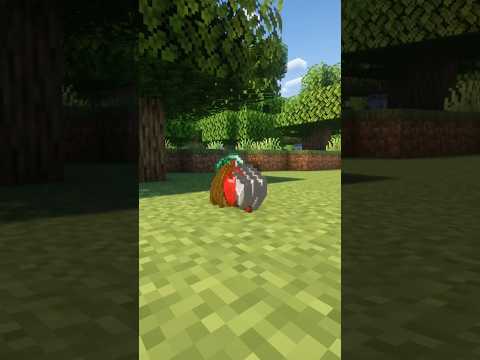
So, you’ve just experienced that sinking feeling. You meticulously gathered precious resources, crafted powerful tools, and meticulously organized your inventory in Minecraft, only to have it vanish into thin air. Rest assured, you’re not alone. This is a common issue, but understanding the mechanics behind item disappearance can help you prevent future heartbreaks.
The most likely culprits for your missing Minecraft loot are:
- Despawning: Items dropped on the ground have a lifespan of 5 minutes in loaded chunks. If you don’t retrieve them within that time frame, they disappear permanently. This is the most common reason for lost items.
- Death (Without KeepInventory): When you die, you drop all the items in your inventory at your point of death. If you don’t get back to that location within 5 minutes (and the chunks remain loaded), those items will despawn. Also, if you die a second time before retrieving your initial loot, there will be two loot piles, each with its own 5-minute timer.
- The
/clearCommand: If you’re playing in multiplayer, a server operator (or yourself, if you have operator privileges) might have used the/clearcommand. This command removes items from player inventories and the surrounding world. - Environmental Hazards: Lava, fire, explosions, and even cacti can destroy items. If your dropped items fell into lava, were caught in a creeper explosion, or even came into contact with a cactus, they’re likely gone for good.
- Void: Falling into the void (typically in the End or through glitches) results in instant death and the permanent loss of all your items. There is no chance of retrieval from the void.
- Chunk Unloading/Loading Issues: While technically items should persist in unloaded chunks, occasional bugs or corrupted chunk data can cause items to disappear when a chunk is unloaded and reloaded. This is less common but still a possibility.
To avoid the frustration of lost items, consider enabling the /gamerule keepInventory true command, but be aware that this removes a significant challenge of the game.
Frequently Asked Questions (FAQs) About Item Despawning in Minecraft
How do I stop my items from despawning when I die?
The simplest solution is to use the command /gamerule keepInventory true. This command, entered into the chat console (usually by pressing the / key), makes it so you keep all your items in your inventory when you die. Note that you need to have cheats enabled for this command to work. If you want to learn more about how games affect learning, visit GamesLearningSociety.org.
What happens if I die twice before getting my items back?
Each death creates a separate loot pile with its own 5-minute despawn timer. Dying twice means there will be two piles, each with independent timers counting down. So, if the first loot pile has already despawned or is close to doing so, it will disappear regardless of the second death.
Does sleeping in a bed reset the item despawn timer?
No, sleeping in a bed does not reset the item despawn timer. The timer continues to run even while you are sleeping. Your best bet is to make sure that you collect any valuable items before you go to sleep for the night.
Do items despawn in unloaded chunks?
Items in unloaded chunks are effectively “paused” in time. The 5-minute despawn timer stops when the chunk is unloaded. The timer resumes as soon as the chunk is reloaded and within the simulation distance set by the server.
Can mobs pick up and despawn my items?
Zombies, skeletons, and other mobs can pick up dropped items, particularly armor and weapons. If a mob picks up your item and then despawns (due to being too far from the player or other game mechanics), the item will also disappear. However, mobs typically don’t actively destroy items; they just hold them.
What are some good strategies to avoid losing items?
- Always note your coordinates: Use the F3 key (on Java Edition) or enable coordinates in Bedrock settings to see your exact location. Write down the coordinates of important locations, especially before entering dangerous areas.
- Carry a bed: If you’re exploring far from home, carry a bed and set your spawn point in a safe location. This will reduce travel time upon death.
- Ender Chest: An ender chest allows you to store valuable items that are accessible from any other ender chest, even after death.
- Be cautious in dangerous areas: Pay extra attention when exploring the Nether, the End, or deep caves.
- Consider using a recovery compass: Introduced in the Wild Update, the recovery compass points to the location of your last death.
- Enable keepInventory (with caution): As mentioned, this removes the risk of losing items but significantly reduces the challenge.
Can fire or lava destroy Netherite items?
While fire and lava will destroy almost any item, Netherite items are immune to lava and fire. This is one of the key advantages of Netherite gear. However, you can still lose Netherite items through despawning, void falls, or the /clear command.
How do I find my way back to my house without coordinates?
- Use a compass: A regular compass will always point towards your world spawn point. If your house is near your spawn, this can guide you.
- Lodestone Compass: If you have a lodestone, you can use it to magnetize a compass. This magnetized compass will always point to the lodestone, allowing you to mark and find a specific location (like your house).
- Landmarks: Create noticeable landmarks (towers, patterns of blocks) to guide you back to your base.
Do items despawn if they fall out of the world?
If items fall outside of the game’s buildable area, the result depends on where they have fallen. If they fall into the void, the items are lost permanently.
What is the best way to get rid of unwanted items?
- Lava: Toss unwanted items into lava. They’ll be destroyed instantly.
- Cactus: Place a cactus in a safe location and throw items into it.
- Lava Cauldron: Similar to lava but contains the lava to a controlled space.
- Composter: Convert organic items into bone meal.
- Simply letting them despawn: While not ideal, you can simply drop the items in a loaded chunk and let the 5-minute timer run out.
Why can’t I find my stuff in the Nether?
The Nether is a particularly dangerous place to lose items due to its treacherous terrain, lava lakes, and hostile mobs. If you died in the Nether and lost your items, consider these tips:
- Lower your render distance: Reducing your render distance can help your computer load the chunks containing your items more quickly.
- Use fire resistance potions: These potions will protect you from lava damage, allowing you to navigate lava-filled areas more safely.
- Mark your path: Use blocks (cobblestone is readily available) to mark a trail to your death location, especially in confusing areas.
- Consider bringing a friend: Having another player help you search can increase your chances of finding your lost items.
How big is a chunk in Minecraft?
A chunk in Minecraft is 16×16 blocks horizontally and extends from the bottom of the world (Y=-64) to the build limit (Y=320) for a total of 384 blocks in height. Understanding chunk boundaries can be helpful for understanding how item despawning and chunk loading interact.
Are Minecraft worlds saved to my account?
This depends on the version of Minecraft you’re playing. In Minecraft: Bedrock Edition, worlds can be backed up to your Xbox Live account (or other platform accounts) on consoles. In Minecraft: Java Edition, worlds are saved locally on your computer. Regularly backing up your world files is always a good practice.
How do I back up my Minecraft world?
- Java Edition: Navigate to your Minecraft save folder (usually
%appdata%.minecraftsaveson Windows). Copy the folder for your world to a safe location. - Bedrock Edition: The method varies depending on the platform. On Windows 10, you can export the world from within the game. On consoles, worlds are typically backed up to the cloud if you’re signed in with an Xbox Live or PlayStation Network account.
What is the command to find a specific structure, like a Woodland Mansion, in Minecraft?
You can use the /locate command to find various structures. For a Woodland Mansion, the command is /locate structure minecraft:woodland_mansion. The game will then display the coordinates of the nearest Woodland Mansion. This works in both Java and Bedrock Editions if cheats are enabled. The Games Learning Society explores innovative ways that games can be used in education.
By understanding the mechanics behind item despawning and taking preventative measures, you can minimize the frustration of losing your hard-earned loot and maximize your enjoyment of Minecraft. Remember to always be aware of your surroundings, prioritize safety, and consider enabling keepInventory if you’re more focused on building and exploring than the survival challenge. Good luck, and happy crafting!