Why Do People Game With 2 Monitors? Unlocking the Dual-Screen Advantage
Fast answer first. Then use the tabs or video for more detail.
- Watch the video explanation below for a faster overview.
- Game mechanics may change with updates or patches.
- Use this block to get the short answer without scrolling the whole page.
- Read the FAQ section if the article has one.
- Use the table of contents to jump straight to the detailed section you need.
- Watch the video first, then skim the article for specifics.
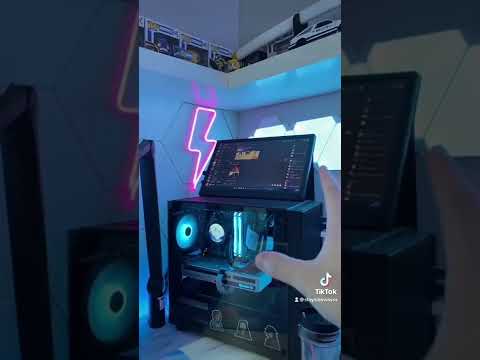
The simple answer: gamers use two monitors to enhance their gaming experience by increasing multitasking capabilities, improving immersion, and boosting productivity. A dual monitor setup provides a powerful advantage, allowing gamers to seamlessly manage multiple applications simultaneously without interrupting their gameplay. But the benefits go far beyond simple convenience. Let’s delve into the specifics.
The Core Advantages of Dual Monitors for Gaming
The allure of dual monitors for gaming lies in a combination of practical advantages and a significant boost to the overall experience. Here’s a breakdown:
Enhanced Multitasking
This is perhaps the most commonly cited reason. While deeply engaged in a game, gamers often need to access other applications. A single monitor forces them to alt-tab, which can be disruptive and even cause game crashes in some cases. With a second monitor, the possibilities are endless:
- Streaming: Streamers often need to monitor their chat, control their streaming software (OBS, Streamlabs), and keep an eye on system performance. A second screen dedicated to these tasks is invaluable.
- Walkthroughs and Guides: Stuck on a tricky puzzle or boss? A second monitor lets you consult a walkthrough or guide without minimizing the game. This is particularly helpful in complex RPGs or strategy games.
- Music and Communication: Control your music playback, manage your Discord server, and stay connected with friends without leaving the game.
- System Monitoring: Keep an eye on CPU temperature, GPU usage, and frame rates using monitoring software displayed on the secondary screen.
Increased Immersion
While a single ultrawide monitor can offer a similar experience, a dual monitor setup offers a different kind of immersion. Though not all gamers extend their games across both screens (due to potential distortion and compatibility issues), many utilize the second screen to display related content, enhancing the game world:
- Interactive Maps: In open-world games, having a full-screen map displayed on the second monitor can significantly improve navigation and immersion.
- Game Companion Apps: Some games offer companion apps that provide real-time information, statistics, and even interactive elements on a second screen.
- Ambient Content: Displaying related images, videos, or even ambient lighting effects on the second monitor can create a more atmospheric and immersive gaming environment.
Productivity and Convenience
Even when not actively gaming, a dual monitor setup significantly boosts productivity. This is especially relevant for gamers who also use their computers for work or studies:
- Research and Writing: Researching game lore, writing reviews, or creating guides becomes much easier with a dedicated screen for reference materials.
- Content Creation: Video editors and content creators benefit immensely from having one screen for editing software and another for previewing footage and managing assets.
- General Productivity: Simply having more screen real estate allows for more efficient multitasking, whether you’re browsing the web, managing emails, or working on documents.
Things to Consider Before Going Dual
While the advantages are clear, there are some factors to consider before investing in a dual monitor setup:
- Desk Space: Two monitors require significantly more desk space than a single monitor. Measure your available space carefully before making a purchase.
- Graphics Card: While most modern graphics cards can handle dual monitors, demanding games at high resolutions may require a more powerful GPU.
- Cost: Purchasing a second monitor, along with any necessary cables and adapters, can be a significant investment.
- Ergonomics: Proper monitor placement is crucial to avoid neck and eye strain. Ensure both monitors are at a comfortable height and distance.
Choosing the Right Monitors
Selecting the right monitors is crucial for maximizing the benefits of a dual monitor setup. Consider the following factors:
- Resolution: Match the resolution of both monitors for a consistent visual experience.
- Refresh Rate: If you’re a competitive gamer, prioritize monitors with high refresh rates (144Hz or higher).
- Panel Type: Choose a panel type (IPS, TN, or VA) based on your priorities. IPS panels offer the best color accuracy and viewing angles, while TN panels offer the fastest response times.
- Size: Select a size that’s comfortable for your desk and viewing distance. 24-inch or 27-inch monitors are popular choices for dual monitor setups.
- Bezels: Look for monitors with thin bezels to minimize the gap between screens.
Frequently Asked Questions (FAQs)
Here are some frequently asked questions about gaming with dual monitors:
Is a dual monitor setup good for gaming?
Yes! A dual monitor setup is beneficial for gaming due to enhanced multitasking, immersion, and productivity. Streamers, content creators, and gamers who need access to multiple applications simultaneously will find it particularly useful.
Do I need a powerful PC for dual monitors?
Not necessarily for basic use. Any modern desktop or laptop PC has the graphics capability to run dual displays. However, demanding games at high resolutions may require a more powerful GPU.
Do 2 monitors decrease FPS?
Potentially, but it depends. If you are running a game on one monitor and have a demanding application running on the second (such as a stream), it may slightly decrease your FPS. If the second monitor is displaying a static image or a lightweight application, the impact is minimal.
What is the best monitor layout for gaming?
The side-by-side (horizontal) setup is the most common and generally recommended layout for gaming. This allows you to easily glance between monitors without significant head movement.
Is 27-inch too big for dual monitors?
It depends on your desk space and viewing distance. A 27-inch screen offers enough space for multitasking, but some may find it too large for comfortable viewing in a dual monitor setup. 24-inch or 27-inch monitors are popular choices.
Why do gamers use monitors instead of TVs?
Monitors typically have lower input lag, faster response times, and higher refresh rates than TVs, which are crucial for competitive gaming.
Can a 3060 TI run 3 monitors?
Yes, a 3060 Ti should be able to support four 4K monitors, so running three is well within its capabilities.
Why do some gamers have 3 monitors?
A three-monitor setup offers even greater levels of productivity and versatility, allowing gamers to run multiple applications simultaneously and maintain a wide field of view. It’s especially popular among streamers.
Is 3 monitor overkill?
It depends on your needs and preferences. While three monitors offer increased productivity, they may not be necessary for all gamers. Ergonomics and desk space are key considerations.
How many monitors is best for gaming?
If you’re looking for the best balance between immersion and productivity, a dual or triple monitor setup is often considered the sweet spot.
What’s the point of dual monitors Reddit?
Reddit users often praise dual monitors for increased productivity, multitasking, and overall convenience. Many find it indispensable for work, gaming, and content creation.
How many monitors is optimal?
There’s no single “optimal” number. Experimentation is best, but many find four monitors in a 2×2 array to be efficient.
Do I really need 3 monitors?
Not necessarily. The company found that two monitors increased productivity by 25 percent compared to single-monitor setups. Three monitors increase productivity by 35.5 percent. Of course, there are downsides to using three monitors. You need to have enough room on your desk and it can be a power drag.
Are two monitors harder to run?
Your computer’s processing system and graphic cards will obviously have to work harder to support the activity of two screens, regardless of what you are using them for. The more demanding the activities are, however, then the more your computer will slow down.
Why is 3 monitors better than 2?
Three monitors increase productivity by a measurable margin over two. The key benefit lies in the expanded screen real estate, which allows for more applications to be visible and accessible simultaneously, leading to enhanced workflow and multitasking capabilities.
Dual monitors offer a compelling blend of practical advantages and enhanced immersion, making them a worthwhile investment for serious gamers. Understanding your needs, considering your budget, and choosing the right equipment will ensure you reap the full benefits of this powerful setup. You can learn more about the impact of games and gaming on society at Games Learning Society, a community committed to exploring the educational and cultural dimensions of games. Visit them at GamesLearningSociety.org.