Why Do PS5 Games Take So Long to Install?
Fast answer first. Then use the tabs or video for more detail.
- Watch the video explanation below for a faster overview.
- Game mechanics may change with updates or patches.
- Use this block to get the short answer without scrolling the whole page.
- Read the FAQ section if the article has one.
- Use the table of contents to jump straight to the detailed section you need.
- Watch the video first, then skim the article for specifics.
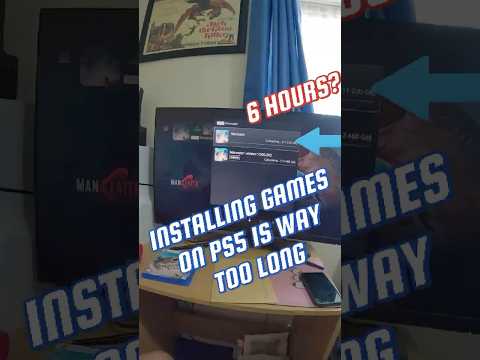
The agonizing wait for a new game to install on your PlayStation 5 can feel like an eternity. It’s a common frustration, even with the console’s advanced technology. Several factors contribute to these lengthy installation times. The primary culprits are a combination of large game file sizes, the data transfer process from disc or download, and the PS5’s internal architecture. Let’s break down each of these elements to understand the problem and explore potential solutions.
One of the biggest factors is simply the sheer size of modern games. AAA titles regularly exceed 50GB, 80GB, or even 100GB. Copying or decompressing that much data takes time, regardless of how fast your internet connection or disc drive is.
Additionally, the installation process isn’t always a simple data transfer. When installing from a disc, the PS5 often copies a portion of the game data from the Blu-ray disc and then downloads updates and additional files from the internet. Even with a physical copy, the internet connection plays a vital role. For digital downloads, the speed of your internet connection is paramount. If your internet speed is slow or inconsistent, the download time will increase dramatically, subsequently lengthening the installation time as the PS5 verifies and unpacks the data.
Finally, the PS5’s internal architecture, while advanced, has its limitations. The speed of the SSD (Solid State Drive), though faster than traditional HDDs, still takes time to process large amounts of data. The CPU also plays a role, particularly in decompressing downloaded files. A slower CPU can create a bottleneck, delaying the installation process.
Understanding the Installation Process
To fully grasp why installations take so long, it’s helpful to understand the steps involved:
- Data Source (Disc or Download): Whether you’re installing from a Blu-ray disc or downloading from the PlayStation Network, the initial data source determines the baseline speed.
- Data Transfer: The data is transferred from the source to the PS5’s SSD. This process is limited by the read speed of the Blu-ray drive or the download speed of your internet connection.
- Decompression: Downloaded files are often compressed to reduce their size. The PS5’s CPU must decompress these files before they can be installed, adding to the installation time.
- File Verification: The PS5 verifies the integrity of the files to ensure they are not corrupted.
- Installation: Finally, the files are installed onto the SSD, which includes writing data to the storage and organizing the file system.
Each of these steps contributes to the overall installation time. A bottleneck at any stage can significantly slow down the entire process.
Factors Affecting Installation Speed
Several factors can influence how quickly your PS5 installs games:
- Internet Speed: For digital downloads, a faster internet connection is crucial. Ensure you have a stable and high-speed connection to minimize download times.
- Network Congestion: During peak hours, internet service providers (ISPs) may experience network congestion, which can slow down download speeds.
- Wi-Fi vs. Ethernet: A wired Ethernet connection is generally faster and more stable than Wi-Fi. Using an Ethernet cable can significantly improve download and installation times.
- PSN Server Load: The PlayStation Network (PSN) servers can become overloaded, especially during new game releases. This can lead to slower download speeds.
- Background Processes: Other processes running on your PS5, such as streaming or downloading other content, can consume resources and slow down installations.
- Storage Space: A nearly full SSD can also affect installation speeds. Ensure you have sufficient free space on your PS5’s storage.
- Disc Quality: Scratched or damaged discs can slow down the installation process as the PS5 struggles to read the data.
Optimizing Your PS5 for Faster Installations
While you can’t eliminate installation times entirely, there are steps you can take to optimize your PS5 for faster installations:
- Use an Ethernet Connection: Connect your PS5 directly to your router using an Ethernet cable for a more stable and faster connection.
- Upgrade Your Internet Plan: If your internet speed is consistently slow, consider upgrading to a faster plan with your ISP.
- Close Unnecessary Applications: Close any background applications or processes that may be consuming bandwidth or system resources.
- Install During Off-Peak Hours: Download and install games during off-peak hours when network congestion is lower.
- Ensure Sufficient Storage Space: Make sure you have enough free space on your PS5’s SSD before starting an installation.
- Use Rest Mode: Put your PS5 into Rest Mode while downloading and installing games. This allows the console to dedicate more resources to the process. Ensure that you have enabled the “Stay Connected to the Internet” option in the Rest Mode settings.
- Clean Your Discs: If installing from a disc, ensure the disc is clean and free from scratches.
- Consider Upgrading Your SSD: While more costly, upgrading to a faster internal SSD that meets or exceeds Sony’s requirements can improve game loading and installation times.
The Future of Game Installations
As technology advances, we can expect game installations to become faster and more streamlined. Innovations in storage technology, compression algorithms, and network infrastructure will play a crucial role. Cloud gaming, which streams games directly to your console without the need for installation, could eventually eliminate the issue altogether. Until then, understanding the factors that affect installation times and taking steps to optimize your PS5 can help minimize the wait and get you gaming sooner.
Organizations like the Games Learning Society, found at GamesLearningSociety.org, are dedicated to researching and understanding how games and technology can be used for education and entertainment, driving innovation in the gaming industry.
Frequently Asked Questions (FAQs)
Here are 15 frequently asked questions about PS5 game installations:
1. Why is my PS5 so slow at downloading games?
Your PS5 might be slow at downloading games due to several reasons: slow internet connection, network congestion, using Wi-Fi instead of Ethernet, PSN server overload, background processes, or insufficient storage space. Troubleshooting these factors can improve download speeds.
2. Is it better to download games in Rest Mode on PS5?
Yes, downloading games in Rest Mode is generally faster because the PS5 can dedicate more resources to the download process without other applications running in the background.
3. How much faster is Ethernet than Wi-Fi for PS5 downloads?
Ethernet is significantly faster than Wi-Fi, typically providing a 18-20% speed increase or more. This is due to a more stable and direct connection to your router.
4. Can I play a game while it’s downloading on PS5?
Yes, you can play some games while others are downloading, but this may affect the download speed. It’s best to avoid playing online multiplayer games during downloads to prevent lag.
5. What is the minimum internet speed required for PS5 gaming?
The minimum recommended internet speed for PS5 gaming is 50-100 Mbps to ensure smooth downloads and online gameplay.
6. Does the PS5’s SSD affect game installation speed?
Yes, the speed of the PS5’s SSD significantly affects game installation speed. A faster SSD allows for quicker data transfer and decompression.
7. How can I check my internet speed on PS5?
You can check your internet speed on PS5 by going to Settings > Network > Test Internet Connection.
8. Is there a way to prioritize downloads on PS5?
No, the PS5 does not have a built-in feature to prioritize specific downloads. You can improve download speeds by pausing other downloads and closing unnecessary applications.
9. Why does my PS5 say “Copying” after downloading a game?
The “Copying” phase after downloading a game involves transferring the downloaded files from the temporary storage location to the final installation directory on the SSD, along with any necessary decompression and file verification.
10. Can a damaged Blu-ray disc slow down the installation process?
Yes, a scratched or damaged Blu-ray disc can slow down the installation process as the PS5 struggles to read the data.
11. How much storage space do I need for a PS5 game?
The storage space required for a PS5 game varies, but most AAA titles need between 40GB and 100GB of storage.
12. Is there a difference in performance between digital and disc-based PS5 games?
No, there is no difference in performance between digital and disc-based PS5 games. Both versions utilize the same hardware and run at the same speed.
13. Can overheating affect PS5 installation speed?
Yes, overheating can cause the PS5 to throttle performance, potentially slowing down installation speeds. Ensure your PS5 is well-ventilated and free from dust.
14. How often should I rebuild the PS5’s database?
Rebuilding the PS5’s database can help improve performance and stability. It’s recommended to do this every few months, or if you experience frequent crashes or errors.
15. What are some common error codes during PS5 game installation?
Some common error codes during PS5 game installation include CE-100005-6 (general error), CE-107880-4 (download error), and NP-104602-3 (network error). Troubleshooting these specific error codes can help resolve installation issues.