Why Do Some of My Pokémon in HOME Have No Moves?
Fast answer first. Then use the tabs or video for more detail.
- Watch the video explanation below for a faster overview.
- Game mechanics may change with updates or patches.
- Use this block to get the short answer without scrolling the whole page.
- Read the FAQ section if the article has one.
- Use the table of contents to jump straight to the detailed section you need.
- Watch the video first, then skim the article for specifics.
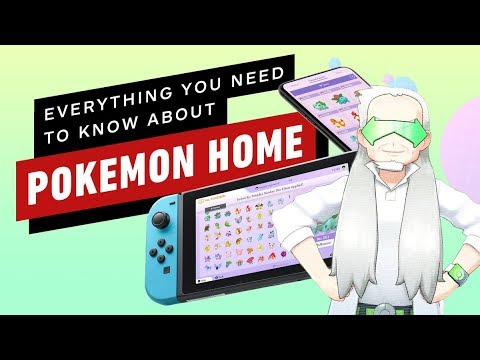
The short answer is: your Pokémon appear to have no moves in Pokémon HOME because the application prioritizes compatibility with the latest connected games. Pokémon HOME acts as a central hub, but it doesn’t display move data for Pokémon if those moves are not recognized or available in the most recently linked game. When you move Pokémon across generations and different game ecosystems, moves that existed in one game might not exist in another. This leads to HOME essentially “hiding” the unavailable move sets to prevent issues when transferring the Pokémon to a new game. The moves aren’t necessarily gone forever; they are stored within HOME and may reappear if the Pokémon is moved back to a game where those moves are valid. This move management system ensures Pokémon are always battle-ready, even as they travel through different regions and time periods.
Understanding Pokémon HOME’s Move Mechanics
Pokémon HOME serves as a cloud-based storage system designed to link various Pokémon games together. However, the underlying mechanics of Pokémon, particularly moves and abilities, differ significantly between generations and even individual games within the same generation. To maintain stability and prevent errors, Pokémon HOME employs a system that adapts a Pokémon’s moveset based on the rules of the game it’s currently “associated” with.
This means that when you view a Pokémon in Pokémon HOME, you’re essentially seeing the move data that is relevant to the most recent game you’ve connected to the application. If your most recent connection is, say, Pokémon Scarlet or Pokémon Violet, Pokémon HOME will only display moves that are valid in those games.
How Moves are Handled During Transfers
When transferring Pokémon between games using Pokémon HOME, the following can occur:
- Valid Moves: If a Pokémon’s current moveset is valid in the destination game, it will retain those moves upon transfer.
- Invalid Moves: If a Pokémon has moves that are not recognized in the destination game, those moves will be replaced with a compatible moveset. The replacement moves are usually chosen from the Pokémon’s learnset in the destination game, prioritizing moves learned at the Pokémon’s current level.
- Move Memory: Pokémon HOME stores a Pokémon’s moveset for each compatible game it has been associated with. This means that when you move a Pokémon back to a game it has previously visited, it will regain its old moveset (as long as those moves are still valid in that game).
- Move Reset: Sometimes Pokemon HOME will completely reset the movesets. This mostly happens to keep things stable as you hop the Pokemon from game to game. This way, abilities and moves can be changed individually based on the rules of the game.
Visual Cues in Pokémon HOME
Pokémon HOME provides visual cues to help you understand a Pokémon’s status regarding moves and compatibility:
- Exclamation Point (!): A yellow exclamation point icon indicates that the Pokémon has moves that are not available in the currently linked game.
- Orange Disc: An orange disc means the Pokémon can learn moves that are gainable in other games.
These icons appear on the Pokémon’s summary screen and can help you identify Pokémon that may undergo moveset changes when transferred to another game.
FAQs: Pokémon HOME and Move Management
Here are 15 frequently asked questions to further clarify the mechanics of moves in Pokémon HOME:
- Why is my Pokémon HOME empty? This usually means you haven’t deposited any Pokémon into the service or the Pokémon HOME app is having trouble reflecting the data correctly. You may have to clear the cache or make sure it is connected to the internet. Also, be mindful that Pokémon unavailable in the linked game will not be displayed, so you might have Pokémon in there, but you just cannot see it.
- Does Pokémon HOME remove moves? Pokémon HOME does not “remove” moves in the sense of permanently deleting them. It temporarily replaces them if they are incompatible with the destination game and restores them if the Pokémon returns to a game where those moves are valid.
- What happens if a Pokémon has no moves? In the core Pokémon games, if a Pokémon has no usable moves (due to PP depletion), it will use the move Struggle. This is unlikely to occur in Pokémon HOME itself, as the application primarily focuses on storage and transfer.
- Why did Pokémon HOME change my Pokémon’s moves? Pokémon HOME changes a Pokémon’s moves to ensure compatibility with the target game. If a Pokémon knows moves that are not programmed into a specific game, those moves are replaced with valid alternatives.
- What does an orange disc mean in Pokémon HOME? The orange disc indicates that the Pokémon can learn moves available in other games that it doesn’t currently know.
- Why do some Pokémon have an exclamation point in Pokémon HOME? The exclamation point signifies that the Pokémon possesses moves that are not present in the most recently linked game. For example, a Pokémon with moves not programmed into Pokémon Sword or Pokémon Shield would display this icon if those were the most recently linked games.
- Can you have no active Pokémon? In the core Pokémon games, you must always have at least one active Pokémon. This rule does not apply within Pokémon HOME, which is primarily a storage and transfer service.
- Do Pokémon transferred from HOME disobey? Pokémon transferred from HOME are treated as traded Pokémon in the destination game. If your trainer level is insufficient to command traded Pokémon of a certain level, they may disobey your commands.
- What happens when you complete Pokémon HOME? Completing the National Pokédex in Pokémon HOME rewards you with an Original Color Magearna.
- How long can you keep Pokémon in Pokémon HOME? With a free Basic Plan, you can store up to 30 Pokémon. A paid Premium Plan offers significantly more storage capacity. After your subscription ends you can only access the first 30 Pokemon.
- How many Pokémon does HOME hold? The Basic Plan accommodates 30 Pokémon. The Premium Plan can store thousands.
- What Pokémon aren’t in Pokémon HOME? Several Pokémon and forms are restricted from transfer to HOME. Partner Pikachu, Partner Eevee, and fused forms of Necrozma, Kyurem, and Calyrex cannot be transferred to Pokémon Home. Some Gigantamax Pokémon cannot be transferred from Pokémon Home to BDSP, or Legends: Arceus. Nincada cannot be transferred from BDSP to Sword and Shield or from any other game to BDSP.
- What are the limits of Pokémon HOME? Pokémon HOME does not allow certain Pokémon and forms.
- Does Pokemon HOME register moves? No, the status and moves of Pokemon unavailable in a linked game will not be displayed. The information is there, it just won’t show until a compatible game is connected.
- What does the G mean in Pokémon HOME? The “G” symbol signifies that a Pokémon originated from Pokémon GO.
Navigating the Complexities of Pokémon Transfers
Understanding how Pokémon HOME manages moves is crucial for effectively transferring Pokémon between games. By being aware of the compatibility issues and the visual cues provided by the application, you can ensure that your Pokémon are always battle-ready and that you’re not surprised by unexpected moveset changes.
For further exploration of game-based learning and the intricacies of game mechanics, consider visiting the Games Learning Society at GamesLearningSociety.org. They offer valuable insights into the educational aspects of gaming and how game mechanics can be used to teach various concepts.
Pokémon HOME is a powerful tool for Pokémon trainers, but like any complex system, it requires a bit of understanding to use effectively. By familiarizing yourself with these mechanics, you can maximize your Pokémon training experience and ensure that your team is always prepared for any challenge.