Why Does it Take So Long to “Download” a Game From Disc on PS5?
Fast answer first. Then use the tabs or video for more detail.
- Watch the video explanation below for a faster overview.
- Game mechanics may change with updates or patches.
- Use this block to get the short answer without scrolling the whole page.
- Read the FAQ section if the article has one.
- Use the table of contents to jump straight to the detailed section you need.
- Watch the video first, then skim the article for specifics.
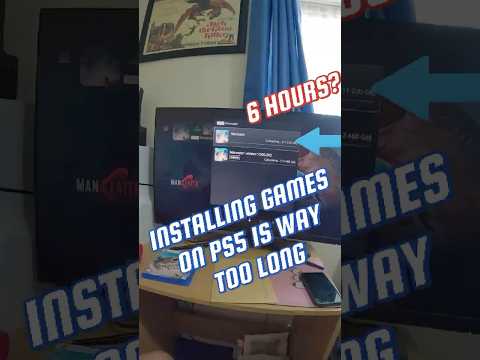
The perceived download time when installing a game from a disc on your PS5 is often a misnomer. While it might seem like the console is downloading the entire game, it’s actually copying data from the disc to the internal storage and downloading patches and updates simultaneously. The main bottleneck is usually the installation process from the disc combined with the mandatory downloading of updates. Modern games are incredibly complex, and even if a large portion of the game is on the disc, there are often day-one patches, compatibility updates, and additional content that must be downloaded to ensure optimal performance and access to online features. This combination of disc installation and online download creates the impression of a lengthy download process.
Understanding the Process: More Than Just Copying
When you insert a game disc into your PS5, the console doesn’t simply “play” the game directly from the disc. Instead, it copies a significant portion of the game data onto the console’s internal SSD (Solid State Drive). This is done for several reasons:
- Faster Loading Times: Accessing data from an SSD is significantly faster than reading from a Blu-ray disc. This translates to quicker loading times in-game, smoother transitions between levels, and an overall improved gaming experience.
- Reduced Wear and Tear: Continuously reading data from the disc would put strain on the Blu-ray drive, potentially shortening its lifespan. Copying the data to the SSD reduces the reliance on the disc drive during gameplay.
- Enhanced Performance: The PS5’s system architecture is designed to leverage the speed of its SSD. Running games primarily from the SSD allows the console to optimize performance and deliver the intended visual fidelity and frame rates.
However, even with a large portion of the game data on the disc, there’s almost always additional data required from the internet. This is where the perceived “download” comes in.
The Role of Patches, Updates, and Additional Content
Modern game development is an ongoing process. Games are often released with day-one patches designed to fix bugs, address performance issues, and implement last-minute changes. Additionally, developers frequently release updates throughout the game’s lifecycle to add new content, balance gameplay, and improve overall stability.
These patches and updates must be downloaded and installed before you can play the game. The PS5 automatically checks for and downloads these updates when you insert the disc. Depending on the size of the updates and your internet connection speed, this download process can take a considerable amount of time.
Furthermore, some games may require you to download additional content, such as multiplayer components, high-resolution texture packs, or downloadable content (DLC), even after the initial installation and updates are complete. This further contributes to the overall installation time.
Factors Affecting Installation/Download Time
Several factors can influence how long it takes to “download” a game from a disc on your PS5:
- Disc Read Speed: The speed at which the PS5 can read data from the Blu-ray disc itself. Discs in poor condition (scratched or dirty) will reduce read speed, increasing installation time.
- SSD Write Speed: The speed at which the PS5 can write data to its internal SSD. A full or fragmented SSD can slow down the installation process.
- Internet Connection Speed: The speed of your internet connection directly impacts how quickly patches, updates, and additional content can be downloaded.
- Server Load: The load on the game developer’s servers can affect download speeds. During peak hours, download speeds may be slower due to increased demand.
- Other Network Activity: Other devices using your internet connection can consume bandwidth and slow down download speeds on your PS5.
- PS5 System Software: Outdated system software can sometimes cause performance issues, including slower download speeds.
- Game Size: Larger games naturally require more data to be copied from the disc and downloaded, resulting in longer installation times.
Tips to Speed Up the Process
While you can’t eliminate the “download” time entirely, you can take steps to optimize the installation process:
- Clean the Disc: Ensure the game disc is clean and free of scratches or smudges. Use a soft, lint-free cloth to gently wipe the disc from the center outwards.
- Use a Wired Connection: Connect your PS5 to your router using an Ethernet cable for a more stable and faster internet connection than Wi-Fi.
- Close Unnecessary Applications: Close any games or applications running in the background on your PS5 to free up system resources.
- Pause and Resume Downloads: Sometimes pausing and resuming a download can help to reset the connection and improve download speed.
- Update System Software: Make sure your PS5 is running the latest system software to ensure optimal performance.
- Rest Mode Downloads: Leave your PS5 in Rest Mode to allow downloads to continue in the background. Ensure that “Stay Connected to the Internet” is enabled in the Rest Mode settings.
- Check DNS Settings: Changing your DNS settings to a faster public DNS server (such as Google DNS or Cloudflare DNS) can sometimes improve download speeds.
- Clear Cache and Rebuild Database: Access Safe Mode and select “Clear Cache and Rebuild Database” to optimize your PS5’s performance.
The fascinating intersection of gaming and learning is a topic actively explored by organizations like the Games Learning Society, which researches how games can be used for educational purposes. Visit GamesLearningSociety.org to learn more about their work.
Frequently Asked Questions (FAQs)
Here are some frequently asked questions regarding game installations from disc on the PS5:
1. Do disc games download faster on PS5?
Typically, installing from a disc is faster than downloading the entire game digitally, initially. However, the mandatory updates and patches will still need to be downloaded. The speed advantage of a disc is reducing the initial bulk data transfer.
2. Do PS5 games download faster on disc or digital?
The initial installation from a physical disc is generally faster than a digital download, assuming a fast disc read speed and a slower internet connection. If you have extremely fast internet, a digital download might be quicker overall after factoring in updates.
3. Why won’t my game disc download on PS5?
Several reasons could cause this: a dirty or damaged disc, issues with the PS5’s disc drive, insufficient storage space on the SSD, or problems with the internet connection preventing update downloads.
4. Is disc PS5 stronger than digital?
No, the PS5 Disc and Digital Edition have the same internal processing power and performance capabilities. The only difference is the presence of a Blu-ray disc drive in the standard edition.
5. Do disc games take longer to download updates?
The update size is the same regardless of whether you own a physical or digital copy of the game. The download speed depends on your internet connection and server load.
6. Is it faster to download a game or buy the disc?
Initially installing from disc is usually faster than downloading the entire game digitally, especially with slower internet speeds. However, day-one patches and updates still need to be downloaded.
7. How fast should games download on PS5?
Download speeds depend on your internet plan. A good download speed is 50-100 Mbps, but faster speeds (300+ Mbps) will significantly reduce download times.
8. Why is the PS5 disc version more expensive?
The PS5 disc version includes the Blu-ray disc drive, which adds to the manufacturing cost. It also offers the flexibility of playing physical games and used games.
9. How can I make my disk download faster on PS5?
You can’t directly make the disc copy faster. However, cleaning the disc and ensuring the PS5’s environment is cool can help. The key is ensuring a stable internet connection for faster patch and update downloads.
10. Does PS5 still download in rest mode?
Yes, the PS5 can download games, updates, and patches in Rest Mode, provided the relevant settings are enabled in the Power Saving section of the settings menu.
11. Can you play PS5 games without disc after downloading?
Previously, you had to keep the disc inserted to play. However, in the latest update, you can now insert the disc once to verify ownership and then play the digital version that’s installed on your console, without needing the disc.
12. Do games download faster in rest mode?
Generally, yes. Rest Mode allows the PS5 to dedicate more resources to downloading, potentially resulting in faster speeds.
13. What is a good download speed for the PS5?
A good download speed for the PS5 is at least 50 Mbps. However, speeds of 100 Mbps or higher will provide a significantly better experience, especially for large games and updates.
14. How do I clear cache on PS5?
You can clear the cache on your PS5 by accessing Safe Mode. To do this, turn off your PS5 completely. Then, press and hold the power button until you hear two beeps. Connect your controller via USB, and select the option to “Clear Cache and Rebuild Database.”
15. Why does my PS5 download so slow, even with a good internet speed?
Several factors can cause this. Check for other devices using your network, server congestion, or issues with your router. Try restarting your router and PS5, changing DNS settings, or using a wired connection for a more stable connection.