Why Does Roblox Islands Keep Kicking Me Out?
Fast answer first. Then use the tabs or video for more detail.
- Watch the video explanation below for a faster overview.
- Game mechanics may change with updates or patches.
- Use this block to get the short answer without scrolling the whole page.
- Read the FAQ section if the article has one.
- Use the table of contents to jump straight to the detailed section you need.
- Watch the video first, then skim the article for specifics.
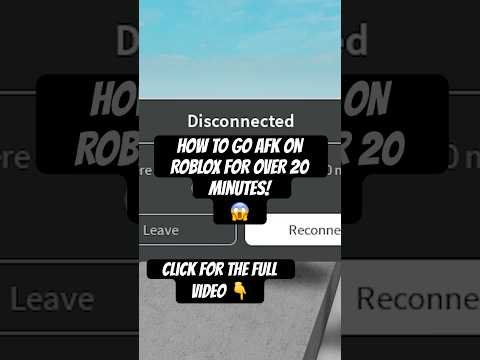
The frustration of being repeatedly disconnected from a game, especially one as engaging as Roblox Islands, is something many players experience. There isn’t a single, definitive answer, as multiple factors can contribute to these frustrating logouts. Broadly speaking, Roblox Islands kicking you out can stem from issues ranging from your own device and network connection to the Roblox platform itself and game-specific mechanics.
Let’s break down the primary reasons you might be getting booted from your island paradise:
- Server Instability or Maintenance: Roblox, like any online platform, relies on a vast network of servers. If these servers experience issues, undergo maintenance, or suffer an outage, players may get unexpectedly logged out. This is often beyond individual control and is a platform-wide problem.
- Local Network Issues: A poor internet connection or an unstable Wi-Fi signal can lead to disconnections. If your bandwidth is low or the connection is inconsistent, Roblox may struggle to maintain a stable link to the game server, causing you to get kicked out.
- Device Limitations: Your device’s processing power, memory (RAM), and graphics capabilities play a crucial role in running Roblox smoothly. If your device is low on memory, the game may crash or disconnect you. Older devices or those running multiple background applications may struggle.
- Game-Specific Issues: While less common, sometimes game-specific bugs or scripts can cause unexpected disconnects. If the game itself is experiencing internal issues or has problematic code, it might trigger random logouts for players.
- AFK System: Roblox has an anti-AFK system to prevent server overcrowding with inactive users. If you remain inactive (no button presses, mouse movements, etc.) for 20 minutes, the game will automatically disconnect you.
- Firewall or Antivirus Conflicts: Sometimes, firewall settings or antivirus software may mistakenly block Roblox’s connection to the server, leading to disconnections. This happens when security settings are overly restrictive.
- Corrupted Game Files: Issues with the Roblox application itself, such as corrupted files, can cause crashes and unexpected logouts.
- Account or Player Specific Issues: In rare cases, account specific issues might cause connection problems. It could also be a problem if you are using any modifications or exploits that the game’s system might flag.
To pinpoint the exact cause in your situation, a bit of troubleshooting is required. Understanding these potential reasons can help you narrow down the issue and find a solution.
Frequently Asked Questions (FAQs)
Here are 15 frequently asked questions about Roblox Islands disconnections, designed to help you better understand and resolve these issues:
1. Why do I keep getting error code 277 when playing Roblox Islands?
Error code 277 typically points to a network connectivity issue. This means your internet connection or data isn’t strong enough to sustain a stable connection to the Roblox server. Consider checking your Wi-Fi signal, restarting your modem/router, or contacting your internet service provider.
2. What does it mean when Roblox gives me error code 292?
Error code 292 indicates that your device is running low on memory. This can happen if you have too many applications running in the background or if your device’s RAM is insufficient. Closing unnecessary apps can help.
3. Does Roblox have an anti-AFK system, and how does it work?
Yes, Roblox implements an anti-AFK system to prevent server overload. If a player remains inactive for more than 20 minutes, they will be automatically disconnected to make room for active players. You can try to avoid getting kicked by making simple movements.
4. Could my firewall be the reason I’m getting kicked out?
Yes, a firewall can sometimes block Roblox’s connection to the server. You might need to add Roblox to your firewall’s allowed applications or temporarily disable the firewall to test if it’s the cause.
5. My antivirus software flagged Roblox. Could this be why I’m being disconnected?
Antivirus software can sometimes be overprotective and interfere with Roblox, resulting in disconnections. You can temporarily disable your antivirus to see if that resolves the problem. If it does, you may need to add Roblox as an exception in your antivirus settings.
6. How can I check if Roblox servers are down?
You can check official Roblox channels, like social media pages or the Roblox status website, to see if they are reporting server outages. Websites that monitor the status of online services can also provide valuable insights.
7. Is it possible that an older iPad is causing my disconnects from Roblox Islands?
Yes, older devices with less powerful processors, RAM, or graphics capabilities may struggle to run Roblox smoothly, leading to frequent crashes and disconnections.
8. How do I clear the Roblox cache?
The method for clearing the Roblox cache varies depending on the device. On Windows, you can typically do this by opening the Run window (Windows Key + R) and typing %localappdata%Roblox then deleting contents of the folder. On mobile, you can often clear app data through your device’s settings.
9. Does having low storage on my device affect my Roblox gameplay?
Yes, low storage can affect performance. If your device’s storage is nearly full, it might not have enough space to run the game effectively, resulting in crashes or disconnects. Deleting unnecessary files and apps can help.
10. What does error code 17 in Roblox mean?
Error code 17 indicates that the server you are trying to join no longer exists or is offline. This usually requires you to refresh the Roblox page and try joining a game again.
11. My Roblox Islands game keeps crashing. Is there a way to repair corrupted files?
Yes, reinstalling Roblox can help repair corrupted game files. First, completely uninstall the Roblox application, then download and reinstall it from the official website.
12. Will lowering the graphics settings in Roblox improve my game stability?
Absolutely. Lowering the graphics settings can reduce the workload on your device, leading to more stable gameplay, especially if you have an older or less powerful device.
13. I’ve tried everything, and I still keep getting kicked out! What should I do?
If basic troubleshooting doesn’t help, consider checking your internet connection speed and stability with a speed test. You could also try contacting Roblox support to report the problem directly.
14. Can too many background applications cause Roblox to crash or disconnect?
Yes, running multiple background applications can consume device resources, causing Roblox to slow down, crash, or disconnect. Close unnecessary applications before playing.
15. Is it possible that a bug in Roblox Islands itself is causing my disconnections?
Yes, while less common, it’s possible that there are game-specific bugs or issues with the code within Roblox Islands that could be causing the problem. Game developers are continuously releasing patches and fixes to resolve these. You can also check their official communication channels for information on any known issues or updates.
By carefully considering these potential issues and trying the troubleshooting steps outlined above, you can increase the likelihood of a more stable and enjoyable experience in Roblox Islands. Don’t give up – the island adventure is still waiting for you!