Why Does Roblox Kick You Out? The Ultimate Guide
Fast answer first. Then use the tabs or video for more detail.
- Watch the video explanation below for a faster overview.
- Game mechanics may change with updates or patches.
- Use this block to get the short answer without scrolling the whole page.
- Read the FAQ section if the article has one.
- Use the table of contents to jump straight to the detailed section you need.
- Watch the video first, then skim the article for specifics.
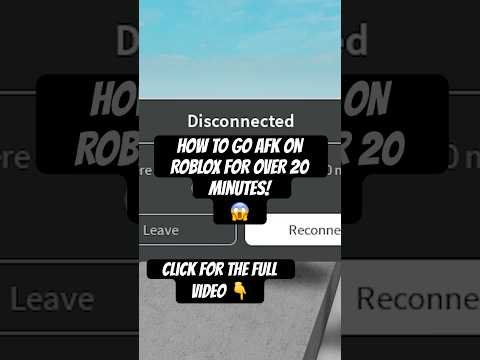
Roblox, the ever-popular platform loved by millions, occasionally presents users with a frustrating experience: getting kicked out of a game. There are several reasons why this can happen, ranging from simple inactivity to complex server issues. Roblox kicks players primarily to optimize server performance, manage resources, and enforce platform rules. Inactivity, server problems, app issues, and even account violations can lead to a forced disconnection. Understanding these reasons can help you troubleshoot the problem and minimize disruptions to your gameplay.
Understanding the Reasons Behind Roblox Kicks
Several factors can contribute to getting kicked from Roblox. Let’s break down the most common causes:
-
Inactivity Timeout: Roblox, like many online games, employs an inactivity timeout. If you remain AFK (Away From Keyboard) for a certain period, typically 20 minutes, the game will automatically disconnect you. This is done to free up server resources for active players and maintain optimal performance.
-
Server Issues and Maintenance: Roblox servers are responsible for handling vast amounts of data and player interactions. Server outages, crashes, or scheduled maintenance can all result in players being kicked from games. These events are usually temporary, and Roblox typically announces maintenance periods in advance.
-
Connectivity Problems: A stable internet connection is crucial for playing Roblox. Unstable Wi-Fi, packet loss, or high ping can lead to disconnections. Roblox requires a consistent connection to transmit data between your device and the game server.
-
Application Errors and Crashes: Issues with the Roblox application itself, such as bugs, glitches, or corrupted files, can cause the game to crash, leading to an unexpected kick. This is more common when running an outdated or incompatible version of the app.
-
Exploits and Cheating: Roblox has a zero-tolerance policy towards cheating and exploiting. If the system detects you are using hacks, scripts, or other unauthorized tools, you will be kicked and potentially banned from the platform.
-
Violation of Terms of Service: Roblox has a strict set of rules and guidelines that players must adhere to. Inappropriate behavior, harassment, or violations of the platform’s Terms of Service can result in being kicked from a game and possibly facing further disciplinary actions.
-
Account Security Concerns: If Roblox detects suspicious activity on your account, such as unusual login attempts or potential breaches, you might be kicked as a security measure to protect your account and data.
-
Game-Specific Rules or Scripts: Some game developers implement their own kick systems within their Roblox creations. These can be triggered by specific in-game actions or conditions that the developer deems undesirable.
Troubleshooting Common Kick Issues
If you’re frequently experiencing kicks from Roblox, there are several troubleshooting steps you can take to identify and resolve the problem:
-
Check Your Internet Connection: Ensure you have a stable and reliable internet connection. Try restarting your router or connecting to a different network to see if the issue persists.
-
Update Roblox: Make sure you’re running the latest version of the Roblox application. Updates often include bug fixes and performance improvements that can prevent crashes and disconnections.
-
Close Unnecessary Applications: Running too many applications simultaneously can strain your device’s resources and cause Roblox to crash. Close any unnecessary programs before playing.
-
Clear Cache and Data: Clearing the cache and data for the Roblox app can resolve issues caused by corrupted files. You can usually find these options in your device’s settings under the app’s storage information.
-
Reinstall Roblox: If other troubleshooting steps fail, try uninstalling and reinstalling the Roblox application. This can resolve more persistent issues with the app’s installation.
-
Adjust Graphics Settings: Lowering the graphics settings in Roblox can reduce the strain on your device and prevent crashes, especially on older or less powerful hardware.
-
Check Roblox Server Status: Visit the Roblox status page or social media channels to check for any known server outages or maintenance periods.
-
Contact Roblox Support: If you’ve exhausted all other troubleshooting steps and are still experiencing issues, contact Roblox support for assistance. They may be able to provide more specific guidance based on your situation.
Frequently Asked Questions (FAQs) About Roblox Kicks
1. How long can I be AFK in Roblox before getting kicked?
You can remain inactive (AFK) for approximately 20 minutes before Roblox automatically kicks you from the game to free up server resources.
2. Why does Roblox keep kicking me out for no reason?
If you’re being kicked repeatedly for no apparent reason, it could be due to server issues, a poor internet connection, problems with the Roblox application, or even game-specific scripts. Try troubleshooting your connection and updating the app.
3. Can Roblox detect AFK players?
Yes, Roblox can detect AFK players by monitoring their input activity. If there’s no keyboard, mouse, or touch input for a certain period, the system considers the player inactive. Some developers use the “Idled” event to specifically detect and manage AFK players within their games.
4. How can I prevent getting kicked for being AFK?
To avoid being kicked for inactivity, you can use an autoclicker or periodically move your character or interact with the game. However, be mindful of the game’s rules and avoid exploiting the system.
5. Is there a way to tell if Roblox servers are down?
You can check the Roblox status page or follow Roblox’s official social media channels for updates on server outages or maintenance. There are also third-party websites that monitor Roblox server status.
6. What does it mean when an app is “misbehaving?”
A “misbehaving” app is one that is not functioning as expected, often causing crashes, freezes, or other unexpected errors. This can be due to bugs, conflicts with other software, or resource limitations.
7. What does force stopping an app do?
Force stopping an app terminates its current processes and prevents it from running in the background. It’s a temporary measure that can help resolve issues caused by a malfunctioning app.
8. Is it safe to force stop apps?
Yes, force stopping an app is generally safe. It simply closes the app and stops its current activity. It doesn’t erase data or cause permanent damage.
9. How do I clear the cache for the Roblox app on Android?
Go to your device’s Settings > Apps > Roblox > Storage > Clear Cache. This removes temporary files that may be causing issues.
10. How long does it take for Robux to become available after purchase?
Pending Robux can take anywhere from 5 days to 21 days to become available. In many instances, it takes approximately one week.
11. Why do my apps keep crashing on Android?
Apps crash on Android due to a variety of reasons, including low storage space, running too many apps simultaneously, a spotty Wi-Fi connection, or an outdated app version.
12. What can I do if an app keeps kicking me out?
Try force stopping the app, restarting your device, reinstalling the app, checking app permissions, updating the app, clearing the cache, freeing up storage space, or as a last resort, performing a factory reset.
13. How much Robux does Roblox take from developers?
Roblox takes 30% of Robux for User-Generated Content (UGC) items. However, Roblox steals 90% of profits for everything else in Roblox.
14. Can I get free Robux?
One way to earn free Robux is by creating your own Roblox world or game. Each time a player visits your world or downloads your game, you’ll earn Robux. Additionally, creating in-game items available for purchase can also generate commissions.
15. Where can I learn more about game development and learning?
You can find resources and information on game development and the intersection of games and learning at the Games Learning Society website: https://www.gameslearningsociety.org/. The Games Learning Society explores the educational potential of video games and provides a platform for research and collaboration.