Why Does Sims Make My Laptop So Hot?
Fast answer first. Then use the tabs or video for more detail.
- Watch the video explanation below for a faster overview.
- Game mechanics may change with updates or patches.
- Use this block to get the short answer without scrolling the whole page.
- Read the FAQ section if the article has one.
- Use the table of contents to jump straight to the detailed section you need.
- Watch the video first, then skim the article for specifics.
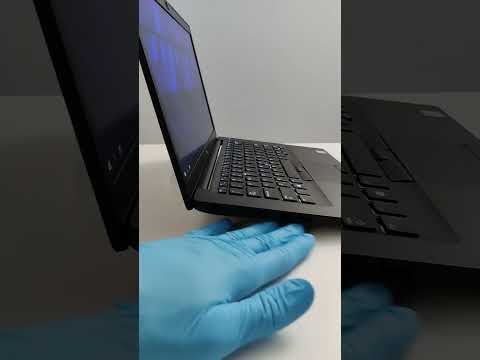
The simple answer is that The Sims 4 is a demanding game that pushes your laptop’s hardware to its limits. Modern computers, especially laptops, rely on sophisticated cooling systems to manage the heat generated by their internal components. When you run a game as complex as The Sims 4, your CPU (Central Processing Unit) and GPU (Graphics Processing Unit) work overtime, generating significant heat. This heat needs to be effectively dissipated to prevent damage, performance throttling, or even system failure. Several factors contribute to the increased temperature when playing Sims, and understanding these can help you mitigate the problem.
Demanding Game Mechanics
High Resource Requirements
The Sims 4 is a visually rich and complex simulation that requires considerable processing power. The game renders intricate 3D environments, manages multiple in-game characters (Sims), tracks their actions and relationships, and constantly calculates various game mechanics. All of this computational activity places a heavy load on your laptop’s hardware, especially the CPU and GPU. These components, in turn, generate a lot of heat. The more detailed and complex your gameplay, such as having a large family, numerous pets, or a heavily built lot, the more resources the game will demand, leading to increased heat.
Poor Optimization
While the game’s core mechanics are demanding, sometimes less-than-optimal game programming or poorly designed expansion packs can contribute to the strain on your system. In some cases, certain aspects of the game might not be as efficiently coded as they could be, causing unnecessary stress on your hardware. This can result in higher temperatures than would be expected given the visual fidelity of the game.
Laptop Design and Limitations
Limited Ventilation
Laptops, by their very nature, have limited space for ventilation. Unlike desktop computers with large cases and multiple fans, laptops often rely on smaller fans and vents that can quickly become clogged with dust, hindering airflow. Many laptops have air vents located on the bottom or sides, which are easily blocked when the laptop is placed on soft surfaces like blankets, cushions, or even your lap. This lack of proper airflow traps heat, leading to overheating.
Insufficient Cooling Systems
Many general-purpose laptops are simply not designed for intensive gaming. They have cooling systems designed for office tasks, not for high-performance gaming sessions. The heat sinks and fans may be inadequate for the heavy workload placed on them by The Sims 4, causing the laptop to become excessively hot. This is especially true for thinner, lightweight laptops that prioritize portability over powerful cooling.
Material Conductivity
The materials laptops are made of also play a role in heat management. Many laptops, particularly Macbooks, are made from aluminum, which can quickly absorb heat and become very hot to the touch. Although the heat is being transferred from the components, the heat will be radiated from the laptop casing itself. While the aluminum dissipates heat, it also makes the laptop feel hotter.
Background Processes
Macbooks, unlike PCs, constantly run background processes which take away processing power from gaming. This means it’s not just the game making your computer run hotter, but all the extra background activity as well.
External Factors
Ambient Temperature
Your room temperature plays a role in how hot your laptop gets. Playing The Sims 4 in a warm room will make it harder for your laptop to cool itself. The fans have to work harder to maintain a safe operating temperature.
Dust Accumulation
Over time, dust can accumulate in the fans and vents of your laptop, blocking airflow and hindering the cooling process. This means the fan needs to work harder to expel hot air, causing the laptop to overheat faster.
Inappropriate Surfaces
Playing on soft surfaces, such as your lap, a bed, or a blanket, will block the air vents and prevent the laptop from cooling itself, leading to overheating. Always play on a hard flat surface.
FAQs: Understanding Laptop Heat & Sims 4
1. Is it normal for my laptop to get hot while playing Sims 4?
Yes, it’s normal for your laptop to get warm or hot while playing The Sims 4, given the game’s resource demands. However, if it becomes excessively hot, it’s a sign that your laptop is struggling to cool itself and needs your attention.
2. Can playing Sims 4 damage my laptop?
Playing The Sims 4 can potentially cause damage if your laptop is consistently overheating. Prolonged exposure to high temperatures can damage internal components like the CPU, GPU, and battery. It’s important to address overheating issues promptly.
3. How can I reduce my laptop heat while playing Sims 4?
Here are some key ways to reduce heat:
- Use a hard, flat surface for better airflow.
- Invest in a laptop cooling pad with fans.
- Clean the vents regularly to remove dust.
- Monitor your laptop’s temperature using software.
- Lower in-game graphics settings to reduce resource load.
- Close any unnecessary background applications.
- Play in a cool environment.
4. What is a safe temperature range for my laptop when gaming?
Generally, it’s recommended to keep your laptop’s internal components between 60°C and 85°C under heavy load. 80°C is high but still within a safe range, while anything consistently above 90°C could be dangerous.
5. Does the Sims 4 game cause overheating on Macbooks more than on other laptops?
Yes, Macbooks are more prone to overheating when playing demanding games like Sims 4. They have less efficient cooling systems compared to some gaming PCs and constantly run background applications, which can contribute to the heat build-up. Macbook designs prioritise aesthetics over cooling.
6. Is it bad to play The Sims 4 on a MacBook Air?
While Sims 4 should run on a MacBook Air, keep in mind that the Macbook Air is not a powerhouse for gaming. Make sure your graphic settings are set to low/medium to help reduce load on the system. The more expansion packs you use, the more your game will slow down and may contribute to heating.
7. Will a laptop cooling pad help with overheating?
Yes, a laptop cooling pad can significantly help by providing extra airflow underneath your laptop. Look for cooling pads with powerful fans to effectively dissipate heat.
8. How often should I clean my laptop’s vents?
It depends on the environment, but generally, it’s recommended to clean your laptop’s vents every few months. If you notice your laptop overheating more often, it may be a sign that dust has accumulated.
9. Can playing The Sims 4 drain my laptop’s battery quickly?
Yes, The Sims 4 is a demanding game and can drain your laptop’s battery quickly. When playing on battery, the game may also perform slower than when plugged into a power source. However, playing the game on battery shouldn’t cause long-term damage to your battery.
10. Is it possible for a regular laptop (non-gaming laptop) to handle The Sims 4?
Yes, most modern laptops can run The Sims 4 if you’re willing to lower the graphics settings. While dedicated gaming laptops perform better, The Sims 4 isn’t so graphically demanding that it cannot run on a standard laptop, though overheating may occur.
11. How can I make The Sims 4 run better on my laptop?
Here are a few things you can do to help Sims 4 perform better:
- Delete old or unused files to free up space on your hard drive.
- Merge custom content files to speed up loading times.
- Lower the game graphics settings to reduce the strain on your computer.
- Update your graphics drivers to ensure you have the latest patches.
- Close unnecessary programs before opening the game.
12. Is 256GB of storage enough for Sims 4?
256GB is plenty for The Sims 4, your saves, and some smaller applications, but it may not be enough if you have a lot of other large files. If you are not storing large files like pictures, music and videos, then 256gb is more than enough for the base game and expansion packs.
13. Can Sims actually overheat in the game?
Yes, Sims can overheat in the game if they are dressed in inappropriate clothing for the weather. This will result in debuffs and could lead to death.
14. Can custom content or mods cause my laptop to overheat?
Potentially, yes. Poorly written or excessive amounts of custom content (CC) or mods can add to the stress on your computer, possibly leading to increased temperatures. It is advisable to only download CC and mods from trusted sources.
15. If my laptop gets too hot, what should I do?
If your laptop becomes too hot, stop playing immediately, shut it down, and allow it to cool down completely. Check the vents for any blockage and consider using a cooling pad. If the problem persists, consider seeking professional advice or repair.