Why Don’t Consoles Have Shader Stutter?
Fast answer first. Then use the tabs or video for more detail.
- Watch the video explanation below for a faster overview.
- Game mechanics may change with updates or patches.
- Use this block to get the short answer without scrolling the whole page.
- Read the FAQ section if the article has one.
- Use the table of contents to jump straight to the detailed section you need.
- Watch the video first, then skim the article for specifics.
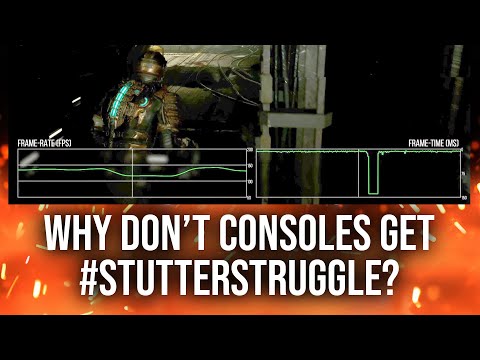
The primary reason consoles don’t typically exhibit the same level of shader stutter as PCs comes down to standardized hardware and a highly controlled software environment. Consoles, like the PlayStation 5 or Xbox Series X, possess identical hardware configurations across all units. This uniformity allows game developers to pre-compile and optimize shaders specifically for that known hardware. The shaders are then packaged with the game, meaning that when you start playing, all the necessary graphical routines are already prepared and ready to go, eliminating the need for real-time compilation that often plagues PC gaming.
On PCs, the landscape is vastly different. Millions of unique hardware configurations exist – different CPUs, GPUs from different manufacturers, varying amounts of RAM, and different driver versions. It’s a chaotic ecosystem! Because developers cannot possibly pre-compile shaders for every conceivable PC setup, games often resort to compiling them on the fly as needed during gameplay. This on-the-fly compilation is what causes the dreaded shader stutter. Each time the game encounters a new visual effect or object, the shader required to render it must be compiled, leading to a brief but noticeable pause or stutter.
Furthermore, consoles operate within a very limited, tightly controlled software environment. There’s one operating system (OS), and developers have far more direct access to the underlying hardware than they do on PCs. This access allows for finer-grained control over resource allocation and memory management, further reducing the likelihood of stuttering. PC games have to navigate the complexities of the Windows OS (or less commonly, Linux), competing for resources with other background processes, and dealing with potential driver conflicts.
In essence, consoles benefit from a predictable and consistent hardware/software environment that allows for optimized pre-compiled shaders, while PCs face the challenge of a fragmented environment that often necessitates dynamic shader compilation and the associated stuttering.
Frequently Asked Questions (FAQs)
1. What exactly are shaders?
Shaders are small programs that run on the GPU (Graphics Processing Unit). They are responsible for determining how objects and scenes are rendered on the screen, affecting everything from lighting and shadows to textures and special effects. They tell the GPU exactly how to draw each pixel, making them crucial for visual fidelity. Different visual effects require different and specific shaders.
2. Why can’t PC games just pre-compile all shaders?
While some PC games attempt to pre-compile a large set of shaders, it’s often impossible to cover every single scenario due to the sheer number of possible hardware configurations and visual combinations. The game might have to generate specific shaders based on your exact graphics settings, which can change. Even if a game tries to pre-compile everything, it might still miss certain edge cases or encounter new ones during gameplay, leading to stutter.
3. Does the shader cache cause stuttering?
Yes, the shader cache can sometimes cause stuttering. The shader cache is a storage area on your hard drive or SSD where compiled shaders are stored for later use. While it’s meant to improve performance by avoiding recompilation, a corrupted or excessively large shader cache can lead to intermittent stuttering or long loading times. Clearing the shader cache can often resolve these issues.
4. Are shaders compiled on the CPU or GPU?
The shader code is initially compiled by the CPU, translated into a format that the GPU can understand, and then executed by the GPU. The CPU handles the initial compilation, optimizing and preparing the shaders before offloading the actual rendering work to the GPU. This process can take some time during initial loading of a game.
5. Are shaders performance-heavy?
Yes, shaders can be very performance-demanding, especially complex shaders that implement advanced lighting effects, realistic textures, or intricate post-processing. The more complex the shader, the more processing power it requires from the GPU, which can lead to lower frame rates if your hardware isn’t up to the task.
6. Why are shaders so hard to run in some games?
Shaders are often demanding because they perform complex calculations on every pixel of the screen. Modern games utilize increasingly sophisticated shader techniques to achieve realistic graphics, pushing the limits of available hardware. For example, ray tracing, which creates lifelike reflections and shadows, relies heavily on performance demanding shaders.
7. What is a CUDA core, and how does it relate to shaders?
CUDA cores are parallel processing units found in Nvidia GPUs. While shaders are specialized programs for graphics processing, CUDA cores are more general-purpose and can be used for a wider range of computational tasks, including physics simulations, AI processing, and, indeed, shader execution. CUDA cores and shaders work together to deliver high-performance gaming and other graphically intensive applications.
8. Is rendering GPU or CPU-heavy?
Rendering is primarily a GPU-intensive task. While the CPU plays a role in preparing data and managing the overall scene, the GPU is responsible for the actual process of drawing the pixels on the screen. For most modern games, the GPU is the bottleneck that determines overall performance.
9. Which renders faster: CPU or GPU?
GPU rendering is generally much faster than CPU rendering, especially for complex scenes with high resolutions, advanced lighting, and detailed textures. GPUs have a massive number of cores designed for parallel processing, making them ideally suited for the highly parallel nature of rendering.
10. What can cause FPS stuttering besides shaders?
Many factors can cause FPS stuttering, including:
- Insufficient RAM: Not having enough RAM can force the system to use the hard drive as virtual memory, leading to slowdowns.
- Slow storage: Using an older HDD instead of an SSD can significantly impact loading times and cause stuttering.
- CPU bottleneck: If the CPU is struggling to keep up with the GPU, it can create a bottleneck and cause stuttering.
- Driver issues: Outdated or corrupted graphics drivers can lead to performance problems.
- Background processes: Other programs running in the background can consume system resources and cause stuttering.
- Network issues: In online games, network lag or packet loss can manifest as stuttering.
- RAM running at incorrect speed: Make sure that XMP is enabled in your BIOS to make sure your ram is running at its advertised speed.
11. Does shader quality affect FPS?
Yes, shader quality significantly impacts FPS. Lowering shader quality reduces the complexity of the calculations performed by the GPU, leading to a performance boost. While this may result in slightly less detailed visuals, it can be a worthwhile trade-off for smoother gameplay.
12. Why does Unreal Engine compile so many shaders?
Unreal Engine compiles shaders for every possible usage case of a material. This is due to how Unreal Engine handles materials and their potential interactions with different lighting conditions, rendering features, and hardware configurations. This approach, while thorough, leads to a large number of compiled shaders and can contribute to initial loading times and stuttering if not properly managed.
13. Will rendering damage my CPU or GPU?
Intensive rendering can put stress on your CPU and GPU, potentially leading to increased temperatures and a shortened lifespan over time. However, modern CPUs and GPUs are designed to handle these workloads, and as long as they are properly cooled and not pushed beyond their limits, the risk of damage is relatively low.
14. Is ray tracing better on CPU or GPU?
Ray tracing is significantly better and faster on the GPU. While CPU-based ray tracing is possible, GPUs are specifically designed with dedicated hardware (such as RT cores in Nvidia GPUs) to accelerate ray tracing calculations. GPU-based ray tracing provides a much smoother and more responsive experience.
15. What shader pack in Minecraft is the least laggy?
For Minecraft, Sildur’s Shaders is well-known for being a good balance of visual quality and performance. Another option is Chocapic13’s Shaders, which offers excellent aesthetics without being too resource-intensive.
Understanding why consoles bypass shader stutter while PCs often suffer from it requires acknowledging the fundamental differences in their hardware and software ecosystems. While PCs offer unparalleled flexibility and customization, this comes at the cost of potential performance hiccups. Consoles, with their standardized environments, provide a more streamlined and predictable gaming experience.
For more information on how games are developed and the technologies involved, consider exploring resources like the Games Learning Society at GamesLearningSociety.org.