Why Can’t I Play Minecraft on My School Chromebook? Navigating the Chromebook Minecraft Maze
Fast answer first. Then use the tabs or video for more detail.
- Watch the video explanation below for a faster overview.
- Game mechanics may change with updates or patches.
- Use this block to get the short answer without scrolling the whole page.
- Read the FAQ section if the article has one.
- Use the table of contents to jump straight to the detailed section you need.
- Watch the video first, then skim the article for specifics.
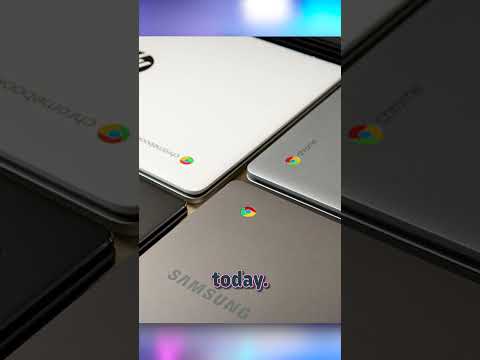
The straightforward answer to why Minecraft might not be accessible on your Chromebook boils down to a few key reasons: hardware limitations, administrative restrictions imposed by your school, and version compatibility. While Minecraft: Education Edition is often readily available, accessing the full Bedrock or Java editions presents more challenges on these Chrome OS devices.
Unpacking the Chromebook Minecraft Conundrum
Chromebooks, known for their affordability and cloud-centric operation, often possess modest hardware specifications. This can hinder their ability to run resource-intensive games like Minecraft, especially the Java Edition. Furthermore, schools frequently implement strict network policies and software restrictions on their Chromebooks to maintain focus and security. These restrictions can directly block access to the Google Play Store or specific apps, including Minecraft. Finally, ensuring that the version of Minecraft you’re trying to play is compatible with Chrome OS is paramount; the Bedrock Edition offers better compatibility than the Java Edition, but still requires specific Chrome OS versions.
Hardware Hurdles
The processing power and graphics capabilities of many Chromebooks are simply not on par with dedicated gaming laptops or desktops. Minecraft, while seemingly simple in its blocky design, can become quite demanding, particularly when exploring large worlds or utilizing complex Redstone contraptions. The Java Edition, in particular, is notorious for its resource-intensive nature, even on capable hardware. Attempting to run it on a Chromebook with a less powerful processor and integrated graphics can result in significant lag, unplayable frame rates, and a generally frustrating experience.
Administrative Blockades
Schools utilize a range of tools to manage and monitor Chromebook usage. This includes content filtering, which blocks access to certain websites and apps deemed inappropriate or distracting. It also encompasses app whitelisting/blacklisting, which allows administrators to specifically control which applications can be installed and run on student devices. Minecraft, particularly the standard versions not specifically designed for educational purposes, often falls victim to these restrictions. The primary goal is to keep students focused on their schoolwork and prevent unauthorized software installations that could compromise the network’s security.
Version Variances and Compatibility Concerns
Minecraft exists in several different versions, each with varying levels of compatibility with Chrome OS. Minecraft: Education Edition, specifically designed for classroom use, is typically the easiest version to install and run on a Chromebook, assuming it hasn’t been blocked by the school. Minecraft: Bedrock Edition, the cross-platform version of the game, is also compatible with certain Chromebooks via the Google Play Store. However, the Java Edition, the original version of Minecraft, poses the biggest challenge. While it can technically be run on some Chromebooks through Linux emulation, this process is complex and often beyond the technical capabilities of the average student. It also violates most school policies. Even if successfully installed, performance issues are common due to the hardware limitations discussed earlier.
The VPN “Solution” – A Risky Maneuver
Some students attempt to circumvent these restrictions by using a Virtual Private Network (VPN). While a VPN can mask your internet traffic and potentially bypass content filters, it’s important to understand the risks involved. Using a VPN on a school-issued Chromebook almost certainly violates school policy and could result in disciplinary action, including suspension or expulsion. Furthermore, some VPNs are unreliable or even malicious, potentially exposing your device and personal information to security threats.
Minecraft: Education Edition – The Acceptable Alternative
If your school allows it, Minecraft: Education Edition provides a legally and ethically sound way to experience Minecraft on a Chromebook. This version includes a wide range of educational features and lesson plans, making it a valuable tool for learning across various subjects, from math and science to history and language arts. It fosters collaboration, problem-solving, and creativity in a fun and engaging environment. It is a far superior solution than trying to get the standard Minecraft version on your device.
Frequently Asked Questions (FAQs) about Minecraft and Chromebooks
-
Can I install Minecraft Java Edition on a Chromebook? Yes, but it’s complex and requires enabling Linux support, which might be disabled by your school. Performance can be poor due to hardware limitations. This is also likely against school policy.
-
Is Minecraft Bedrock Edition available on Chromebooks? Yes, it is available through the Google Play Store on Chromebooks that support Android apps and meet the minimum system requirements.
-
Why does my Chromebook say “device not compatible” when I try to install Minecraft? Your Chromebook may not meet the minimum hardware or software requirements for the Bedrock Edition, or your school administrator has blocked app installations.
-
How can I check if my Chromebook supports Android apps? Go to Settings > Google Play Store. If you see an option to turn the Google Play Store on, your Chromebook supports Android apps.
-
Is Minecraft: Education Edition free? It’s free for faculty accounts (25 logins) and student accounts (10 logins) within a Microsoft-verified academic organization using Microsoft 365 accounts. After that, a paid license is required.
-
How do I get Minecraft: Education Edition on my school Chromebook? Click “Add” -> “Add from Google Play”, search for Minecraft: Education Edition, and click “Select.”
-
Will a better VPN help me unblock Minecraft at school? Using a VPN to bypass school restrictions is a violation of school policy and could lead to serious consequences. The Games Learning Society emphasizes responsible digital citizenship.
-
What are the risks of using a VPN on a school Chromebook? Potential risks include disciplinary action, malware infection, data breaches, and compromised online privacy.
-
Can my school track my activity if I use a VPN? Yes, schools often have sophisticated network monitoring tools that can detect VPN usage, even if they can’t see the specific websites you’re visiting.
-
Is Minecraft bad for kids? No, Minecraft can be beneficial for children, promoting creativity, problem-solving skills, and spatial reasoning.
-
What age is appropriate for Minecraft? Minecraft is generally recommended for ages 8 and up due to its complexity and potential for online interaction.
-
Is Roblox a safer alternative to Minecraft for younger kids? While Roblox has parental controls, it also contains a wider range of user-generated content, some of which may be inappropriate for younger children. Parental supervision is crucial for both platforms.
-
Who owns Minecraft now? Microsoft purchased Mojang, the company that created Minecraft, in 2014.
-
How much does Minecraft cost? Minecraft: Bedrock Edition typically costs $6.99 on mobile devices and varies for other platforms. Minecraft: Java & Bedrock Edition bundle costs $29.99.
-
Where can I find more information about using Minecraft for educational purposes? Visit GamesLearningSociety.org for resources, research, and best practices on incorporating games like Minecraft into the classroom.
Conclusion: Exploring Alternatives and Respecting Boundaries
While playing standard versions of Minecraft on a school Chromebook might present challenges, understanding the reasons behind these limitations and exploring alternative solutions like Minecraft: Education Edition is crucial. Respecting school policies and prioritizing responsible digital citizenship are equally important. The world of educational gaming offers numerous opportunities for learning and engagement within appropriate boundaries.