Why is My Xbox Controller Killing Batteries So Fast? A Deep Dive
Fast answer first. Then use the tabs or video for more detail.
- Watch the video explanation below for a faster overview.
- Game mechanics may change with updates or patches.
- Use this block to get the short answer without scrolling the whole page.
- Read the FAQ section if the article has one.
- Use the table of contents to jump straight to the detailed section you need.
- Watch the video first, then skim the article for specifics.
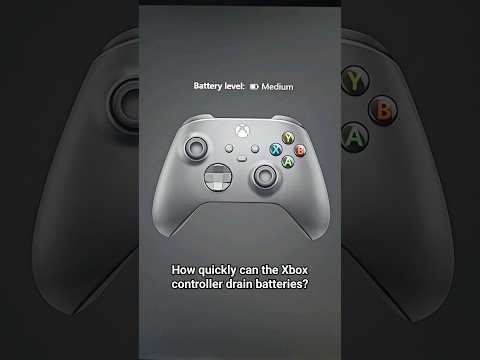
So, you’re locked in a crucial boss battle, your thumbs are flying, and then BAM! Your Xbox controller dies. The dreaded low-battery indicator blinks, mocking your gaming prowess. You slap in fresh batteries, but the cycle repeats itself all too quickly. What’s going on? Why is your Xbox controller devouring batteries like a hungry Pac-Man?
The reasons can be multifaceted, stemming from a combination of usage habits, controller health, and even external factors. The most common culprits include heavy headset use, a faulty controller or battery, outdated firmware, distance from the console, and interference from other devices. Let’s break down each of these potential issues and explore solutions to reclaim your gaming endurance.
Understanding the Battery Drain Demons
Here’s a detailed look at why your Xbox controller might be guzzling power:
-
Headset Hogging: The Xbox controller isn’t just for button presses and joystick movements. When you plug in a headset, especially for voice chat, the controller becomes a power hub, driving audio output and microphone input. This significantly increases the energy demand and drains batteries much faster than simply using the controller for gameplay alone.
-
Faulty Equipment: Let’s face it, electronics aren’t perfect. A faulty controller itself can have internal issues that cause excessive power consumption. Similarly, if you’re using rechargeable batteries, especially the black rechargeable battery pack (Play and Charge Kit), it could be failing to hold a charge properly. These rechargeable batteries have a limited lifespan and degrade over time.
-
Firmware Fiascos: Outdated firmware can lead to inefficiencies in how the controller manages power. Think of it like an old computer program – it might not be optimized for battery conservation. Updating your controller’s firmware ensures it’s running the latest, most efficient software.
-
Distance Dilemmas: Wireless connections require power to maintain a stable signal. If your controller is too far from the Xbox console, it has to work harder to stay connected, leading to increased battery drain. Walls and other obstructions can also weaken the signal, exacerbating the problem.
-
Device Density: A crowded wireless environment can cause interference, forcing the controller to boost its signal strength to overcome the noise. Too many devices connected to your Xbox console, especially those using Bluetooth or Wi-Fi, can contribute to this interference.
Troubleshooting Your Battery Issues
Now that we’ve identified the potential causes, let’s explore some troubleshooting steps:
-
Check Your Headset Usage: If you primarily use your controller with a headset, try playing without it for a while to see if the battery life improves. If it does, consider using a wired headset or a headset that connects directly to the Xbox console.
-
Test Different Batteries: Swap out your current batteries for a fresh set of high-quality AA batteries from a reputable brand like Duracell or Energizer. If the problem persists, the issue likely isn’t with the batteries themselves. It’s also worth testing different brands, as some users report better results with certain brands over others.
-
Assess Rechargeable Battery Health: If you’re using a rechargeable battery pack, check its charging capacity. Does it seem to charge fully? Does it drain quickly even when not in use? If so, it might be time to replace the battery pack. Alternatively, you can also monitor the charging time as well as the time to discharge in order to keep track of battery health.
-
Update Your Firmware: Make sure your Xbox controller has the latest firmware installed. You can do this through the Xbox settings menu (Profile & system > Settings > Devices & connections > Accessories). Updating your firmware ensures that you are running the most efficient software available for your controller.
-
Optimize Your Distance: Reduce the distance between your controller and the Xbox console. Ensure there are no major obstructions between the two. Try moving closer to the console or repositioning the console to improve signal strength.
-
Minimize Interference: Disconnect or turn off any unnecessary wireless devices near your Xbox console. This can help reduce interference and improve the controller’s wireless connection.
-
Consider a Wired Connection: If wireless connectivity issues persist, consider using a micro USB cable to connect your controller directly to the Xbox console. This eliminates the need for batteries altogether and provides a stable connection.
-
Check Battery Compartment and Contacts: Inspect the battery compartment and metal contacts within the controller. Make sure they are clean and free of corrosion. Use a cotton swab dipped in rubbing alcohol to gently clean the contacts.
-
Factory Reset (Last Resort): As a final resort, you can try performing a factory reset on your controller. This will erase any custom settings and restore the controller to its original state. Instructions for performing a factory reset can be found on the official Xbox support website.
Prevention is Key
To extend the lifespan of your Xbox controller batteries, consider these preventative measures:
-
Use High-Quality Batteries: Invest in reliable, high-performance AA batteries or a quality rechargeable battery pack.
-
Turn Off Vibration: The controller’s vibration feature consumes a significant amount of power. If you don’t need it, turn it off in the Xbox settings.
-
Power Down When Not in Use: When you’re not actively gaming, turn off your Xbox controller to prevent unnecessary battery drain. The controller will automatically shut down after a period of inactivity, but manually turning it off is even more effective.
-
Proper Storage: Store your controller in a cool, dry place when not in use. Avoid exposing it to extreme temperatures or humidity, which can damage the batteries.
-
Regular Maintenance: Periodically clean the controller, including the battery compartment and contacts, to ensure optimal performance.
By understanding the potential causes of rapid battery drain and implementing these troubleshooting and preventative measures, you can extend your gaming sessions and minimize those frustrating low-battery interruptions.
Frequently Asked Questions (FAQs)
Here are 15 frequently asked questions about Xbox controller battery life:
1. How long should batteries last in an Xbox One controller?
The average lifespan of AA batteries in an Xbox controller is roughly 40 hours. However, this can vary depending on usage, battery quality, and other factors.
2. Do AA batteries last longer than rechargeable battery packs?
Generally, yes, AA batteries tend to last longer than the Xbox Play and Charge Kit. The average lifespan of the Play and Charge Kit is around 30 hours.
3. Can you leave an Xbox controller charging all night?
Yes, it’s generally safe to leave an Xbox controller on a charging stand or station overnight. Most charging accessories are designed to stop charging once the batteries are fully charged.
4. Why did my controller stop charging?
If your controller won’t charge, try swapping out the charging cable, checking the charging port, resetting and re-pairing the controller, or power cycling the Xbox console.
5. How fast do Xbox controllers drain batteries?
A fully charged Xbox One controller should last for up to 30 hours of use. However, heavy headset use, vibration settings, and distance from the console can significantly reduce battery life.
6. Can you overcharge an Xbox controller?
Overcharging can lead to battery damage and reduce the controller’s lifespan. It’s best to remove the controller from the charger once it’s fully charged.
7. Do Xbox controllers drain batteries even when turned off?
Yes, if batteries are left in the controller without turning it on, they will drain over time. This is due to a small amount of power leakage. It’s recommended to remove the batteries when the controller is not in use for extended periods.
8. How do I check the battery health of my Xbox controller?
The battery indicator is located in the upper-right corner of any screen on your Xbox console. You can also find more detailed information in the Xbox settings menu (Profile & system > Settings > Devices & connections > Accessories).
9. Do Xbox rechargeable batteries go bad?
Yes, rechargeable batteries have a limited lifespan and will eventually wear out. If your rechargeable battery pack no longer holds a charge or drains quickly, it’s time to replace it.
10. How long do Duracell batteries last in an Xbox controller?
Duracell claims their Rechargeable Ultra batteries can provide over 50 hours of power per charge in an Xbox controller, but this can vary based on usage.
11. How do I update my Xbox controller?
To update your controller, press the Xbox button, go to Profile & system > Settings > Devices & connections > Accessories, and then select the controller you want to update.
12. What is the life expectancy of an Xbox controller?
Xbox controllers can last 2-5 years or longer with proper care, depending on usage and storage conditions.
13. Is it bad to keep my controller on a charging dock?
Leaving it on the charger for extended periods can sometimes negatively affect battery life in the long run, as some users have reported.
14. How long do lithium AA batteries last?
High-quality AA lithium batteries can last for up to 24 months on continuous use under normal conditions.
15. How long does a 2000mAh battery last in an Xbox controller?
A 2000mAh battery pack should provide more than 25 hours of game time on an Xbox controller.
Understanding the science behind gaming and how different factors affect your gameplay can be quite fascinating. You can learn more about the intersection of games, learning, and society at the GamesLearningSociety.org website. These insights can not only enhance your gaming experience but also provide a deeper appreciation for the technology and dynamics involved.