Why is Overwatch Lagging Right Now? Unraveling the Mystery of In-Game Delays
Fast answer first. Then use the tabs or video for more detail.
- Watch the video explanation below for a faster overview.
- Game mechanics may change with updates or patches.
- Use this block to get the short answer without scrolling the whole page.
- Read the FAQ section if the article has one.
- Use the table of contents to jump straight to the detailed section you need.
- Watch the video first, then skim the article for specifics.
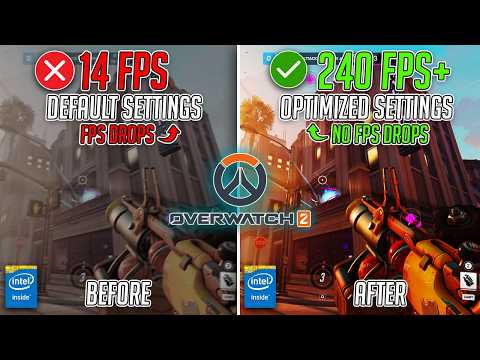
Overwatch, a game celebrated for its fast-paced action and team-based dynamics, can quickly become a frustrating experience when plagued by lag. But why does this happen? The truth is, lag in Overwatch isn’t caused by a single, easily identifiable culprit. Instead, it’s often the result of a complex interplay of factors that can range from issues on your end to problems with the game servers themselves.
Essentially, lag in Overwatch occurs when there’s a delay between your actions (mouse clicks, keyboard presses) and the game’s response on your screen. This delay can manifest as stuttering, delayed character movements, or even complete freezes, making it incredibly difficult to aim, react, and coordinate with your team. The root cause can be categorized into a few major areas: network issues, hardware limitations, software conflicts, and server-side problems.
Decoding the Lag Factors
Network Issues: The Internet Bottleneck
A shaky internet connection is the most common offender when it comes to lag. Even if you have a fast advertised speed, several factors can contribute to network-related lag:
- High Ping: Ping refers to the time it takes for data to travel from your computer to the game server and back. High ping (typically anything above 100ms) means a significant delay, making your actions feel sluggish.
- Packet Loss: Data is sent in packets over the internet. If packets are lost along the way, the game has to request them again, leading to stuttering and interruptions.
- Bandwidth Congestion: If multiple devices on your network are consuming bandwidth simultaneously (streaming video, downloading files), your Overwatch connection might suffer.
- Router Issues: An outdated or poorly configured router can struggle to efficiently handle network traffic, leading to lag.
- ISP Routing: Sometimes, your Internet Service Provider (ISP) might be routing your traffic through a suboptimal path, causing delays.
Hardware Limitations: Can Your PC Keep Up?
Even with a good internet connection, your computer’s hardware might be struggling to run Overwatch smoothly. Here are some potential hardware-related bottlenecks:
- Insufficient Graphics Card: Overwatch requires a dedicated graphics card to render the game’s visuals. An outdated or underpowered card can lead to FPS lag (low frames per second), which feels like lag even if your network is fine.
- CPU Overload: The Central Processing Unit (CPU) handles the game’s calculations and logic. If your CPU is constantly running at 100% utilization, it can cause slowdowns.
- Low RAM: Random Access Memory (RAM) is used to store temporary data. Insufficient RAM can force your computer to use the hard drive as a substitute, which is much slower and causes stuttering.
- Overheating: Overheating components (CPU, GPU) can cause performance throttling, leading to sudden drops in FPS and lag spikes.
Software Conflicts: The Hidden Culprits
Sometimes, other software running on your computer can interfere with Overwatch:
- Background Applications: Programs running in the background can consume system resources (CPU, RAM, network bandwidth), leaving less for Overwatch.
- Driver Issues: Outdated or corrupted graphics card drivers can cause performance problems.
- Overlay Incompatibilities: Overlays from programs like Discord or game recording software can sometimes conflict with Overwatch.
- Firewall or Antivirus Interference: Your security software might be blocking or slowing down Overwatch’s network traffic.
Server-Side Problems: When It’s Not You, It’s Them
Even if your setup is perfect, lag can still occur due to issues on the Overwatch servers:
- Server Overload: If too many players are online simultaneously, the servers might struggle to handle the load, resulting in lag for everyone.
- Server Maintenance: Blizzard occasionally takes the servers down for maintenance, which can cause connection issues and lag.
- Server-Side Bugs: Occasionally, bugs in the game code can cause performance problems.
Diagnosing and Fixing Lag: A Step-by-Step Approach
Troubleshooting lag requires a systematic approach. Start by checking the most common causes and gradually move towards more complex solutions.
- Check Server Status: Before doing anything else, check Blizzard’s customer support Twitter account and the Overwatch forums to see if there are any known server issues.
- Restart Your Router and Computer: This simple step can often resolve temporary network glitches or software conflicts.
- Close Unnecessary Applications: Close any programs running in the background that you don’t need.
- Update Your Drivers: Make sure your graphics card drivers are up to date. You can download the latest drivers from the NVIDIA or AMD websites.
- Optimize Your In-Game Settings: Lowering graphics settings can significantly improve performance, especially if you have an older graphics card.
- Check Your Internet Connection: Run a speed test to check your ping, download speed, and upload speed. If your ping is high or your download speed is low, contact your ISP.
- Use a Wired Connection: A wired Ethernet connection is more stable and reliable than Wi-Fi.
- Optimize Your Router: Make sure your router’s firmware is up to date and that it’s configured correctly. You can also try prioritizing Overwatch traffic using Quality of Service (QoS) settings.
- Scan for Malware: Run a full system scan to remove any viruses or malware that might be slowing down your computer.
- Adjust Power Management Settings: Ensure your power plan is set to “High Performance” to allow your computer to utilize its resources fully.
- Monitor Hardware Temperatures: Use monitoring software to check the temperatures of your CPU and GPU. If they’re overheating, consider cleaning the fans or applying new thermal paste.
- Check for Overlays: Disable any third-party overlays to see if they’re causing conflicts.
- Repair Game Files: In the Battle.net launcher, go to the Overwatch game page, click the “Options” dropdown, and select “Scan and Repair.”
- Contact Blizzard Support: If you’ve tried everything else and you’re still experiencing lag, contact Blizzard support for assistance.
- Consider Upgrading Your Hardware: If your hardware is significantly outdated, upgrading your graphics card, CPU, or RAM might be necessary to achieve smooth performance.
FAQs: Deep Diving into Overwatch Lag
Here are some frequently asked questions related to Overwatch lag, to provide further clarity and solutions:
1. What is a good latency (ping) for gaming in Overwatch?
Generally, a latency of 40-60ms or lower is considered good for gaming. Anything above 100ms will likely result in noticeable lag.
2. Why is my Overwatch FPS capped at 60?
An FPS cap is often due to VSync being enabled, a setting in your game, driver, or power settings. Disabling VSync, if appropriate, or adjusting power settings might resolve this.
3. What does “reduce buffering” mean in Overwatch?
Reduced buffering minimizes the delay between the game rendering a frame and displaying it on your screen, reducing input lag. However, it can also increase the demand on your system.
4. How fast should my internet be for Overwatch?
A minimum of 3 Mbps is recommended for a smooth Overwatch experience. Faster speeds are always preferable, especially if other devices are using the network simultaneously.
5. Why does Overwatch freeze on startup?
Overwatch freezing on startup often points to incompatibility issues with other software. Try updating or disabling overlay programs.
6. What is the BN-564 error on Overwatch 2?
The BN-564 error typically indicates that the Overwatch 2 servers are down for maintenance. Check Blizzard’s official channels for updates.
7. What is error 7000 in Overwatch 2?
Error 7000 often stems from a disabled social feature. Ensure all chat options are enabled in your privacy settings.
8. What is error 403 in Overwatch?
Error 403 indicates that your account has been banned or suspended.
9. What does BN-043 mean in Overwatch?
The BN-043 error usually signifies a server issue or maintenance. It can also appear due to connectivity problems.
10. Should I have VSync on in Overwatch 2?
Generally, VSync should be turned off if you are experiencing input lag and your system is capable of handling the game without screen tearing.
11. What does triple buffering do in Overwatch?
Triple buffering allows the game to render frames in separate back buffers, potentially increasing frame rate compared to double buffering.
12. Why is every game so laggy?
If you find that every game is laggy, the underlying cause is often graphics lag (FPS lag) stemming from underpowered hardware.
13. Is latency the same as ping?
Yes, latency and ping are used interchangeably to refer to the time it takes for data to travel between your computer and a server.
14. Why is Overwatch 2 so laggy all of a sudden?
If you experience a sudden increase in lag, check the server status first. If no server issues are present, try updating your drivers and resetting your in-game options.
15. How do I fix Overwatch 2 stuttering?
To fix Overwatch 2 stuttering, you can try the following steps: Update your drivers, reset Overwatch 2 settings, fix your network connection, release/renew your DNS, and ensure your system meets the game’s requirements.
Beyond Troubleshooting: Understanding Game Design & Learning
Understanding the technical nuances of lag is essential, but it’s also crucial to appreciate how game design and player interaction contribute to the overall experience. The Games Learning Society plays a vital role in exploring these connections, investigating how games can be used as powerful tools for learning and development. Explore their research and insights at https://www.gameslearningsociety.org/.
Lag, whether due to network, hardware, or software issues, significantly impacts the player experience, highlighting the intricate relationship between technology and gameplay. Hopefully, by systematically addressing the possible causes you can return to enjoying a smooth and responsive Overwatch experience.