Why is Starfield So Dark? Unveiling the Mystery Behind the Dimmed Stars
Fast answer first. Then use the tabs or video for more detail.
- Watch the video explanation below for a faster overview.
- Game mechanics may change with updates or patches.
- Use this block to get the short answer without scrolling the whole page.
- Read the FAQ section if the article has one.
- Use the table of contents to jump straight to the detailed section you need.
- Watch the video first, then skim the article for specifics.
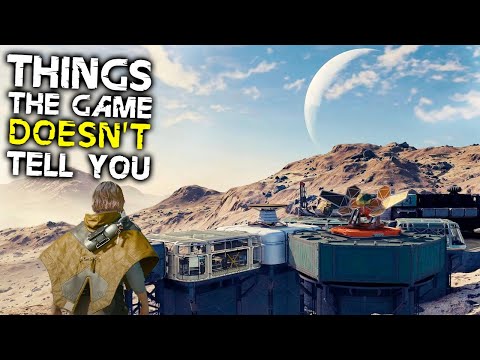
The question of why Starfield appears so dark is a common one, and the answer is multifaceted, stemming from a combination of technical issues, artistic choices, and in some cases, user-specific settings. At its core, the problem often isn’t that the game is inherently too dark, but that the HDR implementation and lighting render a less than optimal experience for some players, leading to a perceived washed-out and dim presentation. Essentially, Starfield is not consistently dark, but it can appear that way due to issues with color, gamma, and the display capabilities of your monitor or TV.
Several key factors contribute to this perceived darkness:
- Problematic HDR Implementation: Many players have reported that Starfield’s HDR implementation is flawed, leading to color banding and a washed-out appearance. This problem is particularly noticeable when transitioning between bright and dark areas, where the HDR fails to properly display the full range of contrast and color. The resulting effect makes the darker portions of the game look particularly dim, lacking detail.
- Shader Compilation Issues: Sometimes, a seemingly random bug can trigger lighting and shading errors causing some areas to appear unexpectedly dark. This occurs due to corrupted shader cache files. When the game can’t properly compile shaders, the lighting isn’t rendered as intended, leading to a dim and unappealing visual experience.
- Incorrect Monitor and TV Settings: The issue isn’t always the game itself. Inadequate display calibration or inappropriate monitor/TV settings can exacerbate the problem. Using incorrect settings can compress or distort the image, making dark areas appear even darker and robbing the game of its intended dynamic range.
- Film Grain and FSR Issues: Film grain, while intended to add an aesthetic texture, can sometimes blur and muddy the image, making darker areas less distinct. Furthermore, the FidelityFX Super Resolution (FSR) upscaling feature, if not properly optimized, can add a fuzzy layer to the graphics, which can make the image appear softer and consequently darker.
- Artistic Lighting Design: The in-game lighting itself contributes to perception. Like how in Game of Thrones episodes were criticized for being too dark, Starfield is often designed with darker, more realistic shadows and ambient lighting. This isn’t a bug but a conscious artistic choice to achieve a more immersive experience, but it can feel “dark” compared to brighter, more stylized games.
The “darkness” in Starfield, therefore, is a complex interaction between the game’s technical execution, the user’s display setup, and the intended artistic design. Fortunately, most issues can be mitigated with a few adjustments, which are further detailed in the FAQs section below.
Understanding the “Darkness” Further
It’s important to acknowledge that not all players experience Starfield as “too dark.” Those with well-calibrated HDR displays and correctly configured game settings might find the lighting natural and fitting. However, the consistent reports of washed-out colors and a lack of visual clarity indicate that Starfield’s HDR implementation isn’t universally working as intended, particularly on PC. This is compounded by the game’s tendency to have poorly optimized shader caching, further worsening the visual experience. It is also worth noting that the developers are aware of these issues and are working on fixes. Future updates promise to add a range of improvements, such as DLSS support and HDR controls that will allow the game’s visuals to be more refined.
Solutions for the Dark Visuals
Several troubleshooting steps can help alleviate the darkness:
- Disabling HDR: For many, the simplest fix is to turn off HDR within the game settings. While counter-intuitive for those seeking the most visually advanced experience, disabling HDR can sometimes resolve the washed-out colors and bring back clarity and detail to darker areas.
- Clearing Shader Cache: Deleting the game’s shader cache, found within your user files, forces the game to recompile the shaders. This can help with any visual glitches that could be causing the dark appearance, ensuring the lighting is rendered correctly.
- Adjusting Monitor Settings: Ensure your monitor or TV has accurate brightness, contrast, and gamma settings. Calibrating your display to match the game’s optimal settings can make a significant difference.
- Turning off Film Grain: Disabling film grain can sharpen the image, making it clearer and more detailed, especially in darker areas. This feature can often cause blurry vision which is easily fixable.
- Waiting for Updates: Bethesda has indicated that future patches will include DLSS support, HDR controls, FOV slider, and ultrawide monitor support. These updates should drastically improve the overall look and performance of the game, especially with its visual presentation.
Frequently Asked Questions (FAQs)
1. Does Starfield have poor HDR?
Yes, many users have reported that Starfield’s HDR implementation is problematic, leading to washed-out colors and color banding. This issue is particularly prevalent on PC.
2. How can I fix Starfield’s washed-out colors?
Try turning off HDR in the game settings, which often fixes the issue. You can also check and adjust your monitor or TV settings. Clearing the shader cache can also be beneficial.
3. Why is Starfield so dark on Xbox?
The “darkness” on Xbox can stem from the same issues as PC: problematic HDR, shader issues, and incorrect display settings. Try turning off HDR to see if it improves.
4. What is causing the random lighting glitches in Starfield?
Random lighting glitches are often due to corrupted shader cache files. Deleting this cache forces the game to recompile the shaders, often fixing the issue.
5. Is Starfield only first-person?
No, Starfield allows you to switch between first-person and third-person perspectives with ease.
6. What are some other graphics settings that can help?
Turning off film grain and making sure you’re not over-relying on FSR upscaling without being optimized can significantly improve visual clarity.
7. Will there be HDR improvements in future updates?
Yes, Bethesda has confirmed that future updates will include HDR controls, among other improvements.
8. Why does Starfield look blurry to me?
Blurriness can be caused by film grain, overly aggressive FSR, or incorrect monitor settings. Experiment with disabling film grain, adjusting FSR settings, and checking your monitor configuration.
9. Is Starfield realistic?
Starfield is based on reality, drawing from real-world space travel, science, and star systems, but it’s not a full simulation. It blends reality with fictional elements.
10. Does Starfield have microtransactions?
Yes, according to the ESRB page, Starfield will feature in-game purchases.
11. Is it better to play Starfield in first-person or third-person?
Most players prefer first-person for immersion, but third-person is useful to see your character’s outfit and helmet. Ultimately, the choice is up to the player.
12. Will Starfield have DLSS support?
Yes, DLSS will be added in future updates, which should improve performance and visuals for compatible cards.
13. What are the best Starfield backgrounds?
Popular and effective backgrounds include Diplomat, Space Scoundrel, Bounty Hunter, and Industrialist, though the ‘best’ is ultimately based on individual playstyle.
14. Does Starfield support Dolby Vision?
No, Starfield does not currently support Dolby Vision. It only supports HDR.
15. Are there any other known issues with Starfield’s graphics?
Aside from HDR and lighting issues, some players have noted issues with performance, especially on PC. Bethesda is actively working on improving and addressing these problems with updates.