Why is WoW Glitching? A Comprehensive Guide to Troubleshooting World of Warcraft Issues
Fast answer first. Then use the tabs or video for more detail.
- Watch the video explanation below for a faster overview.
- Game mechanics may change with updates or patches.
- Use this block to get the short answer without scrolling the whole page.
- Read the FAQ section if the article has one.
- Use the table of contents to jump straight to the detailed section you need.
- Watch the video first, then skim the article for specifics.
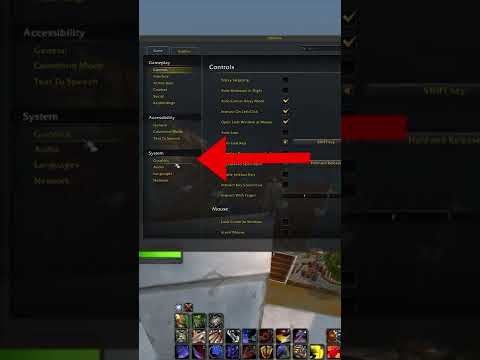
World of Warcraft (WoW) is a beloved MMORPG, but even the most seasoned adventurers can encounter frustrating glitches. Glitches in WoW can manifest in various ways, from lag and latency spikes to screen flickering, freezing, and unexpected disconnections. Understanding why these issues occur is the first step toward resolving them and ensuring a smoother gaming experience. In short, WoW glitches usually stem from problems with your computer, your network, the game’s software, or even Blizzard’s servers. Let’s delve into the specifics.
Understanding the Root Causes of WoW Glitches
1. System Performance Limitations
Your computer’s hardware plays a crucial role in how smoothly WoW runs. If your system doesn’t meet the minimum or recommended specifications, you’ll likely encounter performance issues. Here’s what to consider:
- Graphics Card: An outdated or underpowered graphics card will struggle to render the game’s environment, causing frame rate drops and stuttering.
- CPU (Central Processing Unit): The CPU processes game logic and physics. A slow CPU can cause lag and slow loading times.
- RAM (Random Access Memory): Insufficient RAM can result in frequent freezing and general sluggishness, as your system struggles to handle the game’s data.
- Storage: An overloaded or slow hard drive (HDD) or solid-state drive (SSD) can impact load times and general performance.
2. Network Issues
WoW is an online game, so a stable and fast internet connection is essential. Here are some common network-related culprits:
- High Latency: High latency, often referred to as “ping,” means data packets take longer to travel between your computer and the game servers. This causes delays in your actions and makes the game feel unresponsive.
- Packet Loss: Packet loss occurs when data packets are lost during transmission, leading to rubberbanding, sudden lag spikes, and disconnections.
- Poor WiFi Signal: A weak or unstable WiFi signal can cause intermittent disconnects, high latency, and generally unreliable performance.
- Overcrowded Network: Too many devices using your network simultaneously can consume available bandwidth, resulting in lag and latency spikes.
- ISP Issues: Your Internet Service Provider (ISP) might be experiencing problems, including outages or network congestion, which can impact your game performance.
3. Software and Driver Conflicts
Outdated or conflicting software can also cause glitches in WoW. This includes:
- Outdated Drivers: Outdated graphics card drivers can lead to compatibility issues, frame rate problems, and screen flickering.
- Software Conflicts: Other applications running simultaneously, particularly resource-intensive ones, can interfere with WoW’s performance.
- Corrupted Game Files: Damaged or corrupted game files can lead to instability and glitches.
- Addons: While add-ons can enhance the game, poorly coded or conflicting addons can sometimes cause issues.
4. Game Settings and Configuration
Incorrect in-game settings can also lead to issues. These include:
- Graphics Settings: Setting graphics options too high for your hardware can significantly reduce performance.
- DirectX Version: The chosen DirectX version may not be optimal for your system, leading to performance issues or crashes.
- Frame Rate Limiter: Incorrectly configured frame rate limits might cause flickering and stuttering.
5. Blizzard Server Issues
Sometimes, the issue isn’t on your end but on Blizzard’s side. Server overload, bugs, maintenance, or faulty patches can all cause latency issues and disconnections affecting all players.
Frequently Asked Questions (FAQs) About WoW Glitches
1. How do I fix lag in World of Warcraft?
To fix lag, start by optimizing your internet connection. Move closer to your router, use a wired connection, and close other applications using the network. Also, update your network drivers, power cycle your modem and router, and contact your ISP to report any issues.
2. Why does WoW keep randomly lagging out?
Random lag outs can be caused by a combination of factors. Check for software conflicts by closing unnecessary programs. Monitor for network issues using tools like WinMTR. Ensure your drivers are updated and that your game files are not corrupted. Also, power cycling your modem and router can often resolve intermittent network issues.
3. What can I do to fix WoW framerate issues?
If you are experiencing framerate issues, start by reducing your graphics settings in the game. Experiment with different DirectX versions (DirectX 11 or DirectX 11 Legacy are often more stable than DirectX 12). Update your video card drivers. Also, set your power management settings to High Performance for optimal CPU and GPU usage.
4. What causes high latency in WoW?
High latency is often due to network issues. It can be caused by an overcrowded server, limited bandwidth, problems with your home network, or issues with your ISP. Ensure you’re not downloading large files while playing, and try using a wired connection if possible.
5. How can I fix sudden high latency?
Sudden spikes in latency can be frustrating. Try moving closer to your router, close background apps, connect fewer devices to the Wi-Fi, and reboot your router. Also, ensure you are connected to a game server close to your location.
6. Why is WoW flickering?
Screen flickering can occur due to mismatched refresh rates or conflicting settings. Ensure your in-game frame rate cap matches your monitor’s refresh rate. Also, try updating your graphics drivers. If you are using G-Sync, disable it to see if it resolves the problem and potentially work with your FPS cap instead.
7. Why is my FPS so unstable in WoW?
Unstable FPS is often due to your graphics settings being too demanding for your system. Reduce the game’s graphics settings, particularly shadows, anti-aliasing, and view distance. Also, ensure you have the latest graphics card drivers and your power settings are on High Performance.
8. Why is every game suddenly lagging?
If all your games are suddenly lagging, it suggests a systemic issue. The most common culprit is a hardware bottleneck, such as a graphics card not powerful enough to handle the load or insufficient RAM. Also, check if there are any driver updates available for your hardware.
9. What affects latency in World of Warcraft?
Latency is affected by the speed at which your computer communicates with the game servers. This is dependent on your computer’s speed, your router’s performance, your ISP’s network infrastructure, and the server’s condition. The further you are from the game server, the higher your latency will be on average.
10. What is the error code WOW51900319?
WOW51900319 is an error that indicates you’ve been disconnected from the WoW servers. This can be due to temporary server issues, network problems on your end, or game file corruption. Restart your game and check your connection and the official Blizzard support channels for updates.
11. Why is WoW so laggy on my laptop?
Laptops are more susceptible to overheating, which can cause performance issues. Also, laptops tend to use Wi-Fi more often, which is more susceptible to interference than a wired connection. Ensure that your laptop is well-ventilated, your drivers are up-to-date and consider using a wired connection if possible.
12. Why is my ping high even though my internet speed is good?
A high ping even with good internet speed indicates latency issues. Check if your WiFi is performing optimally. Move closer to your router or use a wired connection. Limit background apps, connect to a closer server and check for bandwidth restrictions on your device or router settings.
13. Should I use triple buffering in WoW?
Triple buffering is generally not necessary unless you’re getting very high FPS (significantly above your monitor’s refresh rate). It can introduce input lag and generally isn’t beneficial for most players, as it can cause a slight delay in the image.
14. Should I cap my FPS in WoW?
Yes, capping your FPS to match your monitor’s refresh rate is beneficial in most cases. This prevents unnecessary resource consumption and reduces screen tearing, and can also prevent flickering issues.
15. What should I do if my WoW screen is freezing?
If your WoW screen is freezing, reset your video driver settings. Run a disk scan and defrag your hard drive (if it’s an HDD, do not defrag if it is an SSD). Perform a memory diagnostics test to ensure your RAM is working correctly.
Conclusion
Glitches in World of Warcraft can be frustrating, but understanding their potential causes is the first step towards fixing them. By systematically troubleshooting your system, network, software, and game settings, you can identify the source of the problem and get back to enjoying the game. Remember to always keep your system updated and use the resources available to you, including Blizzard’s official support and community forums, for further assistance. Happy adventuring!