Why Isn’t Crossplay Working on Xbox? The Real Story
Fast answer first. Then use the tabs or video for more detail.
- Watch the video explanation below for a faster overview.
- Game mechanics may change with updates or patches.
- Use this block to get the short answer without scrolling the whole page.
- Read the FAQ section if the article has one.
- Use the table of contents to jump straight to the detailed section you need.
- Watch the video first, then skim the article for specifics.
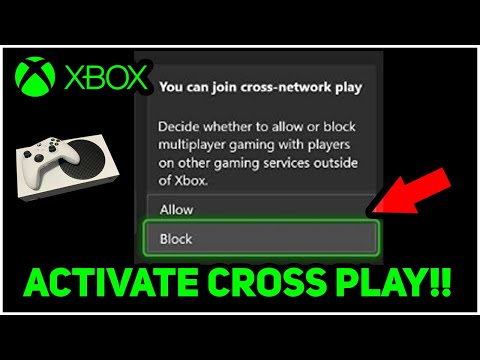
Crossplay, the holy grail of modern gaming, promises a unified player base, irrespective of platform allegiance. Imagine a world where Xbox, PlayStation, and PC gamers seamlessly battle alongside each other, unshackled by hardware limitations. While the dream is increasingly becoming a reality, Xbox crossplay still encounters frustrating hurdles. The simple answer to “Why isn’t crossplay working on Xbox?” is multifaceted, stemming from a complex interplay of developer choices, technical challenges, and even platform politics. In many cases, crossplay isn’t entirely absent, but rather limited or inconsistent across different games. Understanding these layers is crucial for any gamer hoping to navigate the world of cross-platform play.
Understanding the Layers of Crossplay Issues on Xbox
Several factors contribute to the perception that crossplay “isn’t working” on Xbox. It’s rarely a simple on/off switch failure.
- Developer Implementation: Ultimately, the decision to implement crossplay lies with the game developer. They must dedicate resources and time to design and test cross-platform compatibility. Some developers may choose not to implement crossplay due to technical limitations within their game engine, budgetary constraints, or concerns about competitive balance between different platforms. If a developer doesn’t actively code crossplay features, it simply won’t exist.
- Technical Challenges: Achieving seamless crossplay requires significant technical expertise. Differences in hardware architecture, network protocols, and input methods between Xbox, PlayStation, and PC can create major obstacles. Ensuring fair and balanced gameplay, particularly regarding input advantages (e.g., mouse and keyboard versus controller), is a constant challenge. Optimization is key; a poorly optimized crossplay system can lead to lag, disconnections, and a generally frustrating experience for all players.
- Platform Policies and Partnerships: While Microsoft has generally embraced crossplay, historical competitive tensions between console manufacturers can influence game-specific agreements. Sometimes, exclusive marketing deals or platform-specific content may indirectly hinder full crossplay implementation. While less common now, past rivalries have certainly left their mark on the landscape.
- Game Design Considerations: Some games are inherently unsuitable for crossplay due to their design. Fast-paced first-person shooters, for example, often face input disparity issues (mouse and keyboard versus controller). Real-time strategy games with complex controls might be difficult to translate seamlessly across platforms. Developers must carefully weigh these considerations when deciding whether to implement crossplay.
- Community Concerns and Balance: Developers often receive feedback from their communities about crossplay balance. Concerns frequently arise about perceived advantages of PC players using mouse and keyboard. Balancing these issues, often through input-based matchmaking or other forms of handicap, is crucial for maintaining a fair and enjoyable crossplay environment. Addressing these concerns proactively is vital for community acceptance of crossplay.
The Crossplay Landscape: More Than Just Xbox
It’s important to remember that Xbox isn’t the only platform facing crossplay challenges. Each platform presents unique hurdles, and understanding the broader ecosystem is essential. Sony has been gradually more open to crossplay. Nintendo is more on a case by case basis.
- PC as a Common Denominator: PC often serves as the central hub for crossplay, connecting to both Xbox and PlayStation. However, this can create its own set of issues, particularly regarding balancing input methods and addressing hacking/cheating concerns, which are sometimes more prevalent on PC.
- Input Disparity: The age-old debate of mouse and keyboard versus controller remains a significant hurdle in crossplay. Many games attempt to mitigate this by offering input-based matchmaking, but this can lead to longer queue times. Finding a perfect solution that satisfies all players remains an ongoing challenge.
- Platform Updates and Patches: Coordinating updates and patches across multiple platforms can be a logistical nightmare. Ensuring that all versions of a game remain compatible with each other after each update requires careful planning and execution.
Checking for Crossplay Support: Where to Look
Before assuming a game lacks crossplay, it’s crucial to verify its features.
- Game Documentation: The official game website, in-game menus, and online documentation are your primary sources for crossplay information. Look for specific details about which platforms are supported and any limitations.
- Developer Communication: Follow the game developer’s social media channels, forums, and community websites. They often announce crossplay plans and address common questions.
- Online Communities: Dedicated gaming communities, such as Reddit and Discord servers, are invaluable resources for crossplay information. Experienced players can provide insights and troubleshoot issues.
- Xbox Game Pass: If the game is on Xbox Game Pass, check the description on the Xbox store. Often, crossplay capabilities are listed there explicitly.
FAQs: Your Crossplay Questions Answered
Here are 15 frequently asked questions to further illuminate the complexities of crossplay on Xbox:
1. Why doesn’t every game have crossplay?
Because it’s technically demanding, requires developer resources, and sometimes faces platform-specific restrictions or simply the game design wouldn’t work well with cross-platform.
2. What’s the biggest obstacle to crossplay implementation?
The biggest obstacle is often balancing gameplay between different input methods (mouse/keyboard vs. controller) and handling platform-specific technical differences.
3. Does Xbox Game Pass increase the likelihood of crossplay?
Yes, Xbox Game Pass titles are often developed with crossplay in mind to maximize the player pool. However, it’s not a guaranteed feature.
4. How can I tell if a specific game on Xbox supports crossplay?
Check the game’s official website, in-game menus, and online documentation for crossplay information.
5. Is crossplay always enabled by default on Xbox games?
No, crossplay is often optional and may need to be enabled in the game’s settings.
6. Can I disable crossplay on my Xbox?
Yes, some games allow you to disable crossplay to play only with other Xbox users, though this might extend matchmaking times.
7. What happens if I encounter a cheater during crossplay on Xbox?
Report the player through the in-game reporting system and, if possible, through the platform’s reporting tools. Developers and platforms are actively working on anti-cheat measures.
8. Are there specific game genres where crossplay is more common?
Multiplayer shooters, MMORPGs, and cooperative games are more likely to feature crossplay.
9. How does voice chat work in crossplay games on Xbox?
Voice chat usually functions through the game’s built-in voice communication system, ensuring compatibility across platforms. However, some games may require specific headset configurations.
10. Does cross-progression always accompany crossplay?
No, cross-progression (shared progress across platforms) is separate from crossplay and depends on the game’s design. Some games offer both, while others offer only one.
11. What role do platform holders like Microsoft play in enabling crossplay?
Microsoft provides the technical infrastructure and support for developers to implement crossplay on their platforms. They also work to establish industry standards and best practices.
12. What does it mean when a game says “cross-generation play” is supported?
“Cross-generation play” means that players on different generations of the same console family (e.g., Xbox One and Xbox Series X/S) can play together. This is different from full crossplay across different console brands or PC.
13. Why would a developer choose not to implement crossplay in their game?
Reasons include budgetary limitations, technical constraints within their game engine, concerns about balance or competitive fairness, and platform-specific agreements.
14. Is input-based matchmaking always effective in balancing crossplay games?
While it’s a common approach, input-based matchmaking isn’t always perfect. Queue times can increase, and some players may still find advantages in certain input methods.
15. Where can I learn more about the research behind crossplay and game design?
You can explore the work of organizations such as the Games Learning Society for research into the social and learning aspects of gaming: https://www.gameslearningsociety.org/. This is an excellent resource to learn more about the technical aspects of crossplay.
The Future of Crossplay: A Unified Gaming Ecosystem
The push for crossplay is only going to intensify. As technology advances and developers gain more experience with cross-platform development, we can expect to see even more games embracing this feature. While challenges will undoubtedly remain, the long-term trend points towards a more unified and inclusive gaming ecosystem, where players can connect and compete regardless of their chosen platform. The dream of true crossplay across all games may still be some way off, but the progress made in recent years offers hope for a future where platform walls are a thing of the past.