My Sim’s Skipping Work? A SimGuru’s Guide to Sims 3 Job Troubles
Fast answer first. Then use the tabs or video for more detail.
- Watch the video explanation below for a faster overview.
- Game mechanics may change with updates or patches.
- Use this block to get the short answer without scrolling the whole page.
- Read the FAQ section if the article has one.
- Use the table of contents to jump straight to the detailed section you need.
- Watch the video first, then skim the article for specifics.
So, your Sim’s clocking out before they even clock in? We’ve all been there in The Sims 3! The frustration of a Sim refusing to head off to their career, especially when you’re meticulously building their skills and storylines, is a common issue. The short answer is, there could be several reasons why your Sim is playing hooky. The most frequent culprits are routing issues, a corrupted work outfit, conflicting actions, or even a simple glitch in the game. Let’s dive into troubleshooting and get your Sim back on the career ladder!
Understanding the Absentee Sim: Common Causes and Solutions
Before we get into the nitty-gritty fixes, it’s essential to understand why these issues arise in the first place. The Sims 3, while a beloved game, is notorious for its open-world environment and the complex calculations it performs to manage the lives of your Sims and the entire neighborhood. This complexity can sometimes lead to hiccups.
Routing Problems: Paving the Way to Work
Routing issues are probably the most common reason. The game’s AI struggles to find a clear path for your Sim to get to work, especially if there’s clutter, poorly placed furniture, or even architectural quirks on your lot. Imagine a real-life traffic jam – your Sim is stuck!
- Solution: Start by ensuring there’s a clear, unobstructed path from your Sim’s location to the street. Check for unnecessary clutter near the front door or on the route to their carpool. If you’re using mods or custom content, some objects with flawed routing data might be the problem. Try removing them temporarily to see if that resolves the issue.
The Corrupted Work Outfit: A Fashion Faux Pas
Sometimes, the problem isn’t where your Sim needs to go, but what they’re wearing. A corrupted work outfit can prevent the game from properly transitioning your Sim to their job.
- Solution: The quickest fix is to head into Create-A-Sim (CAS) and give your Sim a brand-new work outfit. You can access CAS via a dresser or mirror. Just make sure the outfit is appropriate for their job! If you suspect the current outfit is corrupt, don’t just edit it; completely replace it with a new one. If you had modified the career outfit using cheats, try resetting to the default look.
Conflicting Actions: Sims Being… Sims
Sometimes, your Sim simply has too much on their plate. A queue full of actions, especially conflicting ones, can prevent them from autonomously heading to work.
- Solution: Check your Sim’s action queue at the bottom left of the screen. Are they trying to cook, paint, or have a lengthy conversation right before work? Cancel any queued actions that might be interfering. Sometimes, a simple “Reset Sim” using the cheat console (more on that below) can clear up a stuck action queue.
The Glitch in the Matrix: When The Sims 3 Acts Up
Let’s face it; The Sims 3 has its fair share of glitches. Sometimes, things just go wrong for no apparent reason.
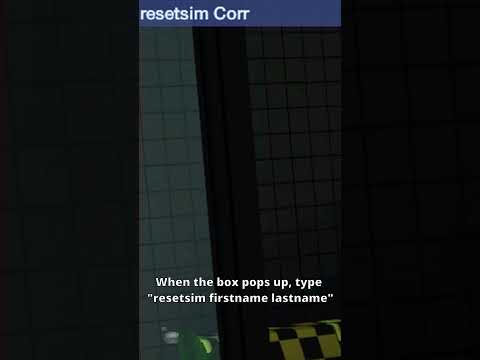
- Solution: The trusty “Reset Sim” cheat is your best friend here. Open the cheat console by pressing Ctrl + Shift + C. Type “resetSim FirstName LastName” (replacing “FirstName LastName” with your Sim’s actual name) and hit Enter. This will teleport your Sim to a safe location and often resolve minor glitches.
Using Cheats to Fix Career Issues: A SimGuru’s Secret Weapon
If all else fails, a few specific cheats can help force your Sim to go to work or reset their career entirely.
- Force Go to Work: If the “Go to Work” button appears on the career panel when your Sim is late, click it. However, this might require canceling other queued actions.
- Resetting the Job: This is a more drastic measure. First, enable cheats by typing “testingcheatsenabled true” in the cheat console. Then, shift-click the mailbox and select “Set Career.” From there, you can reassign your Sim to their current job or a new one. This can often clear out any lingering career-related bugs.
- Advanced Cheat (using NRaas MasterController): If you’re using the NRaas MasterController mod (highly recommended for serious Sims 3 players), you can use its robust debugging tools to completely reset your Sim’s career and employment status. This provides a deeper and more reliable reset than the in-game cheats.
The Importance of Game Options and Autonomy
Believe it or not, your game settings can also influence whether your Sim autonomously goes to work.
- Solution: Go to the Game Options menu (usually accessed through the main menu or by clicking the “Options” button within the game). Make sure that Autonomy is set to Full or at least High. Also, ensure that you haven’t accidentally disabled autonomy for selected Sims. If autonomy is turned off, your Sim won’t perform actions like going to work on their own.
Frequently Asked Questions (FAQs) About Sims 3 Career Problems
Here are some common questions I receive, along with my SimGuru-approved answers.
1. Why can’t my Sim go to work after pregnancy?
Sometimes, pregnancy can cause career-related glitches. Try using the “Reset Sim” cheat. If that doesn’t work, you might need to quit and rejoin the job using the mailbox cheat mentioned above. Ensure your Sim has a new work outfit assigned after the pregnancy.
2. My Sim is a celebrity and won’t go to work. Is this a bug?
Celebrity status can sometimes interfere with regular routines. Try the “Reset Sim” cheat. Also, check if your Sim has any conflicting opportunities or gigs related to their celebrity status that are overriding their work schedule.
3. My Sim is self-employed; how do I make them “go to work”?
Self-employed Sims don’t have a traditional “go to work” command. They earn money by completing tasks related to their skill (painting, writing, gardening, etc.). Make sure they are actively engaging in their chosen profession. Look for opportunities related to their profession in the newspaper or on the computer.
4. Can Mods cause Sims to miss work?
Absolutely! Incompatible or outdated mods can wreak havoc on The Sims 3. If you’re experiencing frequent career issues, try removing your mods folder (move it to your desktop) and see if the problem persists. If it’s resolved, add your mods back in small batches to identify the culprit. The GamesLearningSociety.org website also contains valuable information about mod compatibility.
5. My Sim is stuck at work. How do I bring them home?
Use the “Reset Sim” cheat. If that doesn’t work, try traveling to a different lot and then back home. If your Sim is stuck in a rabbit hole (like the school or hospital), using the “resetSim” command might be the only solution.
6. How do I make my Sim love their job?
Increase their skills related to their career! Higher skills lead to better job performance and mood. Also, fulfill their lifetime wish, which is often career-related. And don’t forget to give them career-related rewards (bought with lifetime happiness points) for a boost.
7. My Sims carpool never shows up. Is this a bug?
This is a common bug. Try resetting the Sim and clearing the game cache files. Additionally, make sure the road in front of your house is clear of any obstructions. Sometimes, mods can also affect carpool arrival.
8. Can my Sims get fired for missing work?
Yes! If your Sim misses too many days of work, they will get demoted or even fired. Avoid this by actively managing their schedule and addressing any issues that prevent them from going to work.
9. Is there a way to automate my Sim’s career?
While you can’t fully automate it, setting autonomy to high ensures your Sim will generally go to work without direct input. However, you’ll still need to manage their skills and relationships to advance in their career.
10. How do I change my Sim’s career?
You can quit their current job from the career panel. Then, look for a new job in the newspaper or on the computer. Ensure your Sim has the necessary skills for the new career.
11. What are rabbit hole careers?
Rabbit hole careers are jobs where you don’t directly see your Sim working (e.g., teacher, politician, doctor). They disappear into a building, and you get updates on their progress through notifications.
12. Can my Sim have multiple jobs?
Not in the traditional sense. However, they can supplement their income with part-time jobs or self-employment activities.
13. My Sim won the lottery and quit their job. Is this a good idea?
That depends on your gameplay style! It can be fun to explore new hobbies and skills without the pressure of a career. However, remember that careers often provide social connections and skill-building opportunities that are valuable for a well-rounded Sim.
14. How do I get promoted in my Sim’s career?
Improve their skills related to their job, maintain good relationships with their boss, and consistently perform well at work (indicated by the performance bar on the career panel). Also, complete any required opportunities.
15. Why is my Sim sad about going to work?
Check their needs! A Sim with low energy, hunger, or social needs will be unhappy regardless of their job. Also, if they have conflicting traits (like “hates the outdoors” and works as a lifeguard), they might be perpetually unhappy at work.
Getting Back to Work: Final Thoughts
The Sims 3 is a complex and sometimes quirky game, but with a little troubleshooting, you can usually resolve career-related issues and get your Sims back to work. Remember to check for routing problems, corrupted outfits, conflicting actions, and game glitches. And don’t be afraid to use cheats or mods to your advantage! With a bit of patience and persistence, your Sims will be climbing the career ladder in no time. Good luck, and happy Simming!