Why Won’t My Wii Read Discs? Troubleshooting the Nintendo Classic
Fast answer first. Then use the tabs or video for more detail.
- Watch the video explanation below for a faster overview.
- Game mechanics may change with updates or patches.
- Use this block to get the short answer without scrolling the whole page.
- Read the FAQ section if the article has one.
- Use the table of contents to jump straight to the detailed section you need.
- Watch the video first, then skim the article for specifics.
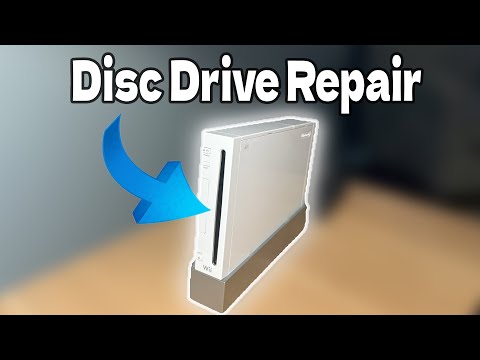
A non-reading Wii is a frustrating experience, especially when you’re itching to revisit your favorite games. There are a few reasons why your Wii might be refusing to cooperate, ranging from simple fixes you can implement at home to more serious hardware issues. Usually, the problem lies within the laser lens responsible for reading the data encoded on your game discs. This lens can become dirty, damaged, or misaligned, preventing it from properly interpreting the information. Other potential culprits include damaged discs, system software issues, or even a faulty disc drive. Let’s dive into the specifics of troubleshooting this common problem.
Initial Troubleshooting Steps
Before panicking, run through these basic checks:
- Disc Condition: Are your discs scratched, dirty, or damaged? Even small imperfections can throw off the Wii’s laser. Try cleaning the disc carefully with a soft, lint-free cloth, wiping from the center outwards.
- Disc Insertion: Is the disc inserted correctly? The label side should face up when inserted horizontally into the disc slot.
- Power Cycle: Sometimes, all it takes is a simple reset. Power off your Wii completely, unplug it from the wall for about 30 seconds, and then plug it back in and power it on. This can clear temporary glitches.
- System Update: An outdated system can also cause compatibility issues. Check for system updates in the Wii settings and install any available updates.
Cleaning the Laser Lens
A dirty laser lens is often the primary suspect. Here’s how you can attempt to clean it:
Using a Wii Lens Cleaning Kit
The simplest and safest approach is to use a dedicated Wii lens cleaning kit. These kits are specifically designed for the Wii’s laser lens and can be found online or at electronics stores. Follow the instructions provided with the kit carefully. These kits usually consist of a cleaning disc that you insert and run like a game, cleaning the lens as it spins.
Manual Cleaning (Advanced – Proceed with Caution!)
Warning: This method is riskier and could potentially damage your Wii if not performed carefully. Proceed at your own risk.
- Disassembly: You’ll need to disassemble your Wii to access the disc drive and the laser lens. Numerous guides and videos online demonstrate this process. Be sure to use the right tools and be gentle, noting where each screw and piece go.
- Locating the Lens: Once the Wii is open, locate the laser lens. It’s a small, shiny component within the disc drive mechanism.
- Cleaning: Use a cotton swab dampened (not soaked!) with isopropyl alcohol. Gently wipe the lens in a circular motion. Avoid applying too much pressure. Allow the alcohol to evaporate completely before reassembling the Wii.
- Reassembly: Carefully reassemble the Wii, ensuring all parts are correctly placed and secured.
Addressing Other Potential Issues
If cleaning the lens doesn’t solve the problem, consider these possibilities:
- Disc Drive Failure: The disc drive itself might be failing. If you hear unusual noises coming from the drive or if it consistently fails to read discs despite cleaning, this could be the case. A faulty drive often requires professional repair or replacement.
- Firmware Problems: Rarely, firmware corruption can lead to disc reading issues. In this case, you may need to explore more advanced solutions, possibly involving homebrew modifications or seeking professional assistance.
- Region Mismatch: Ensure your game discs are compatible with your Wii’s region. Wiis are region-locked, meaning they can only play games released in the same region as the console.
- Game Compatibility: Some older or less common games might be more prone to compatibility issues. Try testing your Wii with multiple different games to see if the problem is specific to certain titles.
When to Seek Professional Help
If you’ve exhausted all the troubleshooting steps above and your Wii still refuses to read discs, it’s time to consult a professional repair technician. They have specialized tools and expertise to diagnose and repair more complex hardware issues. Attempting to fix internal components without proper knowledge can cause further damage and void any warranty.
Games Learning Society
For more resources and insights into the gaming world, check out the Games Learning Society at GamesLearningSociety.org.
Frequently Asked Questions (FAQs)
Here are some common questions about Wii disc reading problems:
1. Can I use Windex to clean my Wii laser lens?
No, do not use Windex on the laser lens. Windex contains chemicals that can damage the delicate lens. Isopropyl alcohol is the recommended cleaning solution.
2. My Wii is spitting out discs. What does that mean?
A Wii spitting out discs typically indicates a problem with the laser lens, the disc drive mechanism, or the system’s ability to recognize the disc. Start by cleaning the lens and checking the disc for damage.
3. Can toothpaste fix scratched discs?
Toothpaste can sometimes help with minor scratches on the disc’s reflective side. However, it’s not a guaranteed fix, and aggressive rubbing can cause further damage. Use a small amount of toothpaste and gently rub it in a circular motion before rinsing thoroughly.
4. How do I know if my Wii laser lens is bad?
Symptoms of a bad laser lens include:
- Inability to read any discs
- Difficulty reading certain discs
- Long loading times
- Disc reading errors
5. Can I use a vacuum cleaner to clean the Wii disc drive?
You can use a vacuum cleaner on its lowest setting to remove loose debris from the disc tray opening, but never insert the vacuum nozzle directly into the disc drive mechanism. This could damage internal components.
6. Is it okay to leave discs in the Wii when not in use?
It’s generally best to eject discs when the Wii is not in use. This prevents potential damage from dust accumulation, temperature changes, or accidental bumps.
7. Why is my Wii so loud?
A loud Wii can be caused by:
- A dirty or obstructed fan
- Vibrations from nearby objects
- A failing disc drive
- Internal hardware issues
8. How long do Wii lasers last?
The lifespan of a Wii laser is usually around 10-15 years, but this can vary depending on usage and environmental conditions.
9. Can I burn discs and play them on my Wii?
Playing burned discs on a standard Wii is not possible without modifying the console. Modifying your Wii can void your warranty and potentially damage the system.
10. Does Vaseline fix scratched discs?
Vaseline, like toothpaste, can temporarily fill in minor scratches and improve reflectivity. Apply a small amount to a soft cloth and gently rub it into the scratch before wiping off the excess.
11. Can heat cause my Wii not to read discs?
Yes, excessive heat can damage the Wii’s internal components, including the laser lens and disc drive. Avoid placing your Wii in direct sunlight or near heat sources.
12. Is it better to store CDs/Wii games vertically or horizontally?
Store your Wii game discs vertically to prevent them from bending or warping over time.
13. How do I perform a system update on my Wii?
To perform a system update:
- Go to the Wii Menu.
- Select the Wii button in the lower-left corner.
- Select Wii Settings.
- Go to the fourth page using the right arrow.
- Select Wii System Update.
- Follow the on-screen instructions.
14. Can I clean laser lens with acetone?
Acetone can be used to clean a laser lens, but only use a very small amount and ensure proper ventilation. It is a strong solvent and can damage plastic components if used improperly. Isopropyl alcohol is generally preferred as a safer alternative.
15. What if my warranty is still valid?
If your Wii is still under warranty, contact Nintendo customer support for assistance. Attempting to repair the console yourself may void the warranty.
Troubleshooting a Wii that won’t read discs can be a process of elimination. By following these steps and FAQs, you should be able to diagnose the problem and hopefully get your Wii back in working order.