Will Sims 4 Be Free on Console? The Definitive Answer
Fast answer first. Then use the tabs or video for more detail.
- Watch the video explanation below for a faster overview.
- Game mechanics may change with updates or patches.
- Use this block to get the short answer without scrolling the whole page.
- Read the FAQ section if the article has one.
- Use the table of contents to jump straight to the detailed section you need.
- Watch the video first, then skim the article for specifics.
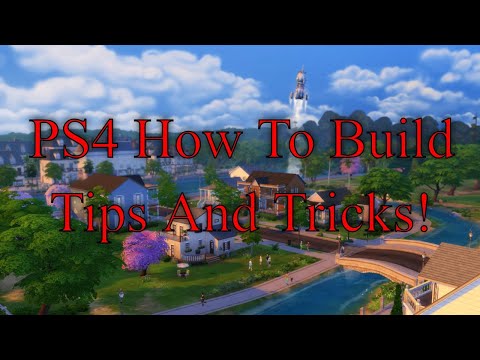
The short and sweet answer is: Yes, The Sims 4 base game is now permanently free to download on consoles. This includes PlayStation 5, PlayStation 4, Xbox Series X|S, and Xbox One systems. This monumental shift, which took place starting October 18, 2022, means you can dive into the world of Sim creation, home building, and life simulation without spending a dime on the base game itself. It’s a fantastic opportunity to experience what the game offers before potentially investing in any of the numerous expansion packs, game packs, stuff packs, and kits available.
Understanding The Sims 4 Free-to-Play Model
Making The Sims 4 free was a strategic move by EA and Maxis. The primary revenue stream for The Sims 4 shifted dramatically after the initial launch. While the base game used to be a crucial sales driver, most of the income now comes from the vast array of downloadable content (DLC). By offering the base game for free, EA aims to attract a wider audience, hoping they’ll eventually purchase expansions and other add-ons that significantly enhance the gameplay experience. This approach, often seen in other popular games, transforms the base game into an extensive demo, encouraging long-term engagement and investment.
What You Get With the Free Base Game
The free version of The Sims 4 provides a robust core experience. You’ll have access to:
- Sim Creation: Design and customize your Sims with unique personalities, aspirations, and appearances.
- Home Building: Construct and furnish homes using a wide variety of building tools and decorative items.
- Careers and Relationships: Guide your Sims through different careers, build relationships with other Sims, and manage their daily lives.
- Base Game Worlds: Explore the initially available worlds and neighborhoods.
While the base game offers plenty of content, keep in mind that it’s just the starting point. Expansion packs, game packs, and stuff packs add significant depth and features, from new careers and skills to entire new worlds and gameplay mechanics.
Navigating The Sims 4 DLC Landscape
The Sims 4 has a huge amount of DLC available, so it’s important to understand the different types and what they offer:
- Expansion Packs: These are the largest DLCs, typically introducing significant new gameplay features, worlds, and mechanics. Examples include Seasons, Cats & Dogs, and Discover University.
- Game Packs: Game packs offer more focused content, such as new careers, skills, or travel destinations. Examples include Outdoor Retreat, Spa Day, and Vampires.
- Stuff Packs: Stuff packs are smaller DLCs that mainly add new clothing, furniture, and decorative items.
- Kits: The smallest DLCs focus on very specific themes, like fashion styles or build/buy items.
Understanding the differences between these packs will help you choose which ones best suit your playstyle and interests. The sheer volume of DLC can be overwhelming, but it also means there’s something for everyone.
Consoles vs. PC: Any Differences?
For the most part, the console and PC versions of The Sims 4 offer similar gameplay experiences. However, there are a few key differences to consider:
- User-Generated Content (Mods): PC players have access to a vibrant modding community, allowing them to add custom content, gameplay tweaks, and even entirely new features to the game. Console versions do not support mods. This is a significant advantage for PC players who enjoy customizing their game beyond what the official DLC offers.
- Community Sharing: PC players can easily share their Sims and lot creations through the Gallery. Console players can still access the Gallery, but the process isn’t as streamlined.
- Controls: Console players use controllers, while PC players use a mouse and keyboard. Some players may find one control scheme more intuitive than the other.
- Performance: Performance can vary depending on your hardware. High-end PCs will generally offer better performance than consoles, but optimized console versions can still provide a smooth and enjoyable experience.
Tips for New Console Simmers
If you’re new to The Sims 4 on console, here are a few tips to help you get started:
- Take the Tutorial: The game offers a helpful tutorial that will walk you through the basics of Sim creation, building, and gameplay.
- Experiment with Build Mode: The building tools can be a bit tricky to get used to with a controller, so take some time to experiment and learn the different functions.
- Explore the Gallery: The Gallery is a great resource for finding pre-made Sims and lots created by other players.
- Consider Expansion Packs: Once you’re familiar with the base game, consider purchasing expansion packs that align with your interests. Seasons and City Living are often recommended as good starting points.
- Utilize Online Resources: There are many online communities and resources dedicated to The Sims 4, offering tips, tricks, and tutorials.
The Future of The Sims
EA is already working on the next generation of The Sims, currently known as Project Rene. This new game promises to be even more customizable and collaborative, with features that will allow players to easily share their creations and experiences with others. While Project Rene is still in development, EA has emphasized that it will coexist with The Sims 4, meaning they will continue to support and update the current game.
The GamesLearningSociety.org, promotes research and understanding of the educational potential of games. As The Sims games has aspects of learning through simulation and creation, exploring its educational opportunities can be further explored.
Frequently Asked Questions (FAQs)
1. Is The Sims 4 fully free, or are there hidden costs?
The base game of The Sims 4 is completely free to download and play. There are no hidden costs associated with the base game itself. However, the game’s revenue model relies on selling expansions and other downloadable content.
2. How long will The Sims 4 stay free on console?
The Sims 4 base game is permanently free on consoles, as announced by EA. There is no indication that this will change in the future.
3. Do I need PlayStation Plus or Xbox Live Gold to play The Sims 4?
No, you do not need PlayStation Plus or Xbox Live Gold to play the free base game of The Sims 4.
4. What happens if I purchased The Sims 4 before it became free?
EA gave players who purchased The Sims 4 before it went free-to-play the Desert Luxe Kit as a thank-you gift.
5. Can I transfer my Sims 4 progress from PC to console, or vice versa?
Unfortunately, no, you cannot directly transfer your save data or progress between the PC and console versions of The Sims 4.
6. Are all the expansion packs available on console?
Yes, all expansion packs, game packs, stuff packs, and kits that are available on PC are also available for purchase on consoles.
7. Is there a specific version of The Sims 4 for each console generation?
No, there is one version of The Sims 4 that is compatible with both PlayStation 4 and PlayStation 5, as well as Xbox One and Xbox Series X|S.
8. How much storage space does The Sims 4 require on console?
The base game of The Sims 4 requires approximately 15-20 GB of storage space on your console. This can increase significantly with the addition of expansion packs and other DLC.
9. Can I play The Sims 4 offline on console?
Yes, you can play The Sims 4 offline on console after you have downloaded and installed the game. However, you will need an internet connection to download updates and access the Gallery.
10. Are there cheat codes available for The Sims 4 on console?
Yes, cheat codes are available for The Sims 4 on console. You can access the cheat menu by holding down all four shoulder buttons (L1, L2, R1, R2 on PlayStation, or LB, LT, RB, RT on Xbox).
11. How do I update The Sims 4 on console?
The Sims 4 will typically update automatically on your console if you have automatic updates enabled in your system settings. You can also manually check for updates in the game’s menu.
12. Can I use a keyboard and mouse with The Sims 4 on console?
The Sims 4 on consoles does not offer native support for keyboard and mouse. You are restricted to the controller for interacting with the game.
13. Is The Sims 5 going to be free as well?
It is currently unknown whether The Sims 5 (Project Rene) will be free-to-play. EA has not yet announced the game’s pricing model.
14. Where can I get support if I encounter problems with The Sims 4 on console?
You can find support for The Sims 4 on console through EA’s official website, the game’s community forums, or by contacting EA’s customer support.
15. Can playing The Sims 4 enhance problem-solving skills?
Yes, games like The Sims 4, according to the Games Learning Society, can subtly enhance problem-solving skills, especially when navigating complex in-game scenarios or designing elaborate structures.