Will Unplugging Your Xbox Stop Downloads? The Definitive Guide
Fast answer first. Then use the tabs or video for more detail.
- Watch the video explanation below for a faster overview.
- Game mechanics may change with updates or patches.
- Use this block to get the short answer without scrolling the whole page.
- Read the FAQ section if the article has one.
- Use the table of contents to jump straight to the detailed section you need.
- Watch the video first, then skim the article for specifics.
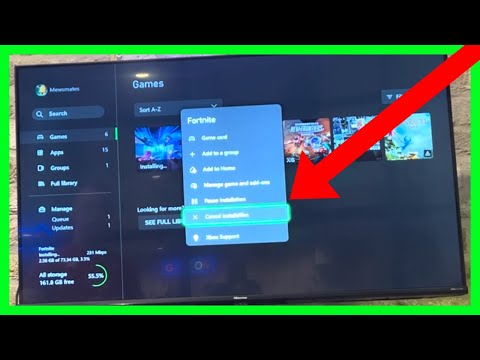
The simple answer is yes, unplugging your Xbox will stop any active downloads. When you physically disconnect your console from its power source, it loses all electrical power and ceases to operate. This means any ongoing processes, including downloads, are immediately interrupted. However, the situation isn’t always black and white, and there are several nuances to consider. This guide explores the effects of unplugging your Xbox on downloads and answers many other related questions.
Understanding the Basics of Xbox Downloads
Before diving deeper, it’s crucial to understand how Xbox handles downloads. When you initiate a download, your console connects to the Xbox network and retrieves the necessary data. This data is then stored on your hard drive (or external storage device) and, once complete, is ready to be used. During the download process, your console might use varying levels of power depending on your settings. Modern Xbox consoles have low-power modes that enable them to continue downloading while in a seemingly “off” state, which can be quite different from a full shutdown or being physically unplugged.
The Impact of Unplugging Your Xbox
Download Interruption
As highlighted earlier, when you physically unplug your Xbox, you cut off all power. Consequently, the ongoing download immediately stops. The installation will not continue until you restore the power supply and allow your console to boot up once again. The good news is that your progress isn’t lost completely. The console keeps track of where it stopped the download, and it will resume from that precise point when you power the system back on.
Different Power States and Downloads
It’s essential to distinguish between different power states your Xbox can be in. These include:
- Full Power Off (Unplugged): As discussed, downloads will stop completely when the console is unplugged.
- Full Power Off (Shut Down): If you shut down your console using the controller or the console’s power button, your console will fully shut down to consume the least amount of power, and will not download in this state.
- Low-Power Mode (Instant-On): This is the mode where the Xbox appears to be off, but it is actually in a standby state. In this mode, the console can continue to download games and updates. This mode uses more power, but allows for quicker start-up times.
Potential Issues with Abrupt Unplugging
While Xbox consoles are designed to handle power interruptions, consistently and abruptly unplugging your device isn’t generally advisable. Although it may not cause immediate harm in many instances, sudden power loss during data writing (such as during updates or game installations) has a higher risk of potentially corrupting system files. Though rare, this corruption can lead to various issues requiring troubleshooting or, in severe cases, a factory reset of the console.
Frequently Asked Questions (FAQs)
1. Will my Xbox still download when it’s just shut down, not unplugged?
* If your Xbox is set to **"Instant-On Power Mode"**, it will continue to download games and updates even when turned off. However, if it’s in a *full* shutdown, it will not. The setting can be adjusted under **"Settings" → "Power and Startup."**
2. Does restarting the Xbox cancel a download?
* **Yes**, restarting the console will pause any ongoing downloads, which will then resume from where they left off once the console is back up and running.
3. Is it bad to keep unplugging my Xbox regularly?
* While not inherently damaging every time, excessive, abrupt unplugging is not recommended. Power fluctuations can affect electronics over time. Use a surge protector and avoid making it a habit to unplug your Xbox regularly.
4. What happens if I unplug my Xbox while an update is in progress?
* Unplugging during an update can be risky. It might corrupt the update, potentially leading to software issues. It is always advised to let any updates complete without interruption.
5. Does unplugging my Xbox clear the cache?
* **Yes**, unplugging your Xbox and then pressing the power button after the console is disconnected for at least a minute can help clear the cache by discharging any residual power. However, there are other methods for clearing the cache without unplugging the console.
6. Why is my Xbox downloading so slow despite fast internet?
* Several factors can cause slow download speeds. These can include: congestion on your home network, your physical location in relation to the content server, the size of downloads or updates, running games in the background, or having Remote Play connections active.
7. How can I make my Xbox download faster on Wi-Fi?
* To improve download speeds on Wi-Fi, try restarting your router and Xbox, switching to an Ethernet connection, closing background games, queuing downloads, changing your DNS server, allocating bandwidth with Quality of Service (QoS) on your router settings, and understanding peak times.
8. Is it okay to leave my Xbox on 24/7?
* While leaving your Xbox on won’t inherently break it, doing so consistently is not recommended. It consumes power and potentially shortens the lifespan of components. It is best practice to fully shut down your system when not in use, or if needed, use the "Sleep" mode.
9. How do I clear the Xbox cache without unplugging?
* You can clear the persistent storage cache by going to **"Settings"**, navigating to **"Devices & connections"**, then **"Blu-ray"**, and then selecting **"Clear Persistent Storage"**.
10. What is the best way to turn off an Xbox completely?
* The best way to completely turn off your Xbox is by pressing and holding the Xbox button on the console for approximately 10 seconds until the power shuts down. Alternatively, using the option through the menu will also fully shut down the system.
11. What is a good internet download speed for Xbox?
* A good minimum download speed for online gaming on Xbox is around 3 Mbps (3,000 Kbps) with a minimum upload speed of 0.5 Mbps (500 Kbps). However, for a better overall experience, you’ll want faster download speeds.
12. Will my game install if my Xbox turns off in low-power mode?
* If your Xbox is in a low-power or standby state, it *should* continue installing games while turned off. This feature is enabled when "Instant-On Power Mode" is activated.
13. What is the average Xbox download speed I can expect?
* The download speed you experience on your Xbox largely depends on your internet connection speed and network conditions. The Xbox Series X has a Gigabit Ethernet port that can support speeds up to 1 Gbps, but your actual speeds will vary.
14. Is it better to shut down or put my Xbox to sleep?
* If you want to save power and still be able to get back into gaming quickly, sleep or standby mode is ideal. However, a full shutdown conserves the most energy and is better for long-term maintenance.
15. Will I lose any data if I unplug my Xbox?
* No, unplugging your Xbox will not cause you to lose any of your games, save data, or profile information. Any data loss would be a result of a corrupted file from interrupting an update or install, not just from disconnecting power.
Conclusion
In summary, unplugging your Xbox will indeed stop any ongoing downloads. It’s a hard stop, disconnecting all power, and all processes will halt. While this might be a temporary solution for some issues, it’s best to use recommended shutdown or low-power modes to manage your console properly. Understanding the various power states and how they affect your downloads can significantly enhance your gaming experience and maintain your device’s health. By using the tips and advice outlined above, you should now be well equipped to optimize your downloads and manage your Xbox efficiently.