Can I Play Mario on PC? Exploring the Plumber’s Presence on Personal Computers
Fast answer first. Then use the tabs or video for more detail.
- Watch the video explanation below for a faster overview.
- Game mechanics may change with updates or patches.
- Use this block to get the short answer without scrolling the whole page.
- Read the FAQ section if the article has one.
- Use the table of contents to jump straight to the detailed section you need.
- Watch the video first, then skim the article for specifics.
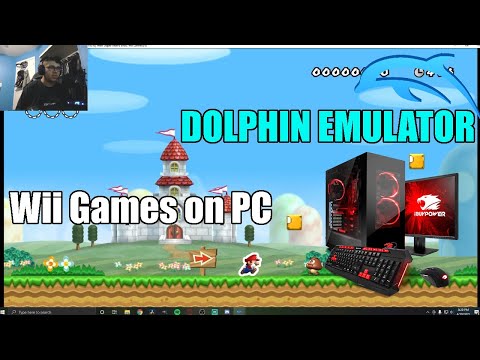
Yes, you can play Mario on PC, but the answer isn’t a straightforward “yes” or “no.” While the core, definitive Super Mario Bros. experiences largely remain exclusive to Nintendo’s consoles, there are several legitimate and less-than-legitimate avenues to get your Mario fix on your personal computer. These methods range from official ports and remakes to emulation and even cloud gaming services. Let’s dive into the various ways you can bring the Mushroom Kingdom to your desktop.
A Brief History of Mario on PC
It’s important to understand that Nintendo historically guards its intellectual properties fiercely. This means that you won’t find the latest Super Mario Odyssey or Super Mario Wonder readily available on Steam or the Epic Games Store. However, there have been exceptions throughout the years:
-
Early Educational Titles: In the 1990s, Nintendo dabbled with PC releases, primarily in the educational game genre. Titles like Mario’s Time Machine and Mario Teaches Typing were designed to teach history and typing skills, respectively. These games, while featuring Mario characters, are drastically different from the core platforming experiences fans know and love.
-
Spin-off Titles: While core platformers are rare on PC, some spin-off titles have made their way to personal computers.
Current Methods for Playing Mario on PC
The ways to play Mario games on PC today can be divided into the following categories:
-
Emulation: This is perhaps the most popular (and legally gray) method. Emulators are software programs that mimic the hardware of a specific console, allowing you to play games designed for that console on your PC. To play a Mario game through emulation, you need two things: an emulator compatible with the desired console (e.g., NES, SNES, N64, GameCube, Wii, Switch), and a ROM file of the game itself. Be aware that downloading and distributing ROMs of copyrighted games without owning the original is illegal in many jurisdictions. Popular emulators include Dolphin (for GameCube and Wii) and RetroArch, which can handle multiple systems.
-
Cloud Gaming Services: Cloud gaming services like NVIDIA GeForce Now or Xbox Cloud Gaming, allows you to stream games to your PC from remote servers. While these services don’t typically offer the classic Super Mario games directly, if Nintendo were to partner with one of these services in the future, this could become a legitimate way to play their titles on PC.
-
Homebrew Ports and Fan Games: A dedicated community of fans creates their own versions of Mario games for PC, often called “homebrew” ports or fan games. These are not official releases by Nintendo, but some are remarkably well-made and offer a unique experience. Finding these ports often requires searching online forums and communities.
Legal Considerations
Before you delve into playing Mario games on your PC, it’s crucial to understand the legal implications. Emulating a console is perfectly legal, but downloading and playing ROMs of games you don’t own is often considered copyright infringement. It’s important to research the copyright laws in your specific region before proceeding.
Is it Worth It?
Whether playing Mario on PC is worth it depends on your priorities. If you’re looking for a legal and officially supported experience, the options are limited. However, if you’re comfortable with emulation or exploring fan-made games, you can access a vast library of Mario titles. Just be sure to proceed with caution and respect copyright laws. You may enjoy reading about the Games Learning Society and how they study video games and learning. You can visit their website at https://www.gameslearningsociety.org/. This link contains great information on the use and study of video games. For more insights, explore GamesLearningSociety.org.
Frequently Asked Questions (FAQs)
1. Can I play Super Mario Run on PC?
While Super Mario Run was initially designed for mobile devices, you can play it on PC using an Android emulator like Bluestacks or NoxPlayer. These emulators create a virtual Android environment on your computer, allowing you to download and play mobile games.
2. Is Super Mario Run free on PC?
Super Mario Run is free to download, but you need to purchase the full game to unlock all the levels. You can try out the first few levels for free before deciding to buy.
3. Can I play Super Mario Bros online?
You can play Super Mario Bros online through various emulators and online gaming platforms. Some websites offer browser-based emulators that allow you to play the original NES version of the game directly in your web browser.
4. Can you play Mario on Mac?
Yes, you can play Mario on a Mac. You can use emulators or cloud gaming services (if available for Mario games) on macOS, and some fan-made ports may also be compatible with Macs.
5. How can I play Mario Bros on my laptop?
To play Mario Bros. on your laptop, you can download an NES emulator and a ROM file of the game. Install the emulator, load the ROM file, and you can start playing. Remember the legal implications of ROMs.
6. Is Super Mario 64 playable on PC?
Yes, Super Mario 64 is easily playable on PC through emulation. Download an N64 emulator and a ROM of the game, or explore the fan-made PC ports of Super Mario 64 which often include enhanced graphics and features.
7. Was Mario ever officially released on PC?
Yes, Mario’s Time Machine and Mario Teaches Typing were officially released on PC in the 1990s. However, these are educational games, not traditional platformers.
8. Why aren’t there more Mario games on PC?
Nintendo has traditionally kept its flagship franchises, including Mario, exclusive to its own consoles to drive hardware sales. This exclusivity is a key part of Nintendo’s business strategy.
9. Is Mario only available on Nintendo consoles?
Yes, the core Super Mario platforming games are almost exclusively available on Nintendo consoles. While there have been a few exceptions over the years, Nintendo prefers to keep its major titles exclusive.
10. Is it legal to emulate Mario games?
Emulating the console hardware itself is legal. However, downloading and playing ROMs of games you do not own is generally considered copyright infringement and is illegal in many countries.
11. Can I play Super Mario Odyssey on PC?
As of now, Super Mario Odyssey is exclusively available on the Nintendo Switch. There is no official way to play it on PC.
12. Is there a Super Mario game on Steam?
No, you won’t find any of the core Super Mario platformers on Steam. These games remain exclusive to Nintendo platforms.
13. Are there fan-made Mario games for PC?
Yes, there is a vibrant community of fans who create their own Mario games for PC. These fan-made games can be found on various online forums and communities, but remember that they are not official Nintendo products.
14. Can I use a controller to play Mario games on PC?
Yes, most emulators and fan-made ports support controllers. You can typically configure your controller settings within the emulator or the game itself.
15. Is playing Mario on PC a good experience?
The quality of the Mario on PC experience depends on the method you choose. Emulation can be excellent with the right emulator and settings, while fan-made games can offer unique and creative experiences. However, it’s essential to proceed legally and ethically.