Can You Dispute PlayStation Charges? Everything You Need to Know
Fast answer first. Then use the tabs or video for more detail.
- Watch the video explanation below for a faster overview.
- Game mechanics may change with updates or patches.
- Use this block to get the short answer without scrolling the whole page.
- Read the FAQ section if the article has one.
- Use the table of contents to jump straight to the detailed section you need.
- Watch the video first, then skim the article for specifics.
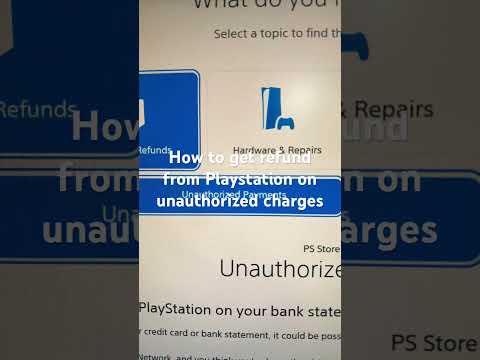
Yes, you can dispute PlayStation charges, but it’s a nuanced process with potential consequences. While you have the right to question unauthorized or incorrect charges, doing so through your bank or credit card company (a chargeback) can trigger a PlayStation Network (PSN) account suspension while Sony investigates. Understanding the correct procedures for seeking a refund or resolving billing issues with PlayStation directly is crucial before resorting to a chargeback.
Understanding PlayStation’s Refund Policies
Before considering a dispute, it’s vital to understand PlayStation’s own refund policies. These policies cover various types of purchases, each with its own specific rules and limitations:
Digital Content (Games, DLC, etc.)
- 14-Day Refund Window: Generally, you have 14 days from the date of purchase to request a refund for digital content bought through the PlayStation Store.
- Download and Streaming Exception: This refund window is voided if you have begun to download or stream the purchased content, unless the content is faulty. If the game is bug-ridden or doesn’t function as advertised, you can still request a refund even after downloading.
Subscription Services (PlayStation Plus, etc.)
- 14-Day Cancellation with Pro-Rata Refund: You can cancel a subscription service and request a refund within 14 days of the initial transaction date, even if you have started using the subscription.
- Pro-Rata Reduction: The refund amount will be reduced pro-rata to reflect the duration of the service you have already used. For example, if you used a month-long subscription for a week before cancelling, your refund will be reduced accordingly.
PlayStation Store Cards (POSA Cards)
- Non-Refundable: As a general rule, PlayStation Store cards are non-refundable. These cards are treated like cash and cannot be returned once purchased.
The Consequences of a Chargeback
While you have the right to dispute charges with your bank, doing so for a PlayStation purchase can lead to your PSN account being suspended or even banned. Sony views a chargeback as an indication of suspected fraud or account takeover, prompting them to take protective measures while they investigate.
A suspended account limits or blocks access to online features, purchased games, and other services associated with the account. A banned account is a permanent termination of your access to the PSN. The length of a suspension varies depending on the severity of the infraction but could potentially be permanent.
To avoid such consequences, it is recommended to contact PlayStation support directly to resolve any billing issues before initiating a chargeback.
How to Seek a Refund from PlayStation Directly
Navigating the PlayStation refund process can be straightforward if you follow these steps:
-
Contact PlayStation Support: The best starting point is always contacting PlayStation Support. You can reach them via their website, phone, or through the PlayStation App. Dial 1-800-345-7669 to call PlayStation for immediate assistance. They are available between 8 a.m. and 8 p.m. PST.
-
Use the Online Refund Request Form:
- Navigate to the PlayStation Support page.
- Select “PS Store & Refunds” then “Refunds“.
- Choose “Requesting a PS Store refund“.
- Select the appropriate option for your purchase type (game, subscription, etc.).
- Complete and submit the “Request refund” form.
-
Provide Detailed Information: When contacting support or filling out the form, be sure to provide as much detail as possible about the purchase in question. This includes:
- Transaction Date
- Item Purchased
- Order Number
- Reason for Refund Request
-
Be Patient: Once you submit your request, allow up to 5 business days for PlayStation to process it. The refund may take up to 7 business days after processing to appear in your account.
Alternative Dispute Resolution
If your direct attempts to resolve the issue with PlayStation support are unsuccessful, you may have alternative dispute resolution options:
-
Better Business Bureau (BBB): Filing a complaint with the BBB can sometimes prompt a response from the company and facilitate a resolution.
-
Consumer Protection Agencies: Contacting your local or national consumer protection agency may provide assistance or guidance on your rights.
Preventing Unauthorized Charges
The best approach is to prevent unauthorized charges in the first place. Here are some tips to secure your PSN account:
- Strong Passwords: Use a strong, unique password for your PSN account and update it regularly.
- Two-Factor Authentication (2FA): Enable 2FA to add an extra layer of security to your account. This requires a verification code from your phone in addition to your password.
- Monitor Transaction History: Regularly review your PSN transaction history to identify any suspicious activity.
- Payment Method Security: Be cautious about saving credit card information on your PSN account. Use PlayStation Store cards whenever possible.
- Parental Controls: If you have children using your PlayStation, set up parental controls to restrict their spending.
- Report Suspicious Emails: Be wary of phishing emails claiming to be from PlayStation. Never click on links or provide personal information in response to these emails.
The PlayStation Lawsuit
Recently, Sony has been facing a lawsuit over allegations of overcharging customers on digital game purchases. The claim is that Sony imposes a 30% commission on digital transactions, leading to inflated prices.
Who is Eligible?
You may be eligible to join the lawsuit if:
- You (or a member of your family) own(ed) a PS4 or PS5 anytime from August 2016 onwards.
- You spent money buying games or in-app purchases through the PlayStation Store.
How to Get Involved
To learn more about the lawsuit and potentially join the claim, consult legal professionals specializing in consumer rights. The Games Learning Society continues to monitor this situation for ongoing impacts to the gaming community.
Frequently Asked Questions (FAQs)
1. Can I get a refund for a game I pre-ordered on PlayStation Store?
Yes, you can usually get a refund for a pre-ordered game as long as you request it before the game’s release date. After the release date, the standard 14-day refund policy applies.
2. What happens if my PlayStation account is suspended after a chargeback?
If your account is suspended, you’ll lose access to online features, purchased games, and subscription services. Contact PlayStation Support to resolve the issue. You may need to repay the disputed amount to have your account reinstated.
3. How long does it take for a PlayStation refund to be processed?
Once PlayStation receives your return request, it typically takes up to 5 business days to process it. After processing, it can take up to 7 business days for the refund to reflect in your account.
4. Can I cancel my PlayStation Plus subscription anytime?
Yes, you can cancel your PlayStation Plus subscription at any time, but you will only be eligible for a full refund if you cancel within 14 days of the initial purchase. After 14 days, you can still cancel, but you won’t receive a refund for the remaining subscription period.
5. What happens to my downloaded games if I cancel my PlayStation Plus subscription?
Once your PlayStation Plus subscription ends, content you previously downloaded at no cost as part of the subscription (such as monthly games) will no longer be available unless you purchase them separately.
6. Can I return a physical game purchased from the PlayStation Store?
Physical games purchased from the PlayStation Store are subject to Sony’s return policy, which generally allows returns within 30 days of shipment, minus return shipping costs. However, specific policies may vary, so check the terms of your purchase.
7. What is the phone number for PlayStation Support?
You can call PlayStation Support at 1-800-345-7669 for immediate assistance.
8. How do I stop PlayStation from charging my card automatically?
To stop automatic payments:
- Go to PlayStation Store.
- Scroll to the bottom of the sidebar and select Payment Methods.
- Select a payment method and then select Delete.
9. Why am I getting random charges from PlayStation?
Random charges could be due to unauthorized use of your payment details. Contact your card provider immediately to report unauthorized use and contact PlayStation Support to investigate the charges.
10. Can I block purchases on my child’s PlayStation account?
As the family manager, you can set a monthly spending limit for your child’s account through the Family Management settings. By default, the monthly spending limit is set to 0.
11. Are PlayStation Store cards refundable?
No, PlayStation Store cards are generally non-refundable.
12. What should I do if I receive a phishing email claiming to be from PlayStation?
Do not click on any links or provide any personal information. Report the email to PlayStation Support and delete it immediately.
13. How do I enable two-factor authentication on my PlayStation account?
To enable two-factor authentication (2FA):
- Go to Settings > Account Management > Account Information > Security > 2-Step Verification.
- Follow the on-screen instructions to set up 2FA using your phone number.
14. Where can I find my PlayStation transaction history?
You can find your PlayStation transaction history in the Account Management section of your PSN account settings.
15. Is Sony being sued for overcharging?
Yes, Sony is facing a lawsuit over allegations of overcharging customers for digital game purchases. To learn more about the lawsuit and whether you are eligible to join the claim, consult legal professionals specializing in consumer rights. Learn more about game culture on the Games Learning Society at GamesLearningSociety.org.