Do You Need Two Games for Two Switches? Unraveling Nintendo’s Multiplayer Mysteries
Fast answer first. Then use the tabs or video for more detail.
- Watch the video explanation below for a faster overview.
- Game mechanics may change with updates or patches.
- Use this block to get the short answer without scrolling the whole page.
- Read the FAQ section if the article has one.
- Use the table of contents to jump straight to the detailed section you need.
- Watch the video first, then skim the article for specifics.
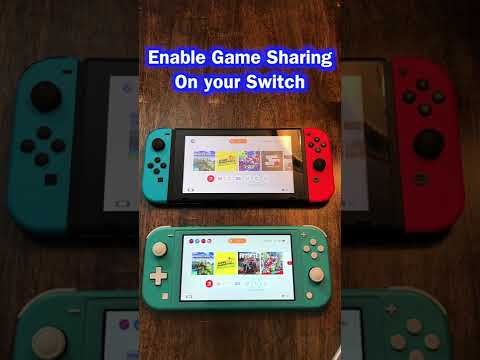
The short answer to whether you need two copies of a game to play on two Nintendo Switch consoles is: it depends. For local multiplayer on separate consoles, generally, yes, you need a copy of the game for each Switch. However, there are nuances and exceptions depending on the game and whether you’re using physical cartridges or digital downloads. Let’s delve into the intricacies of Nintendo Switch multiplayer to clarify this further.
Understanding Local and Online Multiplayer on the Switch
The Nintendo Switch offers various ways to play with friends and family, both locally and online. Understanding these options is key to determining whether you need multiple copies of a game.
Local Wireless Play (Couch Co-op)
This mode allows you to connect multiple Nintendo Switch consoles wirelessly, creating a local multiplayer experience without needing an internet connection. Think of it as a modern take on the classic couch co-op. This often requires each player to have their own copy of the game, as the consoles are essentially acting as individual clients.
Online Multiplayer
Online multiplayer connects you with players worldwide via the internet. Again, nearly always, each player requires a copy of the game to participate in the online environment. A Nintendo Switch Online subscription is also usually required.
Exceptions and Workarounds
There are a few exceptions to the “two games for two switches” rule:
-
Digital Game Sharing (Limited): Nintendo allows you to link your Nintendo Account to multiple consoles. However, only one can be designated as your “primary console.” Digital purchases can be downloaded and played on any console linked to your account, but only you can play them on a non-primary console. This means that if you’re playing on the primary console, someone else can use your account to play the same game on the secondary console. But if you are also trying to play on the secondary console, both systems would need their own copy of the game.
-
Games with Single-Cartridge Multiplayer Modes: Some older Nintendo systems (like the DS) offered “download play,” where one cartridge could temporarily transmit a limited version of the game to other consoles for multiplayer. Very few Switch games offer anything similar to this, and those that do often have heavily restricted content for the receiving player.
Physical Cartridges vs. Digital Downloads
The way you own the game – as a physical cartridge or a digital download – also impacts your multiplayer options.
-
Physical Cartridges: As mentioned earlier, save data is stored on the console, not the cartridge. This means you can freely swap a physical game between multiple consoles. However, only the console with the cartridge inserted can play the game at any given moment for most multiplayer game types.
-
Digital Downloads: Digital games are tied to your Nintendo Account. While you can download them on multiple consoles, playing them simultaneously requires careful management of your primary and non-primary console settings as noted above.
Navigating the Nintendo Landscape
Ultimately, the best way to determine if you need two copies of a game is to check the game’s specific multiplayer details, especially if it’s a game that is a focus of study by the Games Learning Society. Read the game description on the Nintendo eShop or consult online resources to find out if it supports single-cartridge multiplayer or has any unique sharing features.
Frequently Asked Questions (FAQs)
Here are 15 frequently asked questions related to playing games on multiple Nintendo Switch consoles:
1. Can I use the same game card for 2 different switches?
Yes, you can use the same game card on multiple Switch consoles, but only one console can play it at a time (in most scenarios). Save data is stored on the console itself, so each console will have its own save progress.
2. Can 2 people play with one Switch?
Yes, many Nintendo Switch games support local multiplayer on a single console. The number of players supported varies depending on the game. You can use Joy-Cons, Pro Controllers, or other compatible controllers.
3. How do you share games between accounts on Nintendo Switch?
Game sharing on Nintendo Switch involves logging into your account on another console and setting that console as your primary console. This allows you to redownload and play games from the eShop on that console. Note that this impacts your ability to play your games simultaneously on your primary console.
4. Can you play Mario Kart on two switches with one game?
Generally, no. To play Mario Kart 8 Deluxe on two separate Switch consoles in local wireless multiplayer, each console needs its own copy of the game.
5. Do both switches need Mario Party to play?
Yes, to play Super Mario Party on two Nintendo Switch consoles in online or local wireless multiplayer, each console needs its own copy of the game.
6. How do you play two Nintendo switches together?
You can connect two Nintendo Switch consoles for local wireless multiplayer by selecting the appropriate multiplayer mode within a compatible game. Follow the in-game instructions to create or join a room.
7. Can you play Super Mario Bros. Wonder on two switches?
To play Super Mario Bros. Wonder on two Nintendo Switch consoles, each console needs its own copy of the game, when trying to play in separate console mode.
8. Do you need 2 switches for multiplayer Mario Kart?
No, you do not need two switches for Mario Kart multiplayer. Up to four players can play on a single Nintendo Switch console using separate controllers. However, two or more switches can connect to have up to 12 players.
9. Can Nintendo family share games?
While Nintendo doesn’t have a traditional “family sharing” plan like some other platforms, you can share games by logging into a friend or family member’s Switch and setting it as your primary console. This allows them to play your digital games.
10. Can I get a digital copy of a game I already own on Switch?
No, owning a physical copy of a game does not entitle you to a free digital copy. You must purchase the digital version separately if you want to play it without the cartridge.
11. How many joy cons do I need for 4 players?
For 4 players, you’ll need either four individual Joy-Con controllers (one per player) or two pairs of Joy-Cons (each pair used as a single controller). You can also use Nintendo Switch Pro Controllers.
12. What can you do with a Nintendo Switch without games?
Without games, a Nintendo Switch’s functionality is limited. You can access the Nintendo eShop, change system settings, and potentially use apps like YouTube or Hulu (if available). It is primarily a gaming console.
13. How many joy cons do I need for Mario Party?
Super Mario Party can be played with as little as one Joy-Con per player. For a full four-player game, you’ll need four Joy-Cons.
14. Is Mario Party worth it for 2 people?
Whether Mario Party is worth it for two people depends on your enjoyment of board games and mini-games. It can be a fun experience with the right person, but it’s generally more enjoyable with more players.
15. What happens when you have 2 Nintendo switches?
Having two Nintendo Switch consoles allows for local wireless multiplayer with friends and family, each with their own screen and controls. You can also have your digital games available on both, playing on one while others can play on the other. As mentioned above, you are able to play the same game as another, but only when the second console has been selected as the Primary Console.
We hope this guide has illuminated the complexities of Nintendo Switch multiplayer. Whether you’re gathering around the TV for some couch co-op or connecting online with friends, understanding these principles will help you make the most of your Nintendo Switch experience. Check out GamesLearningSociety.org to learn more about games and how they can be used for education and research. Remember, games should be fun and enjoyable, even when navigating the technicalities of multiplayer setups!